

 iOS Tips & Latest Updates
 Bug Fixes, Unlock Guides
 Giveaways & Freebies
then write your review


ReiBoot - No.1 Free iOS System Repair Software
Fix 150+ iOS Issues without Data Loss & Safely iOS 27 Upgrade/Downgrade
ReiBoot: No.1 iOS Repair Tool
Fix 150+ iOS Issues, No Data Loss
Halfway through a call or reading on iPhone Duo, everything freezes. The screen won't scroll, taps do nothing, and even the clock stops. An "iPhone Duo frozen and unresponsive" issue is usually software-related.
Sometimes one app has crashed. Other times, the touch layer or the entire system has hung, or the phone is stuck on the Apple logo. The fixes below start with quick steps and progress to system-level repairs for recurring freezes.

Identify the type of freeze, as the iPhone Duo frozen fix depends on the cause:
Quick check: If the "Home Screen" still functions, it's likely an app issue. But if nothing responds or freezing continues after a restart, the problem is likely system-level.
Here are some quick and basic solutions for the iPhone Duo screen frozen issue:
If the rest of the phone responds, you can force quit the frozen app. Here's how:

Before you assume an iOS issue is the reason for a frozen iPhone Duo, rule out simple causes:

Don't let a bent, frayed, or no-name cable fool you into thinking the phone is dead. If the Duo shows the charging indicator but stays frozen, move on to the next step.
A force restart can solve most true freezes. It doesn't rely on the touchscreen, uses the hardware buttons, and clears the temporary memory (RAM) where the freeze exists without data loss. After restarting, you'll need to enter your passcode once before Touch ID functions again. Here's how to force restart frozen iPhone Duo:

If the phone returns to normal, you're done. But if it freezes again within hours or days, read on.
Maybe the phone unfreezes after a restart but locks up again or hangs during startup. A repeat freeze means the restart removed the symptom, not the cause. So, try these fixes in such a case:
Nearly full iPhone Duo storage can leave iOS without enough functioning space and contribute to freezes. So, aim to keep several gigabytes free, and delete only what you've backed up or don't need:

If an iPhone Duo is frozen and won't turn off, it may be running an iOS version with a bug that a later release already fixed. So, update your phone to the current version:

When the iPhone Duo is frozen and not responding to touch, you can use Apple's official Recovery Mode to reinstall iOS from a computer. On a recent Mac, use Finder, and on Windows, use iTunes or the Apple Devices app:


If "Update" fails, as it often does when system files are badly corrupted, "Restore" is the only official route left. But if you'd rather not risk your data, the next section describes an alternative.
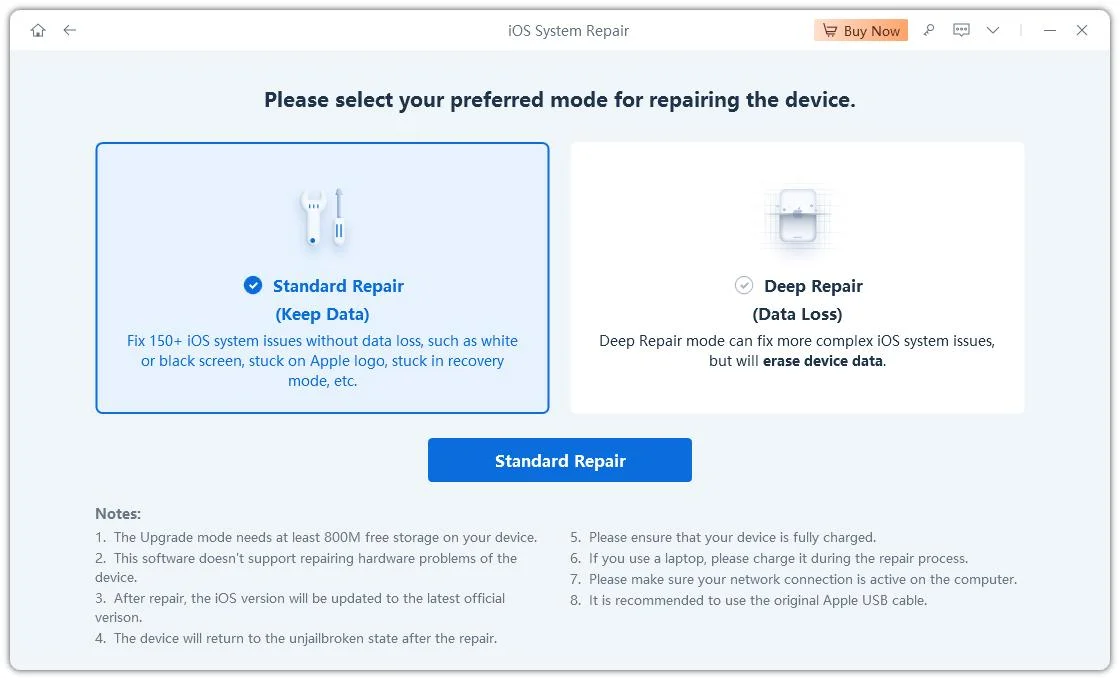
When a force restart, storage cleanup, and updates haven't stopped the freezing, the cause may be deeper iOS corruption. Apple's built-in solution is to restore through Finder or iTunes, but that erases the phone. Tenorshare ReiBoot is an excellent alternative, as it can repair deep iOS corruption without a full wipe.




Here's what more it offers:
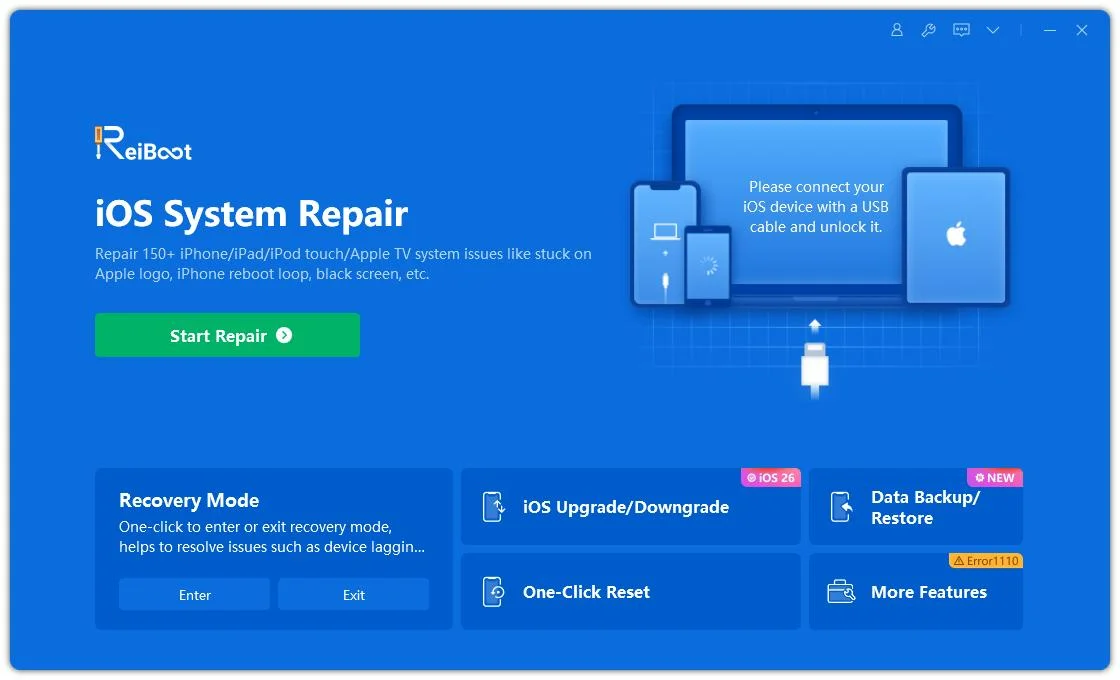
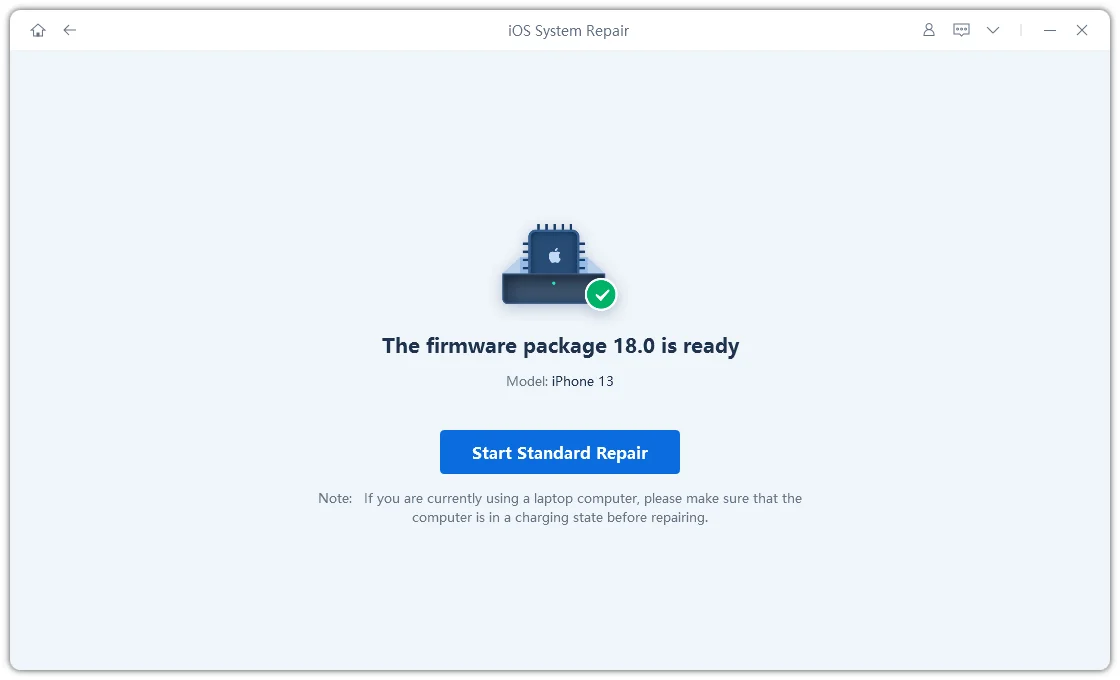
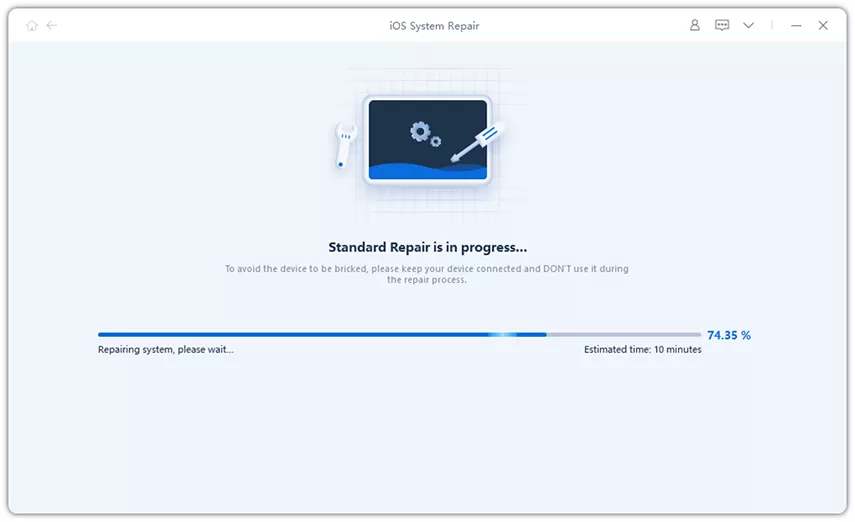
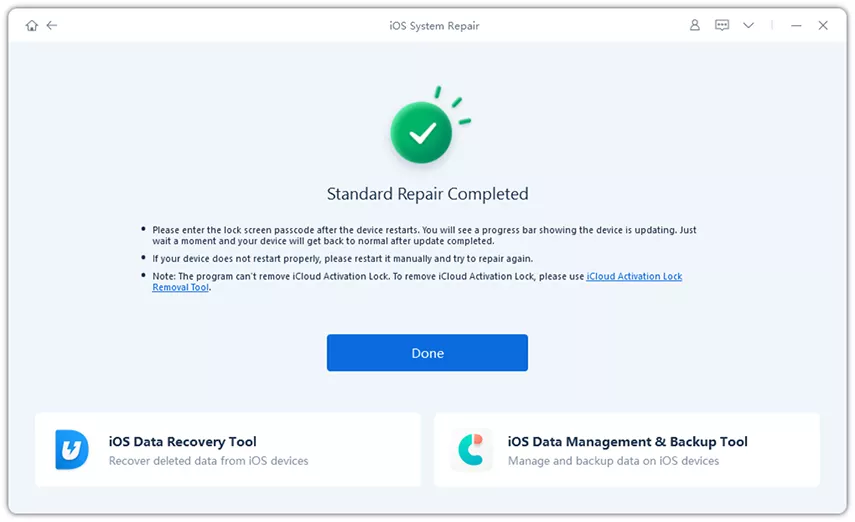
Here's how to unfreeze iPhone Duo with ReiBoot:
When touch fails completely, use the hardware buttons to force restart. Quickly press Volume Up, then Volume Down, then hold the Side button until the Apple logo appears.
That usually means the processor and sound are still running while the display or interface has hung. A force restart is the first fix because it resets both.
Go through the simplest to most thorough solutions:
If every app freezes the phone, the problem is likely system-level, not app-specific.
No. A force restart briefly cuts power and clears temporary memory. Photos, messages, apps, and settings stay untouched because they exit in storage, not RAM. The only inconvenience is that you'll be asked for your passcode on startup.
If the iPhone Duo freezes during an update, give it plenty of time with the cable connected, as updates can appear stuck while still functioning. But if the progress bar truly hasn't moved for a long time, try a force restart. In case it remains stuck in a loop or on the Apple logo, Tenorshare ReiBoot can fix the system without erasing data.
The "iPhone Duo frozen or unresponsive" issue is usually fixable with a few escalating steps. Force-quit the app, remove the case and screen protector, and charge the phone. Then try a force restart. If freezes continue, free up storage and update iOS.
If those steps fail and you want to avoid Apple's data-wiping Restore, Tenorshare ReiBoot offers system-level repair designed to preserve your files. So, get ReiBoot for a quick, safe fix if basic restarts fail to resolve continuous freezing.


then write your review
Leave a Comment
Create your review for Tenorshare articles

Share this post


ReiBoot - No.1 Free iOS System Repair Software
Fix 150+ iOS Issues without Data Loss & Safely iOS 27 Upgrade/Downgrade
ReiBoot: No.1 iOS Repair Tool
Fix 150+ iOS Issues, No Data Loss
By Jenefey Aaron
2026-10-20 / iPhone 18