




UltData - Best iPhone Data Recovery Tool
Recover Deleted & Lost Data from iOS Devices Easily, No Backup Needed!
UltData: Best iPhone Recovery Tool
Recover Lost iPhone Data without Backup
When iPhone users search "why are my iPhone photos missing" or report "all my photos on my iPhone are gone," they usually face the same stressful situation: photos suddenly vanish from the gallery, albums appear empty, or certain images refuse to load. This issue is extremely common, especially after iOS updates , iCloud sync delays, storage changes, or accidental settings that hide or offload photos. The good news is that missing photos are rarely permanently deleted — most of the time, your images are simply unsynced, hidden, optimized, or stuck in iCloud.
Whether your photos have disappeared from iPhone, or iPhone photos are not showing in gallery, the fix often depends on understanding what caused them to go missing in the first place. And even in the worst cases — when photos are gone from both your device and iCloud — tools like Tenorshare UltData can scan your iPhone deeply and recover images the Photos app can no longer display. Let's break down the real reasons your photos disappeared and how to get them back safely.
If your photos have disappeared from iPhone or iPhone photos are missing from camera roll, these are the most common reasons:
iCloud often needs time to download or re-sync your photos, especially after updating iOS or switching devices. When the sync stalls, photos may temporarily disappear from the gallery.
Settings like Optimize iPhone Storage replace local photos with lightweight thumbnails. If your device can't download the originals from iCloud, the photos appear missing.
A failed update or system glitch can break the local media library, making images disappear even though they still exist in storage or iCloud.
Before panicking over "all my photos on my iPhone are gone," check these simple but effective places.
Go to Settings → Your Name → iCloud → Photos and ensure iCloud Photos is turned on across all devices. Many users accidentally disable it when managing storage.
Photos sometimes vanish simply because they were hidden or removed from the main camera roll. Open Photos → Albums to check:
If iPhone photos are not showing in gallery despite being stored in iCloud, these solutions usually help.
Turn iCloud Photos off and back on to force a fresh sync:
This forces your device to re-download photos that were stuck in sync.
If photos appear missing on the iPhone but exist in iCloud:
This is helpful when photos are missing from the camera roll but still saved online.

When photos are missing from both iCloud and your camera roll, recovery becomes more difficult — but not impossible.
UltData scans the actual storage sectors of your iPhone, recovering deleted or corrupted photos even when:
It works even when no backup exists — something iCloud cannot do.





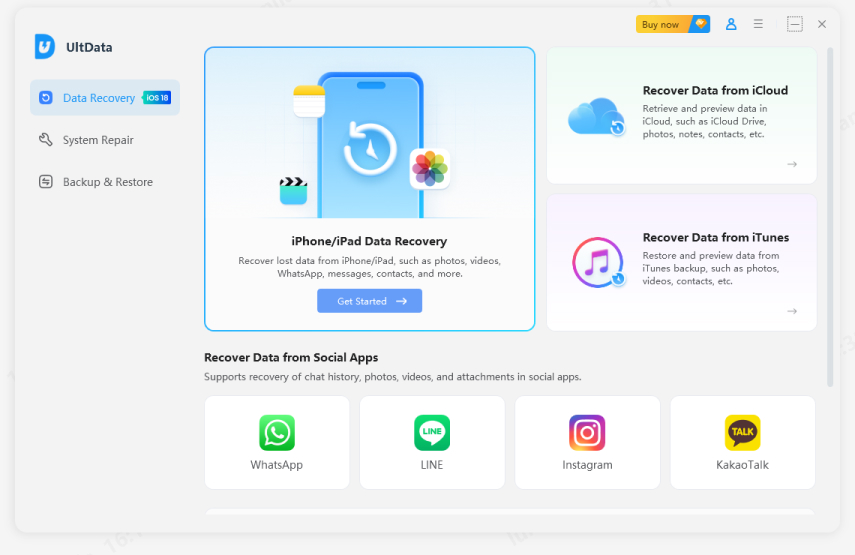
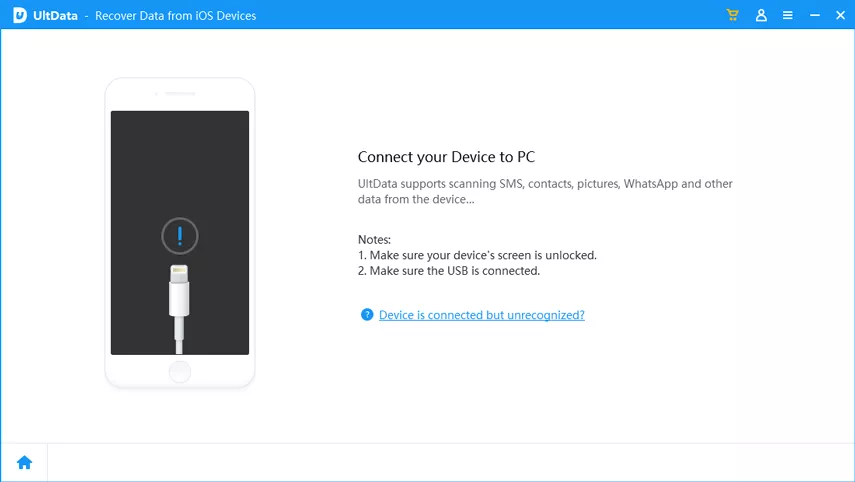
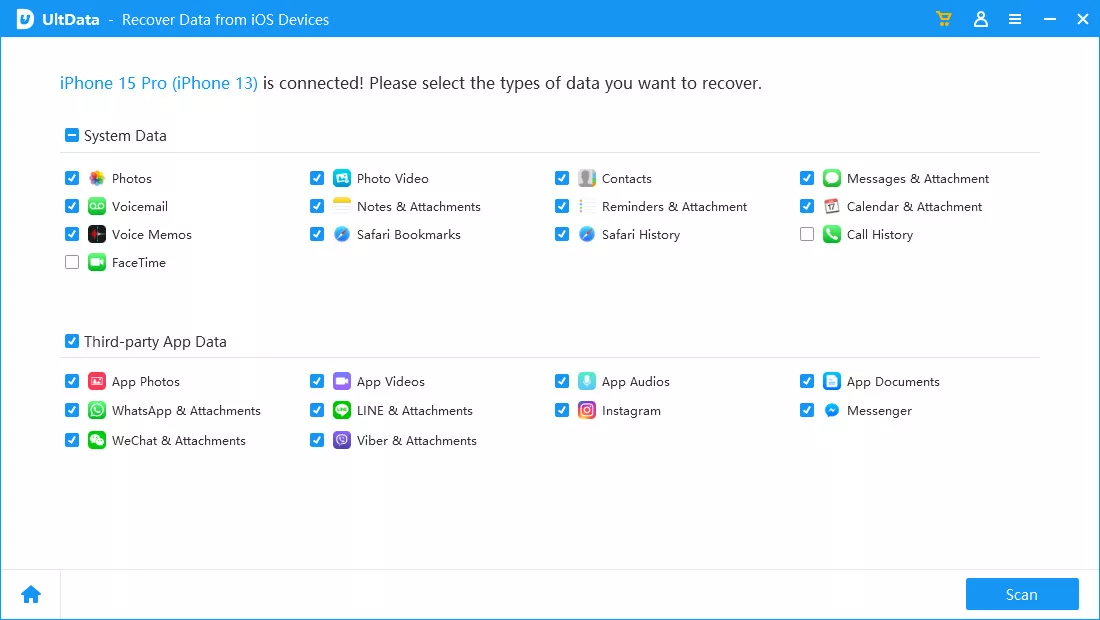
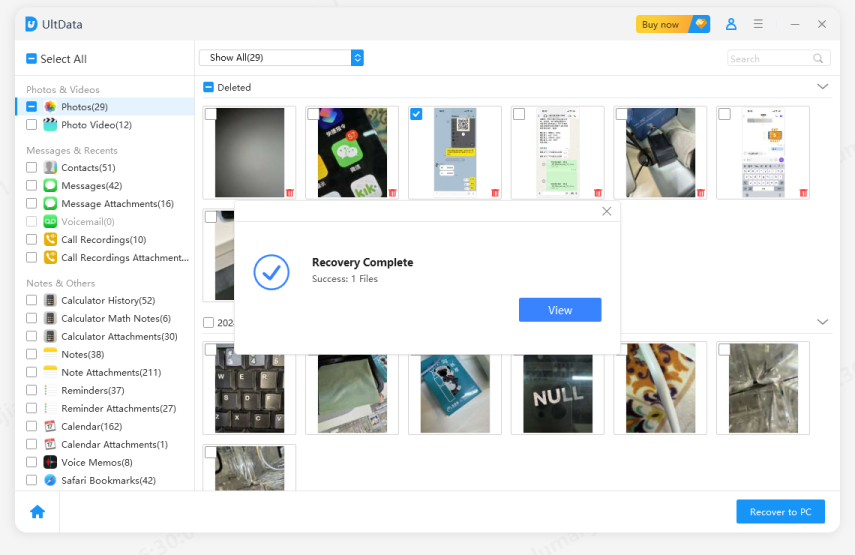
This method has one of the highest success rates for retrieving lost iPhone photos.
The most reliable way to recover missing iPhone photos without backup, even when iCloud sync fails or photos disappear after iOS updates.
Understanding why are my iPhone photos missing is the first step toward restoring them. In most cases, missing photos are caused by iCloud delays, hidden albums, storage optimization, or a buggy photo database — all fixable with the right checks. But if your photos have disappeared from iPhone and don't show up in iCloud or backups, Tenorshare UltData offers the most effective way to recover them directly from your device's internal storage.
then write your review
Leave a Comment
Create your review for Tenorshare articles

Share this post


UltData - Best iPhone Data Recovery Tool
Recover Deleted & Lost Data from iOS Devices Easily, No Backup Needed!
UltData: Best iPhone Recovery Tool
Recover Lost iPhone Data without Backup
By Jenefey Aaron
2026-09-10 / iOS Data Recovery