

 iOS Tips & Latest Updates
 Bug Fixes, Unlock Guides
 Giveaways & Freebies
then write your review


ReiBoot - No.1 Free iOS System Repair Software
Fix 150+ iOS Issues without Data Loss & Safely iOS 27 Upgrade/Downgrade
ReiBoot: No.1 iOS Repair Tool
Fix 150+ iOS Issues, No Data Loss

The iPhone Duo introduces Apple's first foldable design with a dual-battery architecture. Apple says the two batteries work seamlessly as one to deliver up to 24 hours of typical use. However, battery life can vary depending on which display you use, your live wallpaper, network connection, and usage habits. This guide explains how to check iPhone Duo battery health, fix battery drain, and keep your battery performing well.
Yes. The iPhone Duo has two built-in rechargeable lithium-ion batteries, with one battery positioned on each side of the foldable device. Apple designed this dual-battery architecture to make better use of the limited internal space in a foldable phone.
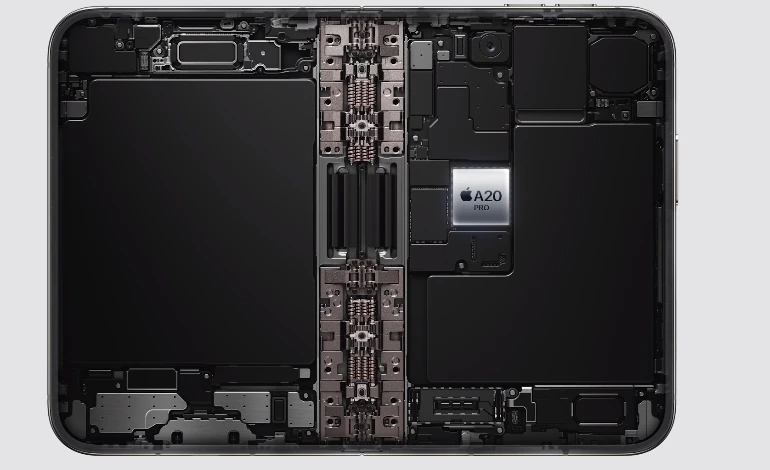
Rather than operating as two independent batteries from the user's perspective, Apple's energy rebalancing algorithms allow the two batteries to operate seamlessly as one. This means you don't need to manually switch between the two batteries when using the iPhone Duo.
The iPhone Duo has a 5.4-inch outer display and a 7.6-inch inner display. Because the two screens have different power requirements, battery life can also vary considerably depending on how you use the phone.
 Please swipe to view
According to Apple, the 24-hour typical-use figure is based on using both displays. Video playback can reach up to 44 hours on the outer display and up to 31 hours on the larger inner display.
The iPhone Duo also supports fast charging. With a 60W-capable adapter or higher and a USB-C cable, it can reach up to 50% charge in around 20 minutes. With a 35W adapter or higher and a MagSafe Charger, Apple says it can reach 50% in around 30 minutes.
One of the biggest factors affecting iPhone Duo battery life is which screen you use.

The 7.6-inch inner display provides a much larger viewing area, making it useful for gaming, video, multitasking, and other demanding activities. However, a larger display can also consume more power.
Apple's own testing demonstrates the difference: video playback is rated for up to 31 hours on the inner display compared with up to 44 hours on the outer display.

Other factors can also contribute to iPhone Duo battery drain, including:
Therefore, a shorter battery runtime does not necessarily mean that the iPhone Duo battery has a problem.
If you are concerned about your iPhone Duo battery health, start with Apple's built-in battery settings rather than relying on third-party applications.
To perform an iPhone Duo battery health check:

Battery health and battery level are not the same thing.
Battery level tells you how much charge is available right now, while battery health is intended to indicate the battery's longer-term capacity and condition.
Because the iPhone Duo contains two physical batteries but Apple's system manages them together, users should not assume that the device will present two completely independent battery-health readings.
If your iPhone Duo battery drain seems unusually high, check these common causes first.
The large 7.6-inch display is designed for immersive activities such as gaming, video playback, and multitasking. These activities can consume more energy than using the smaller outer display.
Display brightness is one of the easiest settings to adjust when you want to reduce battery consumption.
Games, video editors, navigation apps, video calls, and other demanding applications can use significantly more power than lightweight apps.
When cellular reception is poor, the phone may use more power maintaining a connection. If you notice battery drain mainly in areas with weak reception, network conditions may be contributing to the problem.
Apps that frequently refresh content, use location services, or synchronize data in the background can contribute to battery consumption.
If your iPhone Duo battery is depleting fast, work through these solutions in order.
Go to Settings > Battery and review which apps have consumed the most power.
If one application accounts for a disproportionately large amount of battery usage, try updating it, reducing its background activity, or temporarily removing it to determine whether it is contributing to the problem.
Lowering screen brightness can help reduce display-related power consumption.
You can also use automatic brightness and reduce the amount of time the screen stays active when you're not using the phone.
You do not always need to unfold the phone.
For quick messages, notifications, calls, navigation checks, or other simple tasks, using the outer display may help reduce power consumption compared with extended use of the larger inner display.
Review apps that frequently refresh or use location services in the background.
Disabling unnecessary background activity can help reduce battery drain without affecting essential functions.
Software updates can include performance and power-management improvements. Make sure your iPhone Duo and frequently used apps are running current versions.
A simple restart can sometimes resolve temporary software problems that cause abnormal battery consumption.
If the battery drain suddenly appeared after an app installation, system update, or unusual software behavior, restarting the device is a useful first troubleshooting step.
If your iPhone Duo battery is still draining unusually fast after trying the standard troubleshooting methods, the problem may be related to an underlying iOS system issue rather than the battery itself.
In this case, you can try Tenorshare ReiBoot to repair common iOS system issues without erasing your personal data.




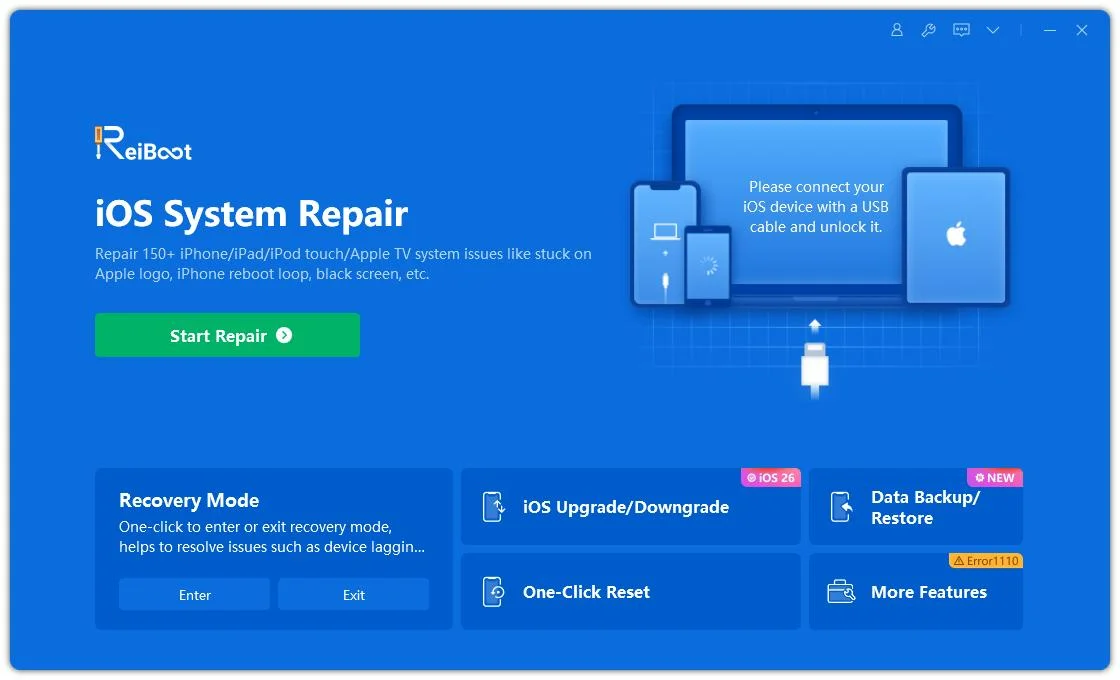
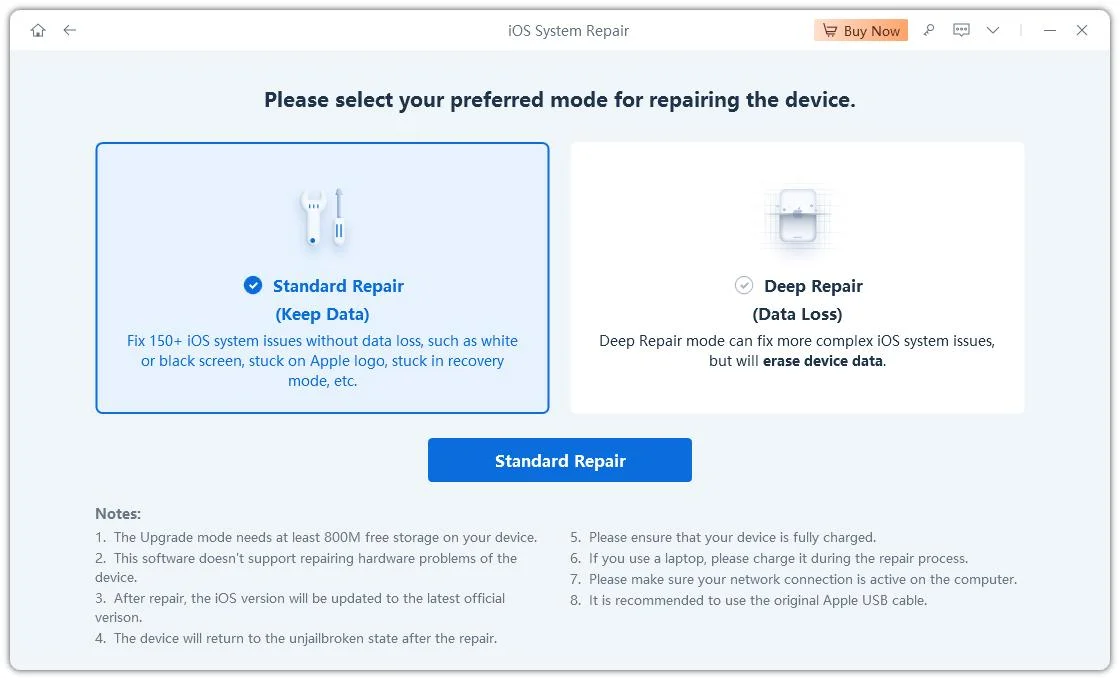
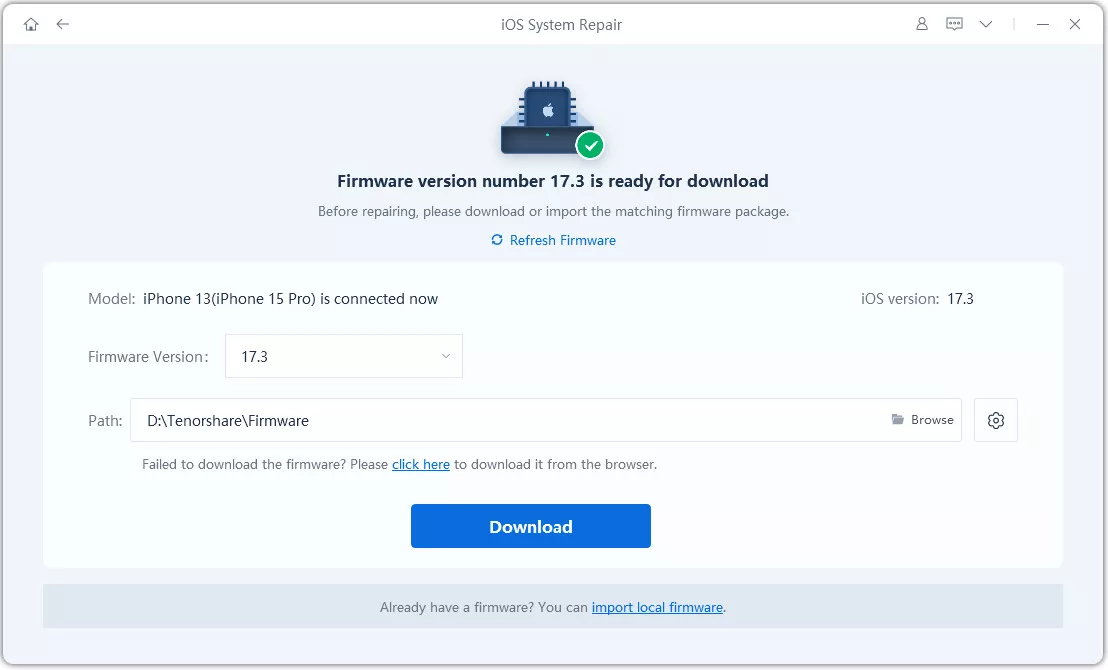
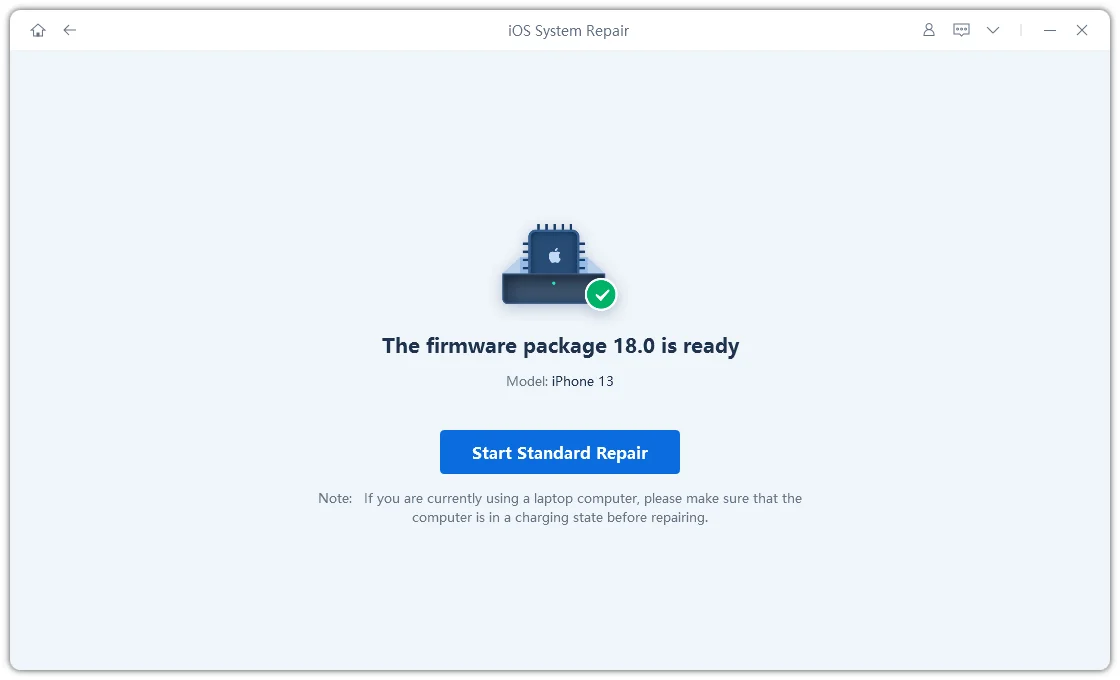
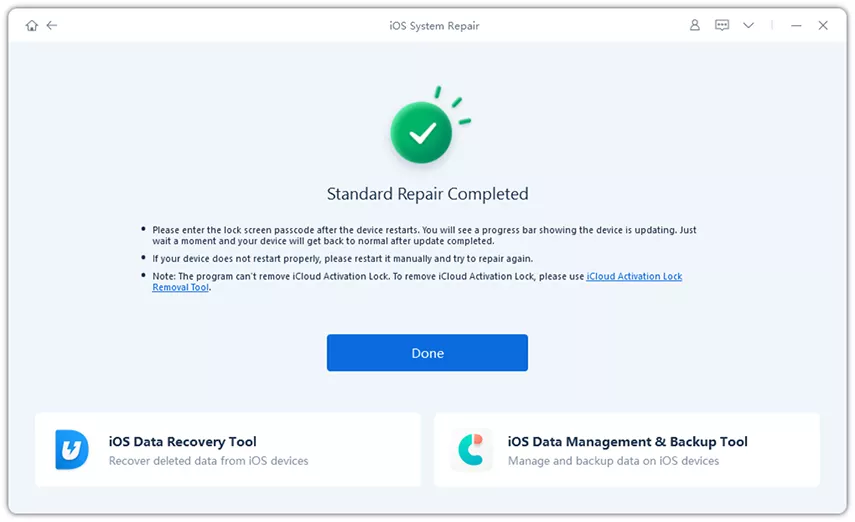
Tenorshare ReiBoot can be useful when battery drain occurs alongside other system problems, such as app crashes, system freezes, update issues, or abnormal iPhone behavior.
If you want to boost iPhone Duo battery health, focus on reducing unnecessary heat, excessive charging stress, and prolonged high-power usage.

Use Apple's available charging optimization features to reduce the amount of time the battery spends at a high state of charge.
Heat can negatively affect lithium-ion battery performance and long-term battery lifespan.
Avoid leaving your iPhone Duo in very hot environments, such as direct sunlight or a hot car. If the device becomes unusually warm during intensive gaming or charging, allow it to cool down.
Long gaming sessions, high-brightness video playback, and other demanding workloads can consume substantial power.
This does not mean you should avoid these features. Instead, use them when needed and keep the device cool during intensive use.
Software updates can improve system performance and power management. Keeping iOS current can therefore help maintain normal battery behavior.
Use compatible USB-C and MagSafe charging accessories that meet Apple's specifications.
The iPhone Duo supports fast charging, with Apple rating it for up to 50% charge in around 20 minutes with a 60W-capable adapter or higher and USB-C cable.
Don't wait until your battery becomes severely degraded to check it.
Occasionally reviewing Settings > Battery can help you identify apps or usage patterns that are unexpectedly consuming power.
The iPhone Duo is rated for up to 24 hours of typical use. Apple rates video playback at up to 44 hours using the outer display and up to 31 hours using the inner display. Streaming video is rated at up to 37 hours on the outer display and 26 hours on the inner display.
Actual battery life varies depending on apps, screen brightness, network conditions, temperature, and how frequently you use the inner and outer displays.
The iPhone Duo has two physical batteries, but Apple designed them to operate seamlessly as one through its energy rebalancing system. Apple has not indicated that users should manage the two batteries as separate battery systems.
For this reason, check the Battery settings in iOS rather than assuming that the two physical batteries will have separate user-facing health readings.
For everyday battery monitoring, Apple's built-in Battery settings should be your first choice.
A third-party iPhone Duo battery checker may provide additional diagnostic information, but its readings should not automatically be treated as an official Apple battery-health measurement.
If your battery information is missing or appears inconsistent, check for iOS updates and restart the device before relying on third-party diagnostics.
If your iPhone Duo battery health is not working or battery information is unavailable, try these basic troubleshooting steps:
A missing battery-health reading does not automatically mean that the physical battery is defective.
If your iPhone Duo battery is not recognized, first determine whether the problem involves battery-health information, charging, or battery percentage.
Restart the phone and check for software updates. If the issue continues, especially if the device also has charging or power-related problems, professional service may be necessary.
The iPhone Duo's dual-battery architecture is designed specifically for its foldable form factor. Apple uses two physical batteries and energy rebalancing algorithms to make them operate as one, while the different displays naturally lead to different battery consumption.
If your iPhone Duo battery is draining faster than expected, start with Settings > Battery to identify the cause. Reducing unnecessary screen usage, managing background activity, keeping iOS updated, avoiding excessive heat, and using charging optimization features can help maintain normal battery performance over time.


then write your review
Leave a Comment
Create your review for Tenorshare articles
Share this post


ReiBoot - No.1 Free iOS System Repair Software
Fix 150+ iOS Issues without Data Loss & Safely iOS 27 Upgrade/Downgrade
ReiBoot: No.1 iOS Repair Tool
Fix 150+ iOS Issues, No Data Loss
By Jenefey Aaron
2026-10-26 / iOS 27