

 iOS Tips & Latest Updates
 Bug Fixes, Unlock Guides
 Giveaways & Freebies
then write your review


4uKey - One-Click Easy iPhone/iPad Unlocker
Unlock Screen Lock/Apple ID/MDM/Screen Time Passcode Instantly
Easy iPhone/iPad Unlocker
Unlock iPhone Passcode Instantly
iOS 27 adds new ways to customize your Lock Screen, but things do not always work as expected. You may not be able to change the wallpaper, widgets, clock style, or other options. Sometimes, your changes may not save at all.
If you are facing an iOS 27 lock screen customization issue, there are a few simple fixes you can try. First, let’s identify the exact Lock Screen problem you are having.

The iOS 27 lock screen customization issue not working can appear in different ways. You may be unable to open the customization menu, find some clock options, use wallpaper effects, or keep your selected Lock Screen. Check the table below to identify your issue and find the related fix.
 Please swipe to view
The right fix depends on what is stopping you from changing the Lock Screen. Try these methods in order, starting with the easiest option.
A long press on the Lock Screen normally opens the customization menu. If it does not respond, you can access the same options through Settings.
Steps how to customize lock screen in iPhone:

Some Lock Screen options may not appear with every wallpaper, clock style, or widget. A compatibility issue can also make certain effects unavailable. Checking these options can help identify the cause of the iOS 27 lock screen customization issue.
Steps:


A Lock Screen can be linked to Focus mode, so your iPhone may switch between Lock Screens. Creating a new Lock Screen may fix the issue. Updating iOS is another useful iOS 27 lock screen customization issue fix if the problem continues.
Steps:


Forgotten your iPhone passcode can prevent you from opening Settings or reaching the Lock Screen customization options. Tenorshare 4uKey is an iPhone and iPad unlocking tool that can remove a forgotten screen passcode and help you regain access to the device. It supports iOS/iPadOS 27 and works through a computer-based unlocking process.
Key features of Tenorshare 4uKey:




How to Remove a Forgotten iPhone Passcode with 4uKey


You can change the clock, widgets, wallpaper, and controls on your iPhone Lock Screen. Touch and hold the Lock Screen, then tap Customize to start editing it.
You can change the clock style and size and add widgets below it.
Steps of how to customize lock screen in iphone:

You can use your own photos as wallpapers and adjust their position. Some photos also let you extend the wallpaper. On supported devices, Image Playground can create wallpapers for you.
Steps to use a photo:


Steps to use Image Playground:

You can replace the controls at the bottom of the Lock Screen with other available options.
Steps of how to customize lock screen:


Yes. You can customize your Lock Screen without Face ID. Use your passcode to unlock the iPhone and access the customization options.
Yes. Most issues can be fixed without losing data. Try restarting your iPhone, checking the Lock Screen settings, or updating iOS.
The iOS 27 lock screen customization issue is usually easy to fix by checking your settings, wallpaper, widgets, or iOS version. For a forgotten passcode, Tenorshare 4uKey can remove the screen lock and help you access your iPhone again. After setting it up, you can customize your Lock Screen normally.


then write your review
Leave a Comment
Create your review for Tenorshare articles
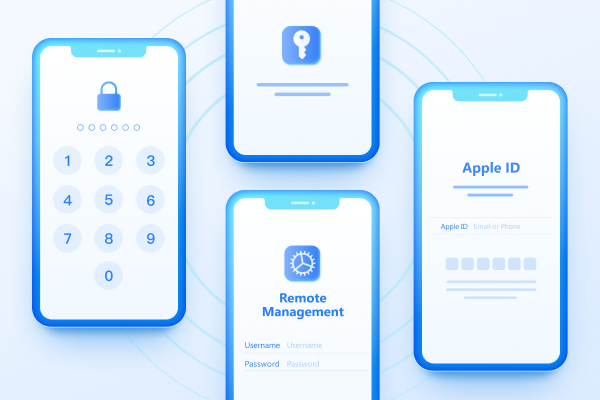
Easily Unlock iPhone passcode/Apple ID/iCloud Activation Lock/MDM
100% successful unlockShare this post


4uKey - One-Click Easy iPhone/iPad Unlocker
Unlock Screen Lock/Apple ID/MDM/Screen Time Passcode Instantly
Easy iPhone/iPad Unlocker
Unlock iPhone Passcode Instantly
By Jenefey Aaron
2026-11-03 / iOS 27