

 iOS Tips & Latest Updates
 Bug Fixes, Unlock Guides
 Giveaways & Freebies
then write your review


4uKey - One-Click Easy iPhone/iPad Unlocker
Unlock Screen Lock/Apple ID/MDM/Screen Time Passcode Instantly
Easy iPhone/iPad Unlocker
Unlock iPhone Passcode Instantly
Your iPhone is ready to use until one screen stops everything: Activation Lock. Suddenly, you need an Apple Account and password to move forward, and without them, your iPhone can feel completely unusable.
In this guide, we'll explore icloud unlock ios 27, the reasons behind an iCloud-locked iPhone, and the options available to get your device working again. Let's start with what iCloud Activation Lock actually means.

It depends on why your iPhone is locked. There is no single method that works for every situation. For example, forgetting your iPhone passcode is different from forgetting your Apple Account password or buying an iPhone that is still linked to its previous owner.
The right iOS 27 bypass activation lock method depends on your situation. Here is a overview:
 Please swipe to view
For a simpler way to deal with iPhone lock issues, Tenorshare 4uKey brings several unlocking tools together in one place. It is designed to help users handle forgotten passcodes, Apple ID issues, Screen Time restrictions, and MDM profiles. It can also help with other common iPhone lock issues without complicated procedures.
Everything is clearly organized, allowing you to choose the right tool for your specific lock issue and complete the process with ease. 4uKey also offers solutions for supported iOS 27 devices and lock situations.
What Can Tenorshare 4uKey Do?




How to Remove an Apple ID with 4uKey


Apart from using a third-party unlocking tool, there are several official ways to deal with an iCloud-locked iPhone. Not every iCloud-locked iPhone needs the same solution. Sometimes, you simply need to enter the correct Apple Account password. Here are a few ways to deal with each situation.
Using the Apple Account already linked to the iPhone is the most direct way to complete an icloud unlock ios 27. This works when you know the correct Apple Account and password.

A forgotten password does not mean you have lost access to your iPhone forever. Resetting your Apple Account password can help you regain access and continue with the iOS 27 unlock process.

Bought a used iPhone and found that it is still linked to someone else's Apple Account? In this case, an iPhone 11 iOS 27 iCloud bypass is not the first thing to try. The easiest solution is to contact the previous owner and ask them to remove the device from their account.
They can do this remotely, so they do not need to have the iPhone with them.


Apple can also help with an iOS 27 bypass activation lock request when you are the verified owner of the device. You will usually need to provide valid proof that the iPhone belongs to you.
A computer restore is another option worth trying when the iPhone is unavailable, stuck, or experiencing software problems. It can erase the device and reinstall iOS, which may help you bypass iOS 27 software issues.
Keep in mind that restoring the iPhone does not remove Activation Lock. If Find My was enabled before the restore, you will still need to enter the Apple Account linked to the device during setup.


Sometimes, an iCloud unlock method may not work on the first try. Here are a few common issues and what they mean.
The iPhone is still connected to an Apple Account. Sign in with the linked account or ask the previous owner to remove the device from their account.
Resetting an iPhone erases its data, but Activation Lock remains active. You will still need the Apple Account linked to the device to finish setup.
Not every tool works with every iPhone model or iOS version. Check the supported device list, update the software, and make sure your iPhone is compatible before trying again.
Erase the iPhone and set it up again. You may still need the linked Apple Account to activate it.
You can contact Apple with valid proof of purchase. Otherwise, the previous owner needs to remove the device from their account.
No. A factory reset erases the data on the iPhone, but Activation Lock can remain active. You will need the linked Apple Account credentials to activate the device.
No. iPhone Unavailable is a passcode lock, while Activation Lock is linked to the Apple Account.
An iCloud-locked iPhone does not have to be the end of the road. The right icloud unlock ios 27 method depends on what is locking your device whether it is a forgotten passcode, Apple Account password, or Activation Lock. For a quick and simple way to handle supported iPhone lock issues, Tenorshare 4uKey is worth considering. With multiple unlocking tools in one place, it can help make the process easier and get you back to using your iPhone.


then write your review
Leave a Comment
Create your review for Tenorshare articles
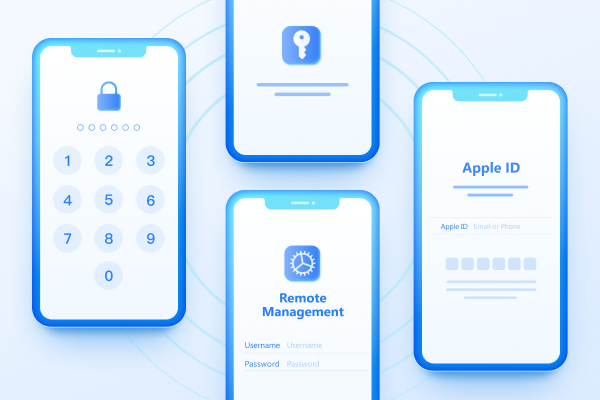
Easily Unlock iPhone passcode/Apple ID/iCloud Activation Lock/MDM
100% successful unlockShare this post


4uKey - One-Click Easy iPhone/iPad Unlocker
Unlock Screen Lock/Apple ID/MDM/Screen Time Passcode Instantly
Easy iPhone/iPad Unlocker
Unlock iPhone Passcode Instantly
By Jenefey Aaron
2026-10-14 / iOS 27