

 iOS Tips & Latest Updates
 Bug Fixes, Unlock Guides
 Giveaways & Freebies
then write your review


4uKey - One-Click Easy iPhone/iPad Unlocker
Unlock Screen Lock/Apple ID/MDM/Screen Time Passcode Instantly
Easy iPhone/iPad Unlocker
Unlock iPhone Passcode Instantly
Screen Time is useful for managing app limits and content restrictions. However, problems can appear after an update. Some users find that iOS 27 cannot disable Screen Time. The option may not respond or may remain enabled.
In some cases, the correct Screen Time passcode does not solve the problem. This can be frustrating when you want full control of your iPhone. Fortunately, there are several ways to fix it. This guide explains the possible causes and shares seven effective solutions to disable Screen Time successfully.

If iOS 27 cannot disable Screen Time, you may also wonder, why is Screen Time Downtime not working?
You can turn off Screen Time from Settings with the correct passcode. Forgot it? Reset the passcode using your Apple ID. These methods may also help with iOS 27 parental controls not working.
You can turn off Screen Time directly from your iPhone Settings. You will need the Screen Time passcode to complete the process. After turning it off, app limits, downtime, and other Screen Time restrictions will also be disabled.
Follow these steps:

Forgot your Screen Time passcode? You can reset it with the Apple ID used to set up Screen Time. Once you create a new passcode, use it to turn off Screen Time from Settings.
Steps to follow:


For cases where the usual Screen Time options do not work, Tenorshare 4uKey offers another way to remove the Screen Time passcode. It is an iOS unlocking tool that helps users deal with different access and lock-related issues on iPhone and iPad.
Its Screen Time Passcode Removal feature can remove a forgotten Screen Time passcode without erasing your data. 4uKey also supports several other functions, making it useful for handling different iOS access problems in one place.
Key Feature of 4uKey for iOS:
Unlock iPhone Passcode: Unlock an iPhone, iPad, or iPod without the device passcode.
iCloud Lock Removal: Remove Activation Lock on supported devices.
Apple ID Unlock: Remove an Apple ID without the password in supported situations.
MDM Bypass: Remove supported MDM restrictions.
Turn Off Find My iPhone: Disable Find My iPhone in supported situations.
Screen Time Passcode Removal: Remove the Screen Time passcode without data loss.
Find Stored Passwords: View saved Apple ID and Wi-Fi passwords.




How to remove the Screen Time passcode with 4uKey:


Screen Time may still cause problems after you turn it off. Some settings can remain active, fail to update, or be controlled from another device. Try the fixes below based on the issue you are facing.
Screen Time may turn back on because the settings have not synced properly. This can also happen when another device is linked to the same Apple Account. This issue may appear as iOS 27 Screen Time not updating.
Try these steps ios 27 cannot disable screen time:

App Limits may continue to block apps even after you change your Screen Time settings. Deleting the active limits can help fix the problem. This may also help when iOS 27 Screen Time not working.
Steps to check when Screen Time app limits not working iOS 27:


Downtime may still restrict certain apps until the settings update properly. Check whether a Downtime schedule is still active.
Here is fix of iOS 27 parental controls not working:


For child accounts, Screen Time settings can be managed from a parent's device through Family Sharing. Changes made on the child's device may not work until the parent changes the settings. This can happen when iOS 27 parental controls not working.
Try these steps on the parent's device:


Yes. You can reset the Screen Time passcode using your Apple ID. If that option is unavailable, a tool like 4uKey may help remove the passcode.
The option may be missing because of Family Sharing, device management restrictions, or a temporary iOS issue. Check whether another device or parent account manages your Screen Time settings.
This can happen because of syncing issues, Family Sharing, or settings from another device linked to your Apple Account. Restart your iPhone and check your Screen Time settings again.
No. Turning off Screen Time does not delete your photos, apps, messages, or other personal data.
You can manage it from the parent or organizer's device. Go to Settings > Screen Time, select your child's name, and change or turn off the Screen Time restrictions.
The methods above can help you fix the issue and regain control of your Screen Time settings. Try resetting the passcode with your Apple ID, or check App Limits, Downtime, and Family Sharing for any settings that may still be active. If iOS 27 cannot disable Screen Time and you are still stuck, Tenorshare 4uKey can be another option. It helps remove the Screen Time passcode without data loss, making it easier to access and manage your iPhone settings again.


then write your review
Leave a Comment
Create your review for Tenorshare articles
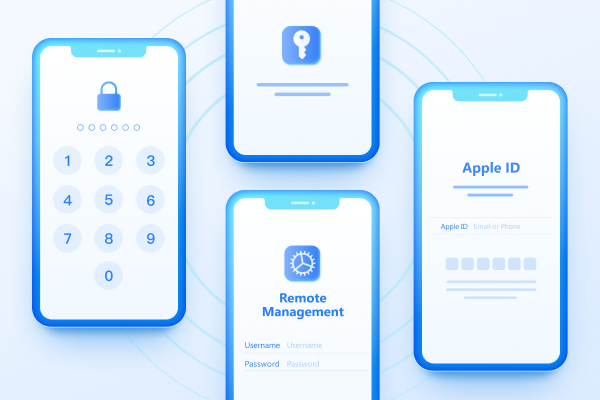
Easily Unlock iPhone passcode/Apple ID/iCloud Activation Lock/MDM
100% successful unlockShare this post


4uKey - One-Click Easy iPhone/iPad Unlocker
Unlock Screen Lock/Apple ID/MDM/Screen Time Passcode Instantly
Easy iPhone/iPad Unlocker
Unlock iPhone Passcode Instantly
By Jenefey Aaron
2026-10-14 / iOS 27