

 iOS Tips & Latest Updates
 Bug Fixes, Unlock Guides
 Giveaways & Freebies
then write your review


ReiBoot - No.1 Free iOS System Repair Software
Fix 150+ iOS Issues without Data Loss & Safely iOS 27 Upgrade/Downgrade
ReiBoot: No.1 iOS Repair Tool
Fix 150+ iOS Issues, No Data Loss

Whether you're preparing to sell your device, troubleshooting a software glitch, or simply starting fresh, knowing how to factory reset iPhone 18 is essential. A factory reset wipes every app, photo, message, and setting from your device and returns it to the state it was in when it left Apple's factory, clean, empty, and ready for a new setup.
This guide walks through every realistic scenario: resetting from Settings, resetting with physical buttons, and resetting a locked iPhone without a passcode with or without iTunes.
Before you do a factory reset iPhone 18, take a few precautions so you don't lose anything important:
With that out of the way, let's look at the different ways to actually get it done, starting with a method that a lot of people ask about, but that doesn't quite work the way they expect.
A Chromebook does not provide the same iPhone restore workflow as a Mac or Windows PC with Apple's device-management software. Apple's official recovery and restore process depends on Finder (Mac) or the Apple Devices app/iTunes (Windows), neither of which is available on ChromeOS. So if you're wondering how to factory reset iPhone 18 with a Chromebook, or looking for how to factory reset iPhone 18 on a Chromebook, the honest answer is: not directly, and not officially. If you only have a Chromebook available and your iPhone is locked, your most reliable options is using a professional too like Tenorshare ReiBoot, these kind of tools are even usable on chromebook.
This is the standard method, and it's what most people mean when they search how to factory reset iphone 18 you have your passcode, the phone works, and you just want to erase it.

The device will restart and begin wiping its storage. Depending on how much data is on the phone, this can take anywhere from a few minutes to around an hour. Once it's done, your iPhone 18 boots into the initial setup screen the same "Hello" screen you saw the first time you turned it on.
Not everyone has the luxury of an unlocked phone. If you've forgotten your passcode, bought a secondhand device, or your iPhone is disabled after too many failed attempts, you'll need a different approach for a factory reset iPhone without passcode.
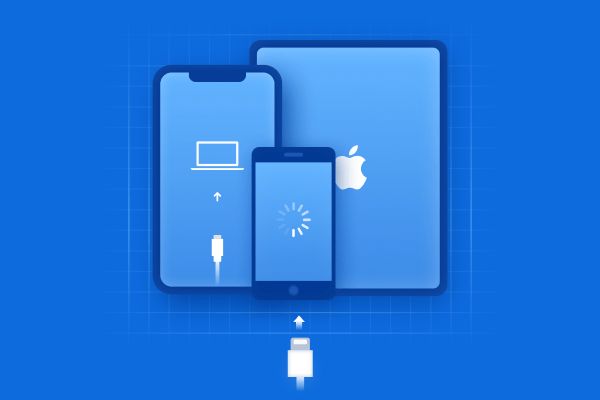
This is Apple's official route for how to factory reset iphone when locked, and it works even if you have zero access to the lock screen.


This is the answer most people are really looking for when they search how to factory reset iphone 18 with buttons, since the button sequence above is what puts the phone into recovery mode in the first place.
Erasing the iPhone this way removes the passcode and all data, but it does not remove Activation Lock. If Find My iPhone was turned on before the reset, the device will ask for the Apple Account email and password that were last signed in on it before you can use it again. This is a security feature, not a bug it's designed to make stolen or lost devices useless to anyone but the original owner. If you're resetting your own phone and remember your Apple Account credentials, this is a non-issue. If you bought a used iPhone and don't have the previous owner's login, you'll need to get it from them before the device is usable.
Recovery mode works, but it isn't for everyone. It requires a computer with Finder or iTunes installed, a stable internet connection to download firmware, and patience if the download is slow. If you'd rather avoid iTunes altogether, or you've run into iTunes errors during a restore, dedicated software to factory reset iPhone can simplify the process. Tenorshare ReiBoot is one such tool built specifically for iOS system recovery and reset tasks. It's a desktop application for Mac and Windows that connects to your iPhone and handles low-level operations entering and exiting recovery mode, repairing stuck iOS systems, and resetting devices without going through iTunes through a guided, click-based interface. For anyone searching for free software to factory reset iPhone or a more approachable factory reset iPhone app experience than Apple's own tools, this is the kind of utility that fits the bill:
First, download and install Tenorshare ReiBoot on your Windows PC or Mac. Launch the program, then connect your iPhone or iPad to the computer using a USB cable. Once ReiBoot recognises your device, select "One-Click Reset" from the main interface.





After selecting "One-Click Reset," ReiBoot will display two different reset options. Choose "Factory Reset" to continue with the process.

ReiBoot will automatically detect your connected iOS device and identify the appropriate firmware package. Click "Download" to get the latest firmware required for the factory reset. The firmware package can be several gigabytes in size, so the download time will depend on your internet connection.

Once the firmware has been downloaded and verified, click "Start Reset" to begin resetting your device. ReiBoot will install the firmware and erase the existing data and settings from the iPhone.

 Please swipe to view
Go to Settings > General > Transfer or Reset iPhone > Erase All Content and Settings, and before doing so, make sure Find My iPhone is turned off and you've removed your SIM. Erasing this way installs the latest iOS automatically, wipes Face ID data, and clears your Apple Account from the device, so the next owner gets a truly clean phone.
If the reset from Settings gets stuck or your iPhone freezes mid-process, force-restart it and try again once it powers back on. If it still won't complete, connect it to a computer and use recovery mode with Finder or Apple's Apple Devices app to reinstall iOS from scratch. Persistent issues after several attempts usually point to a hardware problem, in which case Apple Support or an authorized repair center is the next step.
Yes. You can't do it from the lock screen itself, but recovery mode lets you erase a locked, disabled, or passcode-forgotten iPhone by connecting it to a computer and choosing Restore in Finder or the Apple Devices app. Professionalized tools like ReiBoot offer a similar outcome without relying on iTunes.
However you approach it, factory resetting an iPhone 18 comes down to two things: how much access you currently have to the device, and whether you're comfortable using a computer to finish the job. If your phone is unlocked, Settings gets you there in a couple of minutes. If it's locked, disabled, or the passcode is a mystery, recovery mode either through Apple's own tools or software like ReiBoot will get you to the same clean, factory-fresh result. Just remember: no matter which method you use, back up first and keep your Apple Account credentials handy, since Activation Lock will ask for them regardless of the path you take.


then write your review
Leave a Comment
Create your review for Tenorshare articles
Share this post


ReiBoot - No.1 Free iOS System Repair Software
Fix 150+ iOS Issues without Data Loss & Safely iOS 27 Upgrade/Downgrade
ReiBoot: No.1 iOS Repair Tool
Fix 150+ iOS Issues, No Data Loss
By Jenefey Aaron
2026-10-26 / iOS 27