
 ChatGPT
 Perplexity
 Google AI Mode
 Grok
Grok

 iOS Tips & Latest Updates
 Bug Fixes, Unlock Guides
 Giveaways & Freebies


4uKey - One-Click Easy iPhone/iPad Unlocker
Unlock Screen Lock/Apple ID/MDM/Screen Time Passcode Instantly
Easy iPhone/iPad Unlocker
Unlock iPhone Passcode Instantly
 AI Summary
To bypass iCloud Activation Lock free, first try Apple Account recovery, ask the previous owner to remove the device, or contact Apple with proof of purchase. Free IMEI or online bypass claims often have limits, while compatible third-party tools may help when official options are unavailable.
An iPhone can look ready to use and still stop cold at iPhone Locked to Owner. What looks like a simple lock screen is, in fact, an ownership check tied to Apple’s activation servers.
If you need to bypass iCloud Activation Lock free, start with the route that matches what you still have: an Apple Account, the previous owner, a device passcode, or proof of purchase. Below are the free options worth trying first—and the limits you should know before paying for a tool.
IMEI is useful for identifying an iPhone, but it is not a free Activation Lock key. Rather than unlocking Apple’s servers by itself, the number may simply help identify the device when you contact support.
If you legally own the device, go to Apple’s Activation Lock support request and provide the requested ownership details. A receipt or other valid proof matters far more than an IMEI-check screenshot.
Bottom line: websites promising iphone locked to owner imei unlock free from an IMEI alone deserve caution. Carrier unlocking and Activation Lock removal are two different things.

IMEI is useful for device identification, but not for removing Activation Lock by itself. If a site promises an instant free unlock from an IMEI alone, treat the claim with caution.
iRemove Tools still lists free bypass utilities for a narrow group of older devices, including iPhone 4/4S on iOS 7 and iPad 2 on iOS 7 or 10. Newer-device services, however, are generally licensed rather than free.

Here the fine print matters. iRemove currently advertises support for newer iOS versions too, but some A12+ bypass options are paid and may have cellular limitations; free support remains concentrated on legacy devices.
iRemove is worth checking mainly for older devices. On newer iPhones, “free” often stops at compatibility checking, while full bypass features may require payment or come with feature limits.
If the locked iPhone is tied to your Apple Account, password recovery is usually the cleanest answer. Instead of bypassing the lock, you restore the credential that Apple already trusts.

This is one of the safest ways to bypass iCloud Activation Lock without Apple ID for free when “without Apple ID” really means you forgot the password. If you no longer know the account itself, move to Part 4.
If the locked iPhone is tied to your own Apple Account, password recovery should come first. It costs nothing and restores normal access without relying on a bypass workaround.
No previous-owner password? No working account recovery? If the iPhone is genuinely yours, Apple Support is the official free fallback.
For a second-hand iPhone, ask the seller to sign in to Find My and remove the device from their account. Not only is this free, it also removes the ownership link at its source.
When the previous owner is unavailable, contact Apple Support or start an Activation Lock support request. Apple may remove the lock when valid proof of purchase confirms that you are the rightful owner.
For users searching bypass iCloud Activation Lock free iOS 26, these official routes remain the first options to try; an iOS update does not turn Activation Lock into a simple local setting that a factory reset can erase.
For a legitimately owned iPhone, previous-owner removal or Apple Support is the cleanest free route. The trade-off is simple: you need account cooperation or convincing proof of purchase.
When every free route has closed—and the device is yours—Tenorshare 4uKey iPhone Unlocker offers a guided alternative for supported models. Unlike an IMEI-only website, it checks the connected device before starting the removal workflow.




Install 4uKey iPhone Unlocker, choose “Remove iCloud Activation Lock”, and connect your iPhone.
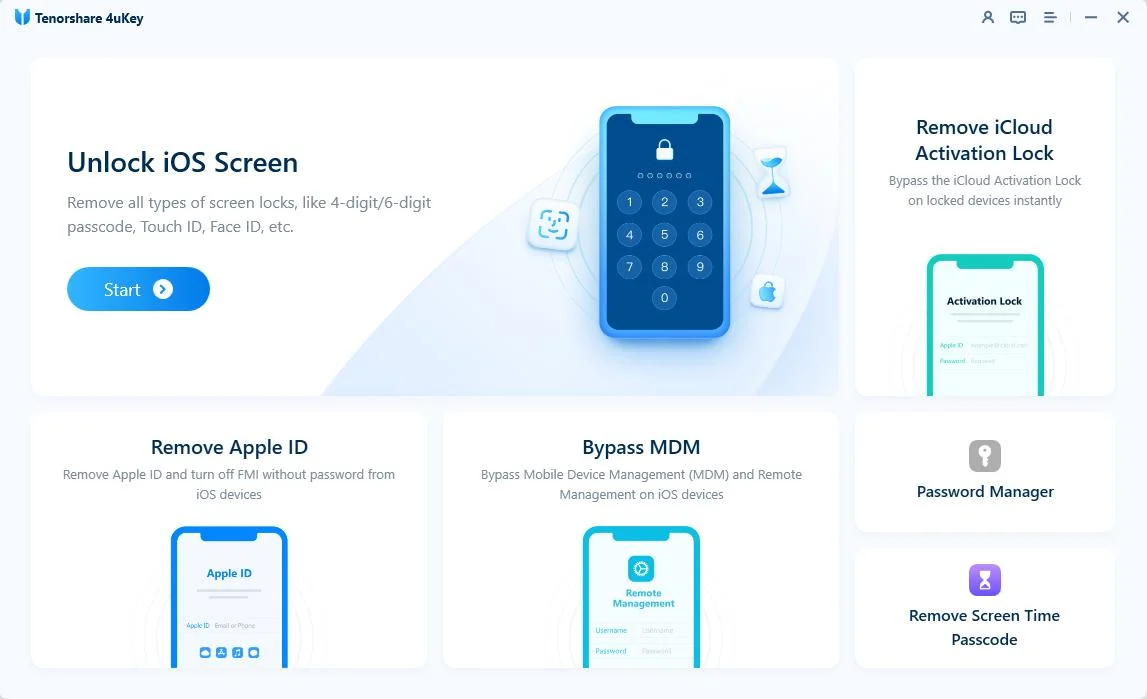
Click “Next” and follow the prompt to place the iPhone in recovery mode when required.


If your device workflow requires jailbreaking, let the guided process finish without disconnecting the iPhone.

Once preparation is complete, 4uKey begins the Activation Lock removal process.

When the completion screen appears, follow the final setup instructions shown by 4uKey.


Do not confuse 4uKey’s overall iOS compatibility with its Activation Lock feature. Tenorshare currently lists Activation Lock removal for iPhone 6s through iPhone X running iOS 12 to 16.7.10; check the product page before purchase because support can change.
4uKey is the more practical fallback when official free routes are unavailable, but compatibility matters more than convenience. Check your exact iPhone model and iOS version before starting.
Yes, in some cases. If you can recover your Apple Account, use an available device passcode, ask the previous owner to remove the iPhone, or prove ownership to Apple, you may remove Activation Lock for free.
If the Apple Account is yours but the password is forgotten, reset it first. If the account belongs to a previous owner, that person must remove the device remotely; without either route, there is no universal free Apple bypass.
Not by itself. An IMEI identifies the device, whereas Activation Lock is tied to Apple’s ownership system—two mechanisms that are often advertised together but work very differently.
No. Erasing an iPhone removes local data, not the server-side ownership link, which is why iPhone Locked to Owner can return during setup.
To bypass iCloud Activation Lock free, begin with the route Apple already recognizes: recover your Apple Account, ask the previous owner to remove the device, or submit valid proof of purchase. Those methods cost nothing and, when available, leave the iPhone in the cleanest state.
If none applies, free third-party options are usually limited by model or iOS version. For a supported device, 4uKey iPhone Unlocker can be the more practical next step—provided you check compatibility first.


then write your review
Leave a Comment
Create your review for Tenorshare articles
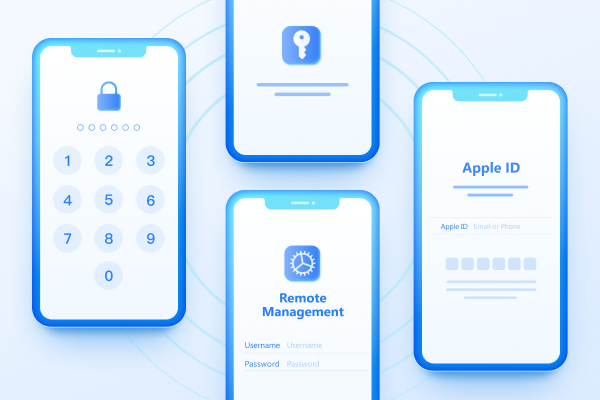
Easily Unlock iPhone passcode/Apple ID/iCloud Activation Lock/MDM
100% successful unlockShare this post


4uKey - One-Click Easy iPhone/iPad Unlocker
Unlock Screen Lock/Apple ID/MDM/Screen Time Passcode Instantly
Easy iPhone/iPad Unlocker
Unlock iPhone Passcode Instantly
By Jenefey Aaron
2026-10-26 / Unlock iPhone