

 iOS Tips & Latest Updates
 Bug Fixes, Unlock Guides
 Giveaways & Freebies


4uKey - One-Click Easy iPhone/iPad Unlocker
Unlock Screen Lock/Apple ID/MDM/Screen Time Passcode Instantly
Easy iPhone/iPad Unlocker
Unlock iPhone Passcode Instantly
Being locked out of your iPhone feels stressful, especially when important data and apps are inside. AnyUnlock is designed to remove screen passcodes, Apple ID locks, Screen Time restrictions, and more with just a few steps. It promises a fast, beginner-friendly solution without needing technical skills.
But performance and safety matter before trusting any unlock tool. This detailed AnyUnlock review explores its features, success rate, pros and cons, and pricing. It also evaluates its real usefulness to help you decide if it truly deserves a place on your computer.

AnyUnlock by iMobie is a desktop tool designed to unlock different types of iPhone and iPad locks. It can remove screen passcodes, Apple ID, Screen Time restrictions, MDM locks, and more in just a few clicks. The software works on Windows and Mac and supports most iOS devices and versions.
It is especially useful when you forget your passcode, buy a second-hand device, or get locked out after too many wrong attempts. However, removing a screen lock will erase all data on the device and update it to the latest iOS version.
60-day money-back guarantee included
Apple's official ways can unlock an iPhone, but they are often hard and take time. Tools like AnyUnlock offer a much easier option. You just connect your device, choose the unlock feature, and follow simple steps, no need to enter the passcode.
AnyUnlock is made by iMobie and is used by many people around the world. It does not need jailbreaking and is designed to be safe. However, removing a screen lock will erase all data on the device, and results may depend on your iPhone model and iOS version.
Bypass MDM (Mobile Device Management) restrictions and supervision
Pros
Cons
Download and install AnyUnlock on your computer
Download AnyUnlock -- iPhone Password Unlocker on your Windows or Mac computer. Make sure your internet connection is stable during the download and installation process.
Connect your iPhone to the computer
Open the software after installation. Use a USB cable to connect your iPhone or iPad to the computer. Once detected, select the "Unlock Screen Passcode" mode from the main interface.

Start the unlocking process
After your device is recognized, click the "Start Now" button. The program will prepare the process and guide you to the next step.

Download the required firmware
The software will automatically detect your device model and show the appropriate firmware package. Choose the available version and click "Download." Wait until the download is complete.

Begin unlocking the passcode
When the firmware is ready, click "Unlock Now." The tool will start removing the screen passcode from your device.

Wait until the process finishes
Keep your device connected during the entire process. After a few minutes, the screen passcode will be removed, and you will be able to set up your iPhone again.

Tenorshare 4uKey is widely recognized as a powerful and reliable iPhone unlocking solution. It is designed to handle many common lock situations, such as forgotten passcodes, disabled devices, broken screens, or second‑hand iPhones connected to a previous owner's account.
With years of development and millions of users worldwide, the software focuses on safety, speed, and ease of use. The simple interface guides users through each step, making it suitable even for people with no technical experience.
Key Features of Tenorshare 4uKey




How to Use Tenorshare 4uKey to Unlock an iPhone
Download and install the software
Download 4uKey on your computer from the official website and complete the installation. Make sure your internet connection is stable because the tool will later download firmware files.
Launch the program and connect your device
Open the software and connect your iPhone or iPad using a USB cable. Once detected, choose the option to remove the screen passcode and click unlock ios screen.

Download the firmware package
The program will automatically identify your device model and provide the correct firmware file. Select a save location and click Download. Wait until the process completes.

Keep the device connected
Do not disconnect your iPhone during the process. The unlocking procedure usually takes a few minutes.

Set up your device again
Once finished, the screen lock will be removed. You can set up the iPhone as new or restore from a backup.

Both iMobie AnyUnlock and Tenorshare 4uKey are popular iPhone unlocking tools designed to remove passcodes, Apple ID locks, and other restrictions. However, they differ in pricing, compatibility, ease of use, and overall effectiveness. Choosing the right one depends on your device, lock type, and expectations.
Quick Comparison Table 4ukey vs anyunlock
 Please swipe to view
Yes, AnyUnlock by iMobie can work for many lock situations such as forgotten passcodes, disabled iPhones, or Screen Time restrictions. Its success depends on the device model, iOS version, and lock type.
In most cases, yes. Removing a screen passcode will erase all data on the device because of Apple's security system. Currently, no tool can bypass the lock screen and keep data intact without the correct passcode or backup.
For screen passcode locks, data loss is almost always unavoidable without the original passcode. Tools like Tenorshare 4uKey may help remove some restrictions such as Screen Time passcode or Apple ID in supported cases without deleting data.
AnyUnlock is a useful tool for unlocking iPhones. It can remove screen passcodes, Apple ID, MDM locks, and other restrictions with simple steps. However, it also has some limits. Removing a screen passcode will erase all data, results may not be the same on every device. For a more reliable and easy solution, Tenorshare 4uKey is highly recommended. It supports many iOS versions, can keep data in some cases, and offers a simple one‑click process, making it a great alternative for unlocking an iPhone.


Tenorshare 4uKey - Best iPhone Unlocker






then write your review
Leave a Comment
Create your review for Tenorshare articles
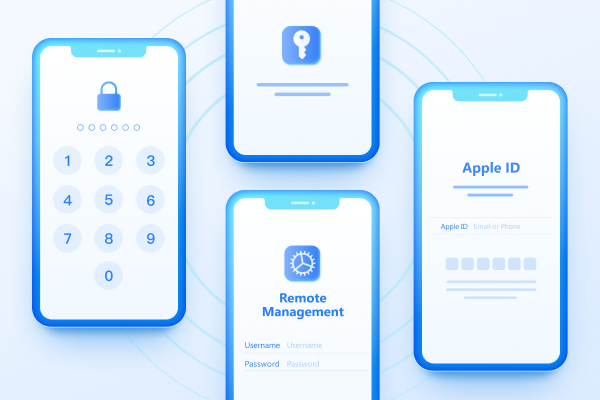
Easily Unlock iPhone passcode/Apple ID/iCloud Activation Lock/MDM
100% successful unlockShare this post


4uKey - One-Click Easy iPhone/iPad Unlocker
Unlock Screen Lock/Apple ID/MDM/Screen Time Passcode Instantly
Easy iPhone/iPad Unlocker
Unlock iPhone Passcode Instantly
By Jenefey Aaron
2026-09-24 / Unlock iPhone