

 iOS Tips & Latest Updates
 Bug Fixes, Unlock Guides
 Giveaways & Freebies


4uKey - One-Click Easy iPhone/iPad Unlocker
Unlock Screen Lock/Apple ID/MDM/Screen Time Passcode Instantly
Easy iPhone/iPad Unlocker
Unlock iPhone Passcode Instantly
If you're locked out of your iPhone, you've probably seen tools like 4uKey and AnyUnlock everywhere. I've been there too, forgot my passcode, tried too many times, and ended up with a disabled phone. Like anyone else, I just wanted a quick and safe fix.
But after testing both, I realized something important. Not all unlock tools function the same. Some look powerful but fail during the process, while others are simple and actually get the job done. So instead of focusing on features, this 4uKey vs. AnyUnlock comparison looks at what really matters, like success rate, speed, stability, and whether your phone stays unlocked.

Before you jump into comparing 4uKey vs. AnyUnlock, stop and ask yourself, "What problem am I actually trying to fix?" Here's the real breakdown of the frequent situations people find themselves in when they look for an iPhone Unlocker tool:
You forgot your iPhone passcode, and now your phone is locked, but you don't want to lose data.
You bought a second-hand iPhone, which is locked to someone else's Apple ID.
Too many wrong attempts at the passcode, and your iPhone is disabled now.
You forgot the Screen Time restrictions passcode.
Your company's or school's MDM profile is stuck on the device.
So, when you really think about it, the real question isn't "which tool has more features?" That's where a lot of people go wrong. So instead of comparing feature lists, the smarter approach is to first identify exactly what kind of lock you're dealing with. Then, check if the tool actually supports that scenario. That's what saves time, money, and a lot of headaches.
If you just want a simple answer without going through the entire comparison, here it is:
Go with Tenorshare 4uKey if you want something straightforward that just works. But try AnyUnlock if you prefer having lots of features, even if they're a hit or miss.
In simple words, if you compare 4uKey vs. AnyUnlock for iPhone 11 or the latest models, 4uKey is focused and dependable. It does one main job (unlocking) and does it well. Whereas AnyUnlock offers more tools, but they can be a bit inconsistent or confusing.
From what people say in forums, 4uKey users usually report success, while AnyUnlock users more often run into issues. So if you're already dealing with a locked phone, it's safer to pick the more consistent option.
Now, let's get back to the real comparison between 4uKey and AnyUnlock regarding which is easier to use, their success rate, etc.:
Honestly, both tools are made for everyday users, so neither one requires tech skills. But the difference is in how simple they feel:
4uKey is clean and straightforward. You open it, pick what you need, click a few buttons, and you're done. No clutter, no confusion.
Whereas AnyUnlock has a lot of extra features, which can make it feel a bit overwhelming, especially if you just want to fix one problem quickly.
Bottom line: If you want a quick, no-fuss unlock, 4uKey is easier to use.
This is where it really matters. 4uKey keeps it simple with:
As it focuses on just these, they tend to function more dependably, with fewer errors and smoother updates.
AnyUnlock goes the opposite way. It offers a lot more features (SIM unlock, iTunes backup encryption unlock, disable camera sound, etc.). This sounds nice, but spreading across so many things can make it less consistent.
From what people share online, some AnyUnlock features don't always stick or fail midway. Not everyone has problems, but it happens often enough to notice.
Bottom Line: 4uKey usually works more dependably because it sticks to a few things and does them well.
No one wants to sit there watching a slow progress bar. 4uKey is quite fast. Most unlocks finish in about 5--10 minutes, and the steps feel quick and smooth.
While AnyUnlock is usually slower. Some users say it gets stuck or takes 30+ minutes for the same task.
Bottom Line: 4uKey is quicker, and when your phone is locked, that really matters.
This is what really matters. 4uKey is more stable. Once the lock is removed, it usually stays gone. No repeat issues.
While AnyUnlock can be inconsistent. Some users say the lock comes back after a restart, WiFi connection, or update, meaning they have to redo the process.
Bottom Line: 4uKey is more dependable long-term. A permanent fix is always better than a temporary one.
You're trusting these tools with your phone, so safety matters. But both 4uKey and AnyUnlock are considered safe and dependable. There are no major concerns about malware or shady behavior.
Bottom Line: Both tools are safe to use. However, you should always avoid downloading the cracked version of 4uKey and AnyUnlock.
Price isn't just about the upfront cost but also the value you get. 4uKey offers a simple and affordable one-month plan ($35.95) that includes all of its features. This functions well for users who only need a quick, one-time fix, and is straightforward, with no hidden costs.
4uKey is reasonably priced for what it does. You're paying for features that actually work, and there's a money-back guarantee if they don't. It offers a one-time fix with its monthly plan, which includes all the main features. Besides, this iPhone Unlocker offers a free trial, so you can test the solutions.
Whereas AnyUnlock offers a toolkit for a year, containing all features, which is not for a one-time fix. So, you may end up paying more for extra functions that you don't really need. Though it also offers individual features, they can become costly if you need more than one function.
Bottom Line: 4uKey gives better value because it's more likely to solve the problem in one go.
If you're short on time, here's a brief comparison of 4uKey and AnyUnlock features discussed earlier. Have a look:
 Please swipe to view
After looking at the comparison of 4uKey vs. AnyUnlock, here's the straight answer on who should pick which tool:
You want a quick, one-time fix: You just want your phone unlocked once without extra features.
You want a permanent unlock: Once the lock is removed, it usually stays gone, with no repeat issues.
You don't want to risk your device: it's more consistent with only the main unlocking tools, so there's less chance of errors or losing data.
You want helpful support: If something goes wrong, their support is known to actually respond and help.
You have a frequent issue: Things like a forgotten passcode, a disabled iPhone, Apple ID removal, or an MDM lock, all in one affordable tool to choose from. This is what it's built for.
Now you know that AnyUnlock offers more features, but that can lead to mixed results, like locks coming back, failed processes, or needing to redo steps. So, for most people with a locked iPhone, Tenorshare 4uKey is the best free iPad unlock software, because it focuses on doing one job well, and that's unlocking your device dependably. With 4uKey, the interface is cleaner, the success rate is higher, and once the lock is removed, it usually stays gone. Here is the tool's entire feature list in detail:
Unlock iPhone Passcodes: It can remove screen passcodes, like PIN, pattern, biometric, and Face ID, if you forget them or your device gets disabled, letting you set it up again.
Bypass Apple ID: It can bypass Apple ID locks, which is useful if you forget your account details or buy a second-hand device still linked to someone else.
Remove iCloud Activation Lock: It can remove the iCloud lock without jailbreaking or without the previous owner.
Remove MDM Profile: It removes MDM restrictions from school or work devices.
Remove Screen Time Passcode: It can bypass the Screen Time passcode, so you can regain full control of the device's settings.
Turn Off Find My: The tool can deactivate Find My iPhone without needing an Apple ID.
Locate Saved Passcodes: You can view saved Wi-Fi and Apple ID passcodes.





If you want this software to unlock an iPhone without losing data, you must first have a backup, as unlocking the device requires a reset.
Here's how to use Tenorshare 4uKey to unlock your iPhone:
Download and install 4uKey on your PC or Mac. Then, execute 4uKey. Click "Start" beneath "Unlock iOS Screen."

Connect your locked iPhone to the computer with a USB cable. The tool will detect it automatically. If not detected, follow the on-screen instructions to place the iPhone into Recovery Mode or DFU Mode.


Next, hit "Download" to download the firmware package for iOS.

Once the download is finished, the tool will start removing the screen lock automatically.

After the screen lock is gone, set up your iPhone as new (passcode, Touch ID, Face ID). Then, restore data from iTunes or iCloud if a backup is available.

For screen unlock (forgot passcode), both tools will erase your data. That's due to Apple's security, not the tool. You can only keep data if you already have a backup. For other features like Apple ID removal or MDM bypass, your data usually stays safe.
4uKey costs $59.95 per year and $35.95 per month for all main features. So, it offers better value if you need more than one feature or want a one-time fix. But AnyUnlock's pricing is more complex. They sell features separately, which is quite costly if you require more than one function. You can also get all features bundled in a toolkit for one year, but it's expensive for a one-time fix.
Both support the latest iOS devices. However, 4uKey has a reputation for faster updates when Apple patches things. Whereas AnyUnlock sometimes lags behind on newer devices for certain features.
When we compare 4uKey vs. AnyUnlock, both tools can unlock an iPhone, but they take very different approaches. AnyUnlock offers a lot of extra features, which can be useful yet confusing, and the tool can be inconsistent and unreliable. Tenorshare 4uKey, on the other hand, is simple, consistent, and focused.
It's easier to use, faster, and more dependable for the main unlocking tasks. Most importantly, once it unlocks your device, it usually stays that way. So, if you want a tool whose main job is to just unlock your iOS device, 4uKey is the better choice for most people.


Tenorshare 4uKey - Best iPhone Unlocker






then write your review
Leave a Comment
Create your review for Tenorshare articles
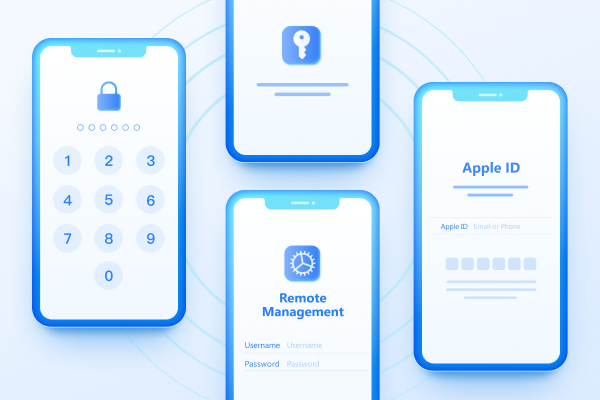
Easily Unlock iPhone passcode/Apple ID/iCloud Activation Lock/MDM
100% successful unlockShare this post


4uKey - One-Click Easy iPhone/iPad Unlocker
Unlock Screen Lock/Apple ID/MDM/Screen Time Passcode Instantly
Easy iPhone/iPad Unlocker
Unlock iPhone Passcode Instantly
By Jenefey Aaron
2026-09-28 / Unlock iPhone