
 iOS Tips & Latest Updates
 Bug Fixes, Unlock Guides
 Giveaways & Freebies
then write your review


4uKey - One-Click Easy iPhone/iPad Unlocker
Unlock Screen Lock/Apple ID/MDM/Screen Time Passcode Instantly
Easy iPhone/iPad Unlocker
Unlock iPhone Passcode Instantly
Are you looking for fun games to play at school or work with friends, but frustrated by internet restrictions and firewalls? 2-player games unblocked are the perfect solution!
In this blog, we'll guide you through everything you need to know about these games – from where to find them to the variety of genres available, along with some of the most exciting titles to try. Let’s dive into the world of 2 player games unblocked on school Chromebook and start the fun!
Classroom 6x is an excellent platform for students looking to two player unblocked games during school hours. It offers a wide range of games, including 2-player options, all accessible through an intuitive interface. The site is designed to bypass most school restrictions, making it a favorite for students.f

CrazyGames is a well-known online gaming site that features a diverse collection of games, including popular 2-player games. You can easily find games across different genres like action, puzzle, and sports. The site’s clean layout and user-friendly design make it easy to browse and play games without any hassle.

Poki offers an extensive selection of free online games, with a wide range of 2-player unblocked options. From racing and puzzle games to action-packed multiplayer games, Poki provides something for every gamer. Its simple interface ensures that players can quickly jump into games without any complications.

As the name suggests, TwoPlayerGames.org is dedicated to 2-player games. It offers an extensive library of multiplayer games, including popular titles like Fireboy and Watergirl, Tic Tac Toe, and Connect Four. The site is highly accessible and features a straightforward design that makes gaming enjoyable and effortless.

UnblockedGames77Play provides an amazing collection of unblocked games for students, including a variety of 2-player games.
The site is designed specifically for school environments, ensuring you can play your favorite games without any restrictions. It has a simple, easy-to-navigate interface and a wide selection of games across various genres.

Kizi offers a large collection of online games, including a variety of fun and exciting 2-player games.
With a user-friendly interface, the site makes it easy to explore and play games, including puzzle games, racing games, and more. Kizi ensures a smooth experience with little to no lag, making it a perfect site for school gaming.

CoolMathGames is a popular site offering a wide range of online games, including many 2-player options. The site is well-known for its focus on strategy and logic games that engage players' minds.
It’s perfect for both fun and educational purposes. CoolMathGames is easy to navigate and works well for students looking to play games during school breaks.

Armor Games has been around for years, providing a vast array of online games, including multiplayer and 2-player games. The site offers various categories, from action and adventure to strategy and puzzle games.
Armor Games is a trusted platform for both single-player and 2-player games, and it has a strong community of gamers.

Unblocked 2-player games come in different genres, from head-to-head competitions to cooperative challenges. Whether you want to compete against a friend or work together to complete a level, here are some popular types to explore.
Action games are great for players who enjoy fast-paced challenges and friendly competition. Many feature direct battles, shooting, or quick movements that test players' reflexes and timing.
Popular examples include:
Puzzle and strategy games challenge players to think ahead, solve problems, or work together. Some are designed for cooperation, while others let two players compete against each other.
Popular examples include:
Sports games bring familiar competitions to your browser, allowing two players to challenge each other in virtual matches. Basketball and soccer games are especially popular choices.
Popular examples include:
When a game website is restricted, there are ways to bypass these blocks. Here are two effective methods:
VPNs function as shields for your online activities, protecting your data and privacy. Rather than just hiding your physical location, they reroute your internet traffic through secure servers, making it appear as though you're browsing from a different location.
This not only enables access to region-restricted content but also enhances your security. Thanks to their robust encryption and greater anonymity, VPNs are often regarded as more effective and secure than proxy servers.
Proxy servers work by masking your IP address and routing your internet traffic through an alternate server, allowing you to bypass restrictions. When access to websites is blocked, proxy servers provide an effective way to connect to unblocked two-player game platforms.

Schools often impose restrictions on iPads through MDM (Mobile Device Management) locks or screen time limits, making it difficult to access gaming websites or certain apps. These limitations are designed to maintain focus on academics but can be frustrating when you want to unwind with games.
Thankfully, Tenorshare 4uKey provides an effective solution for bypassing these restrictions. With 4uKey, you can remove restrictions without password and without losing data, regain access to more games.


How to disable school restrictions on iPad to play games freely:
On your computer, install 4uKey MDM Bypasser and run the software. Choose the "Bypass MDM" feature.
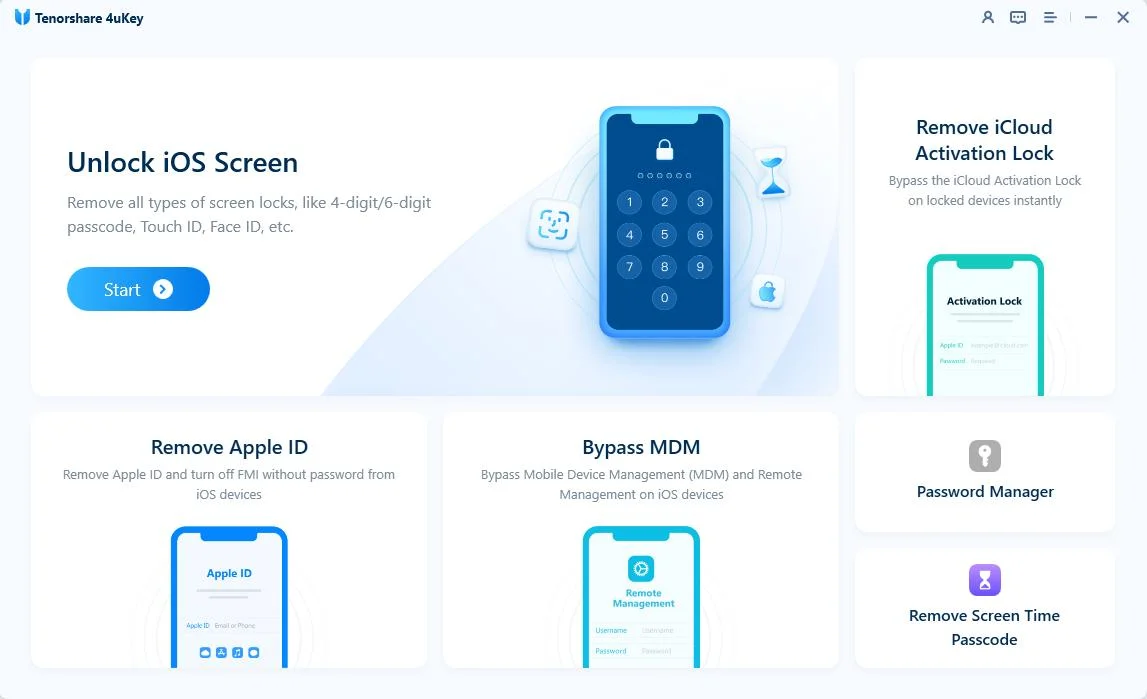
Make sure that your iPhone/iPad has been connected to the computer and is recognized. Click on "Start" for MDM bypass.
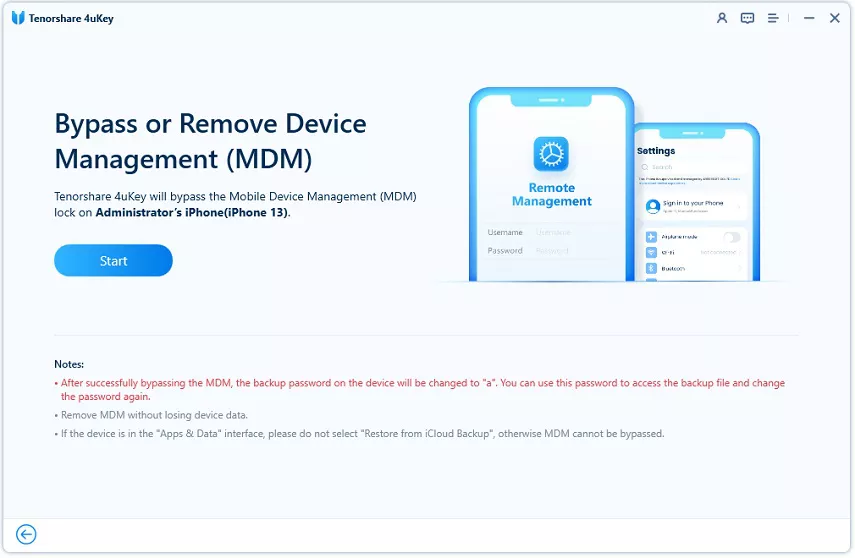
You have to turn off Find My iPhone. The process of bypassing Remote Management(MDM) from iPad will begin.
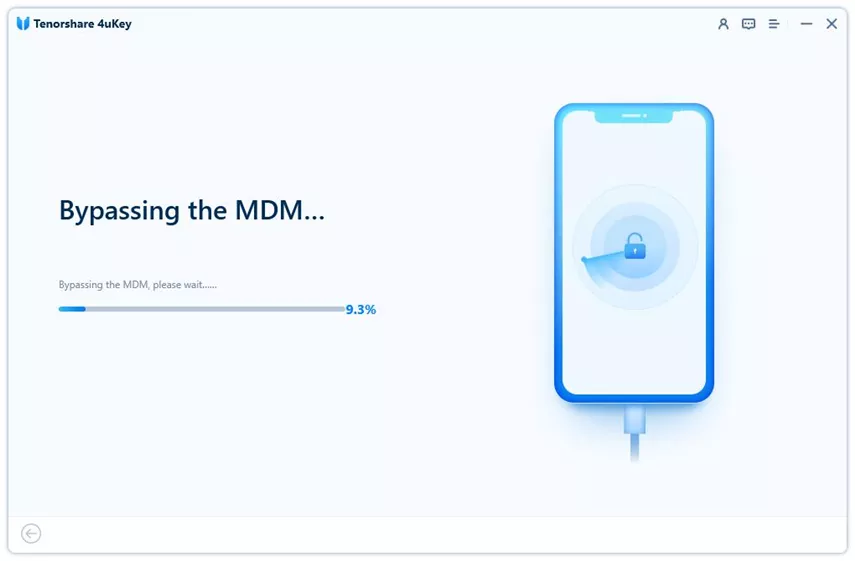
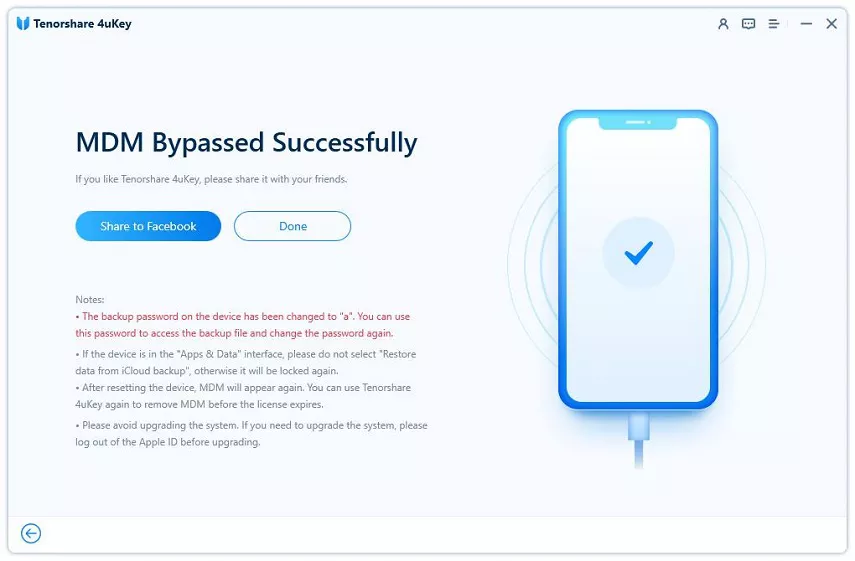
Then you will find you"ve successfully bypassed MDM restriction using 4uKey, then you can use your device freely!
Playing 2 player games unblocked on school chromebook is a fun and engaging way to spend your free time. Whether you prefer racing, puzzles, or action games, there are numerous sites to explore. If you encounter restrictions, tools like VPNs, proxy servers, or Tenorshare 4uKey can help you bypass limitations on both Chromebooks and iPads.
then write your review
Leave a Comment
Create your review for Tenorshare articles
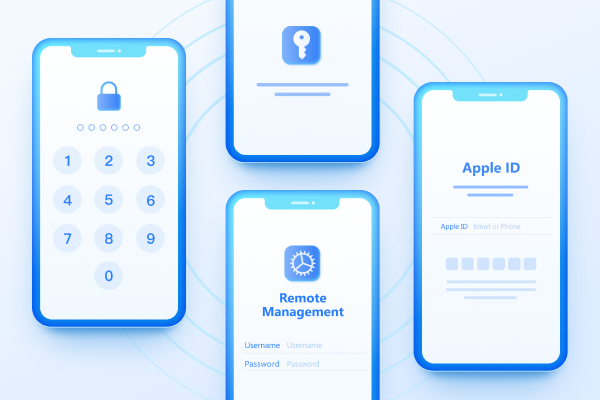
Easily Unlock iPhone passcode/Apple ID/iCloud Activation Lock/MDM
100% successful unlockShare this post


4uKey - One-Click Easy iPhone/iPad Unlocker
Unlock Screen Lock/Apple ID/MDM/Screen Time Passcode Instantly
Easy iPhone/iPad Unlocker
Unlock iPhone Passcode Instantly
By Sophie Green
2026-11-06 / Unlock iPhone