




PDNob 2.1 - Rebuilt, Faster & Smarter PDF Editor
Major Update: Upgraded PDFium, evolved Al & OCR, and dark mode.
PDNob 2.1 - Rebuilt, Faster & Smarter PDF Editor
Major Update: Upgraded PDFium, evolved Al & OCR, and dark mode.
If I upload a file to Lumin PDF, is this safe? Can anyone else access my documents? – Reddit user
Lumin PDF is an online PDF editor that allows users to view, edit, sign, and share PDF documents directly in their browser. It integrates with cloud services like Google Drive, making it convenient for both personal and professional use. However, many users ask the crucial question: “Is Lumin PDF safe?”
This concern is common among users who handle sensitive documents and want to understand how Lumin PDF manages privacy and security. In this article, we will explore what Lumin PDF is, its features, security measures, historical data incidents, user reviews, and common safety questions. By the end, you will have a clear understanding of whether Lumin PDF is safe and trustworthy.
Lumin PDF is an online PDF editor that lets you open, edit, annotate, fill out, and sign PDF files right in your web browser. You do not need to install software to use it. You can upload your PDF file from your computer or open it directly from Google Drive and start editing immediately.

Lumin PDF offers both free and paid options, depending on your needs. The free version is suitable for basic editing and viewing, but if you require more robust tools or frequent use, upgrading to a paid plan might be necessary. Always check the latest pricing and feature details on Lumin PDF's official website or app to confirm the specific features included in each plan. Here's a breakdown of Lumin PDF pricing plan:
 Please swipe to view

Below we explain Lumin’s legitimacy, ownership, and the security measures it uses to protect users’ data.
Lumin PDF is developed by Lumin PDF, Inc., an independent company that provides online PDF editing services. It has been operating for several years and serves millions of users around the world.
Lumin PDF is not owned by Google, but it has a close integration with Google Workspace and Google Drive. This integration allows you to open and edit files stored in Drive directly in Lumin PDF without downloading them first. Lumin has passed Google’s OAuth security assessment, which means its use of Google login and API connections meets Google’s security standards.
When you connect Lumin PDF to your Google Drive account, you grant it permission to view and edit your Drive documents. This connection uses Google’s secure OAuth system, the same infrastructure that other trusted apps use, so your Google credentials are not shared with Lumin directly. The connection token allows Lumin to access only files you explicitly open or edit.
It is important to note that Google accounts can revoke access at any time via the Google security settings. If you no longer trust an app, you can remove its access and tokens from your Google account. This helps reduce risk if you stop using the service.
Lumin PDF uses several security standards and compliance frameworks to protect user data:
To reduce the chance of unauthorized access, Lumin implements strong access control and authentication features:

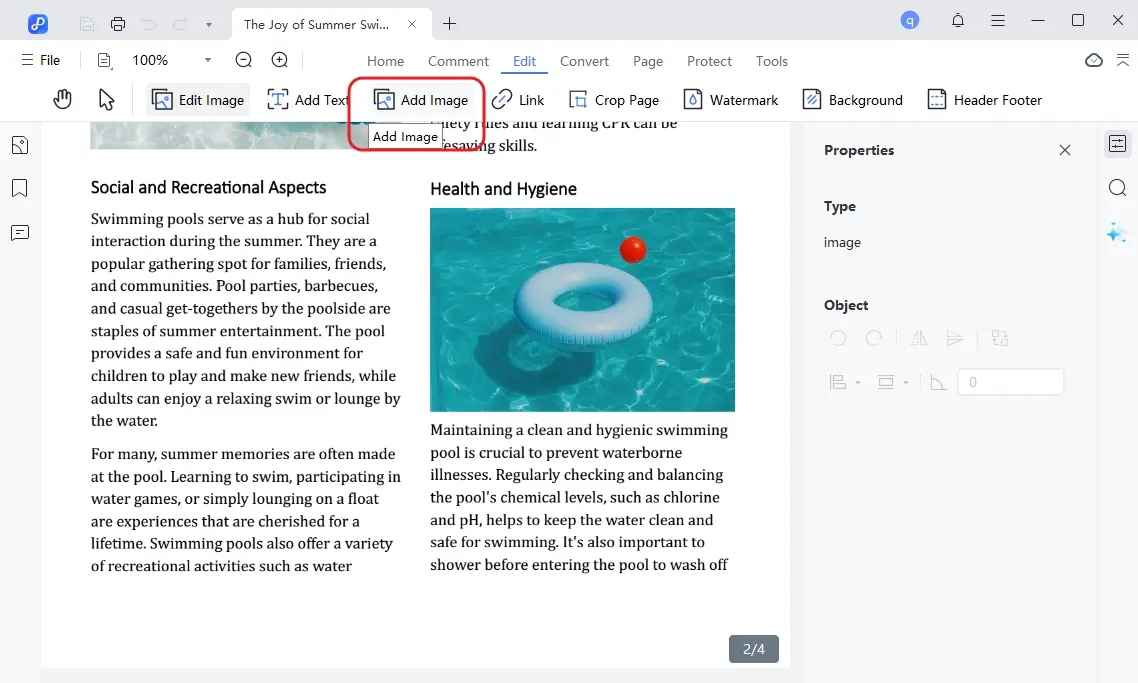
While Lumin PDF works well online, its reliance on the cloud can be a concern for users handling sensitive documents or needing offline access. For those cases, PDNob PDF Editor offers a local solution with full control over files. You can easily edit text and images, convert PDFs to Word or Excel, perform batch processing, add annotations, fill forms, and sign documents securely—all without worrying about internet limits or privacy risks.




Lumin PDF experienced a data breach in 2019, which raised concerns about whether it is safe and trustworthy.
An unsecured database was left publicly accessible online, exposing around 24 million user records, including names, emails, hashed passwords, and Google access tokens. The breach was caused by a misconfigured database that lacked proper access controls.
After discovering the breach, Lumin:
These steps significantly strengthened Lumin’s security infrastructure.
Some leaked records included Google Drive access tokens, which could have allowed unauthorized access if valid. However, tokens had expired by the time the breach became public, and users could revoke access through Google settings. No confirmed misuse of Google Drive files was reported.
When considering is Lumin PDF safe, user reviews offer practical insights. Feedback from Reddit, Trustpilot, and other communities shows how real people experience Lumin PDF.
Lumin PDF scores around 4.6/5 on Trustpilot. Users praise its ease of use, fast editing, and Google Drive integration, which makes opening and editing files convenient. The free plan is appreciated for providing basic tools without ads. Minor complaints include occasional syncing issues or editing quirks, but these are limited.

Reddit discussions highlight practical experiences:
Independent reviews also note that Lumin PDF is intuitive and reliable for daily PDF tasks, while advanced features require paid plans. Security concerns are rarely mentioned, suggesting most users feel comfortable using the service.
While Lumin PDF works well for casual cloud-based edits, it offers limited offline access and relies on monthly document quotas, which can be restrictive for professionals handling sensitive files.
In contrast, PDNob provides a desktop solution that balances security and efficiency. Files are stored locally, reducing privacy risks, and users can fully edit, convert, and sign PDFs without relying on the cloud. Its fast and stable performance makes it ideal for daily office tasks, contract management, academic work, and small to medium-sized businesses.
To better understand the differences between Lumin PDF and a desktop solution like PDNob PDF Editor, the following table compares the two from a user-focused perspective.
Please swipe to view


To delete your Lumin PDF account, log in, go to Account Settings → Delete Account, and follow the on-screen instructions. Make sure to back up any important files before deletion, as this action is irreversible.
Lumin PDF uses standard encryption for login credentials and integrates with Google Drive securely. Always ensure you log in via official channels and enable two-factor authentication if available.
Digital signatures in Lumin PDF are recognized for common business transactions. However, for highly sensitive or legally binding contracts, users may prefer desktop editors like PDNob PDF Editor, which allow local signing and stronger encryption.
Lumin PDF stores files in the cloud. While it implements encryption and access control, cloud storage may raise privacy concerns. For maximum security, particularly with sensitive or confidential documents, a local desktop PDF editor like PDNob provides full control over your files.
When asking “is Lumin PDF safe?”, the answer is generally yes for typical cloud-based editing tasks. It uses encryption and secure login protocols, but files are stored online, so users handling sensitive or confidential documents should exercise caution. For those who want more control and offline security, PDNob PDF Editor can be a reliable alternative.


PDNob PDF Editor Software- Smarter, Faster, Easier




 The END
I am PDNob.
Swift editing, efficiency first.
Make every second yours: Tackle any PDF task with ease.
As Leonardo da Vinci said, "Simplicity is the ultimate sophistication." That's why we built PDNob.
then write your review
Leave a Comment
Create your review for Tenorshare articles
Share this post


PDNob 2.1 - Rebuilt, Faster & Smarter PDF Editor
Major Update: Upgraded PDFium, evolved Al & OCR, and dark mode.
PDNob 2.1 - Rebuilt, Faster & Smarter PDF Editor
Major Update: Upgraded PDFium, evolved Al & OCR, and dark mode.
By Jenefey Aaron
2026-09-28 / PDF Editor