



PDNob 2.1 - Rebuilt, Faster & Smarter PDF Editor
Major Update: Upgraded PDFium, evolved Al & OCR, and dark mode.
PDNob 2.1 - Rebuilt, Faster & Smarter PDF Editor
Major Update: Upgraded PDFium, evolved Al & OCR, and dark mode.
PDNob PDF Editor combines essential PDF editing tools with OCR and AI-powered features for working with documents. But is it worth using for everyday PDF tasks? This PDNob review covers its platforms, pricing, OCR capabilities, security features, AI tools, and system requirements to help you decide whether it fits your needs.
 Please swipe to view
PDNob PDF Editor is a PDF tool developed by Tenorshare. It helps users edit text and images, convert files, add annotations, organize pages, and extract text from scanned PDFs using OCR. It also offers AI features to summarize, translate, and answer questions about PDF documents. PDNob is available for Windows and macOS, with an iOS app and online tools for supported tasks.




PDNob Desktop is designed for users who regularly work with PDF documents on Windows or Mac. It supports direct text and image editing, file conversion, annotations, page organization, and OCR for making scanned documents searchable and editable. The desktop version also offers AI tools for summarizing, translating, and asking questions about PDFs on supported platforms. Its core editing functions can work offline, while AI features and cloud services require an internet connection.

PDNob has an iOS app for users who want to read and manage PDF documents on their iPhones. The mobile app offers basic PDF tools, but it has fewer features than the desktop version. The Android version is still in development.
PDNob Online provides browser-based PDF tools without requiring users to install the desktop application. Depending on the tool, users can convert, merge, compress, sign, and perform OCR on PDF files. Its online OCR service can turn scanned or image-based PDFs into searchable, selectable text. PDNob states that uploaded files are automatically deleted within two hours and that its online tools do not require an account.

Yes, PDNob is a legitimate PDF editor developed by Tenorshare. Users can download it from the official PDNob website to avoid unofficial copies. The desktop version supports offline editing, while some AI and online features require an internet connection. Before uploading sensitive documents, review the privacy policy to understand how your files are handled.
PDNob PDF Editor combines PDF editing, conversion, OCR, compression, and AI tools in one application. It also offers annotation, page management, and batch processing. In this PDNob PDF Editor review, we'll examine its main features, usability, and performance to help you decide whether it suits your document needs.
PDNob is available for Windows and macOS. Its interface provides quick access to editing, conversion, OCR, and other tools. Users can open a PDF and select the required feature without navigating through complicated menus.
PDNob lets users open and read PDFs, search for text, and navigate between pages. It also offers different viewing modes and dark mode for a more comfortable reading experience.

PDNob lets users edit existing PDF text, change formatting, and add or replace images. It also supports links, headers, footers, backgrounds, and watermarks. Complex layouts may need some adjustments after editing.

PDNob converts PDFs into Word, Excel, PowerPoint, and image formats. Users can also create PDFs from supported files. Check tables, fonts, and page layouts after conversion to make sure everything looks correct.

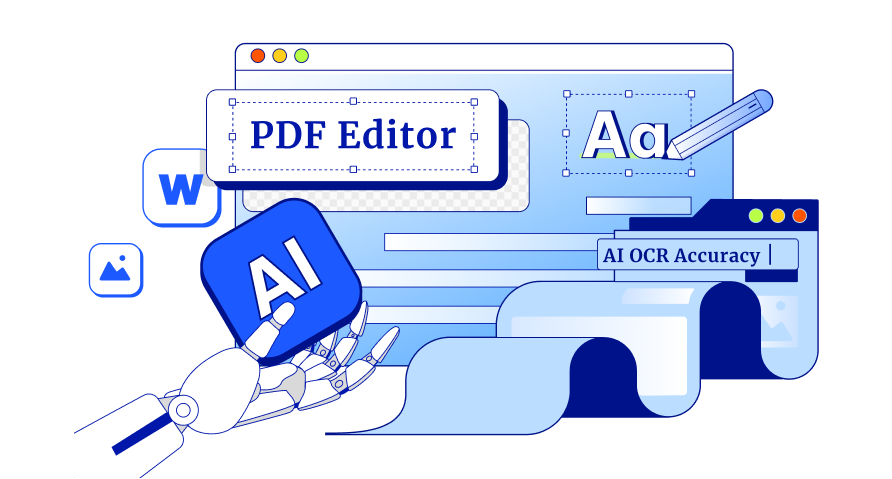
PDNob's OCR feature extracts text from scanned PDFs and images, making them searchable and editable. It also supports batch OCR for processing multiple files. Although PDNob advertises up to 99% accuracy, results depend on scan quality and document layout.

PDNob includes tools for highlighting text, adding comments, inserting notes, and drawing shapes. These features help users review documents, mark important information, and share feedback.

PDNob reduces PDF file sizes to make documents easier to upload and share. It also supports batch compression. Check the final file to make sure the text and images remain clear.

PDNob lets users merge files, split documents, reorder pages, rotate pages, and extract specific sections. These tools help organize reports and remove unnecessary pages.

PDNob supports batch processing for tasks such as OCR, conversion, and compression. Users can process multiple files together instead of repeating the same steps for each document.

PDNob supports PDF password protection and encryption. When redacting sensitive information, check that the text has been permanently removed rather than simply covered. Review the privacy policy before uploading confidential files to online or AI tools.

PDNob's AI tools can summarize PDFs, answer questions about documents, and translate content. These features help users understand lengthy reports and find information faster. However, verify important facts and figures against the original document.

PDNob 2.0 uses a redesigned PDF engine intended to improve document loading and editing. Actual performance depends on the computer and PDF size. Launch times, memory usage, and stability should be tested before making specific performance claims.

PDNob offers cloud-related features and team licensing options. However, users who need advanced collaboration or simultaneous editing should check whether the available features meet their requirements.

PDNob supports Windows, macOS, iOS, and selected online tools. Available features vary by platform, so check compatibility before choosing a plan.

PDNob supports PDF/A export for long-term document storage. However, users who need accessible PDFs should also check reading order, document structure, and compatibility with assistive technologies.

PDNob offers a free version, a yearly subscription, and a lifetime license. You can choose a plan based on how often you edit PDFs and whether you need AI tools.
The free version lets you edit, convert, merge, split, and annotate PDFs. It also includes basic OCR and AI tools. However, it has usage limits.
According to the official pricing page, the free plan includes 20 AI credits, 2 GB of cloud storage, and a limit of 120 pages per PDF. You can export 20 files without a watermark.
PDNob offers two main paid plans:
The table compares the listed prices as of October 28, 2026. Prices are in US dollars and may change.
Please swipe to view
PDNob offers a 30-day money-back guarantee, subject to its refund terms. If you buy a subscription and later decide to cancel, follow these steps:
Remember that cancelling a subscription and requesting a refund are two different things. Check the refund policy to see whether your purchase qualifies.
PDNob provides a support page where users can find help with common issues and questions. Its website also has a What's New page that lists recent updates and changes.
PDNob stands out for its OCR tools, PDF editing, translation, and AI features. It can help users work with scanned documents, edit text without changing its original style, and translate PDFs while keeping the layout readable.
PDNob has several useful features, but there are a few things to consider before choosing it:
PDNob is a good option for editing PDFs, converting files, using OCR, and working with AI tools. However, Adobe Acrobat, Foxit, and free PDF tools may suit your needs better, depending on the features you use.
PDNob offers essential PDF editing tools, OCR, conversion, and AI features at a lower price. It also has a lifetime license, which can help you avoid yearly payments.
Adobe Acrobat Pro is a better choice if you need advanced PDF editing, form creation, redaction, or integration with other Adobe apps. It also supports desktop, web, and mobile use.
Choose PDNob for everyday PDF tasks at a lower cost. Choose Adobe Acrobat if you need more advanced document tools.
Foxit PDF Editor offers PDF editing, conversion, OCR, annotations, and security features. It is worth considering if you need its business tools or mobile access.
PDNob is a good alternative if you mainly need editing, OCR, translation, and AI features without paying for a more expensive plan. Its lifetime license is also useful if you prefer a one-time payment.
You may not need a paid PDF editor for basic tasks. Free tools such as Apple Preview and Microsoft Edge can handle everyday PDF work.
These tools are enough if you mainly read documents or make simple annotations. However, if you regularly edit existing text, convert scanned PDFs with OCR, or translate long documents, PDNob may be a better fit.
Try PDNob's free version before buying a plan. Check its limits on AI credits, storage, and file exports to see if you need to upgrade.
Use PDNob's OCR tool to make scanned PDFs searchable and their text easier to copy. Check the extracted text for mistakes before uploading it to ChatGPT.
Set PDNob as your default PDF app to open files directly in it. You can change this setting on your computer.
Use your AI credits for tasks like summarizing long PDFs or asking questions about important sections. Check your plan's credit limit before using these tools.
After converting a PDF, check the new file for errors in text, tables, images, fonts, and page layout. This is especially important for scanned PDFs.
PDNob is designed to help users edit and manage PDF files. Download it from the official PDNob website to reduce the risk of getting an unsafe or modified installer.
Yes, PDNob is a useful PDF editor for editing text, converting files, using OCR, translating documents, and working with ai tools. It is a good option for users who need these features in one application.
PDNob offers a free version with access to PDF editing, conversion, OCR, and other tools, but some features have usage limits. According to the pricing information reviewed for this article, the free plan includes 20 AI credits, 2 GB of cloud storage, and a limit of 120 pages per PDF.
Yes. PDNob's desktop version supports core PDF editing tasks offline, including editing and organizing documents. However, AI-powered features and cloud services require an internet connection. If you regularly work with confidential documents, check which operations can be completed locally before uploading files to online tools.
PDNob may be a better fit for users who want affordable PDF editing, OCR, conversion, and AI-powered document tools, especially if they prefer a lifetime license over recurring payments. Adobe Acrobat Pro may be more suitable for users who need advanced PDF workflows or deeper integration with other Adobe applications. The right choice depends on your budget and the features you use most.
PDNob PDF Editor is a useful choice for anyone who regularly works with PDF files. This PDNob review shows that it combines editing, conversion, OCR, translation, and AI tools in one application.
Its affordable lifetime plan is another plus for users who want to avoid yearly payments. However, it may not replace advanced tools like Adobe Acrobat for every professional task. If you need an affordable PDF editor for everyday work, PDNob is worth considering.


PDNob PDF Editor Software- Smarter, Faster, Easier




 The END
I am PDNob.
Swift editing, efficiency first.
Make every second yours: Tackle any PDF task with ease.
As Leonardo da Vinci said, "Simplicity is the ultimate sophistication." That's why we built PDNob.
then write your review
Leave a Comment
Create your review for Tenorshare articles
Share this post


PDNob 2.1 - Rebuilt, Faster & Smarter PDF Editor
Major Update: Upgraded PDFium, evolved Al & OCR, and dark mode.
PDNob 2.1 - Rebuilt, Faster & Smarter PDF Editor
Major Update: Upgraded PDFium, evolved Al & OCR, and dark mode.
By Jenefey Aaron
2026-11-03 / PDF Editor