





PDNob 2.1 - Rebuilt, Faster & Smarter PDF Editor
Major Update: Upgraded PDFium, evolved Al & OCR, and dark mode.
PDNob 2.1 - Rebuilt, Faster & Smarter PDF Editor
Major Update: Upgraded PDFium, evolved Al & OCR, and dark mode.
I used PDFSimpli to edit one document, but now I’m worried. Is PDFSimpli safe, or am I risking my files and credit card?---Reddit
Is it safe to use an online free PDF editing site for sensitive documents? This concern frequently appears in Reddit threads and user forums, where people share mixed experiences after using PDFSimpli — from quick PDF edits to unexpected subscriptions, billing confusion, and questions about how uploaded files are handled.
This article examines is PDFSimpli safe from multiple angles. We review official security disclosures, third-party reviews, Reddit discussions, and common user complaints to help you decide whether PDFSimpli is legitimate, what risks to be aware of, and whether it is the right tool for your needs.
PDFSimpli is an online PDF tool that lets you upload, edit, convert, annotate, sign, merge, split, compress, and otherwise manage PDF and other document types directly in your browser without installing software. It includes editing tools, format conversion (PDF/Word/JPG/Excel/PNG, etc.), annotation and markup features, electronic signatures, and other document utilities.

While PDFSimpli can be used for basic PDF tasks, most full-featured access is behind paid plans. There is a free option called the “Delayed” upload/download after you upload and edit a file, you can opt to wait ~24 hours to receive the finished document at no charge.

Many users expect a truly free tool but find that saving or downloading their edited file often triggers the trial/paid plan requirement. This mismatch between advertised free use and the practical need for a paid subscription to complete actions leads to complaints about hidden fees and subscription renewals.
PDFSimpli states that it follows common security standards to protect user data. It claims compliance with ISO 27001, SOC 2, PCI DSS, and GDPR. The site uses SSL/TLS encryption to secure files during upload and download. Payment details are also encrypted. PDFSimpli says it uses trusted cloud infrastructure and supports security features like controlled access and account protection.
From a technical point of view, these measures suggest the platform is not malicious and operates like many other online PDF tools.
Even with encryption and compliance claims, uploading files to any online PDF editor carries inherent risks. Documents are processed on remote servers, which means users give up direct control over where files are stored and how long they remain accessible.
Some users remain cautious, especially when handling contracts, legal files, or personal records. While PDFSimpli states that it protects user data, real-world usage depends on trust in cloud storage, account security, and internal access controls. This gap between official claims and user comfort is a common theme in discussions about is PDFSimpli safe.
Third-party security tools, including vendor risk platforms like Nudge Security, show that PDFSimpli meets standard technical safety checks. These reports focus on encryption, hosting, and compliance. They generally do not flag the site as unsafe.
However, technical safety does not cover real-world user issues. Security certifications do not guarantee clear subscriptions, easy cancellations, or smooth refunds. Many reviews show that these user-experience issues are the main reason people question is PDFSimpli legit.

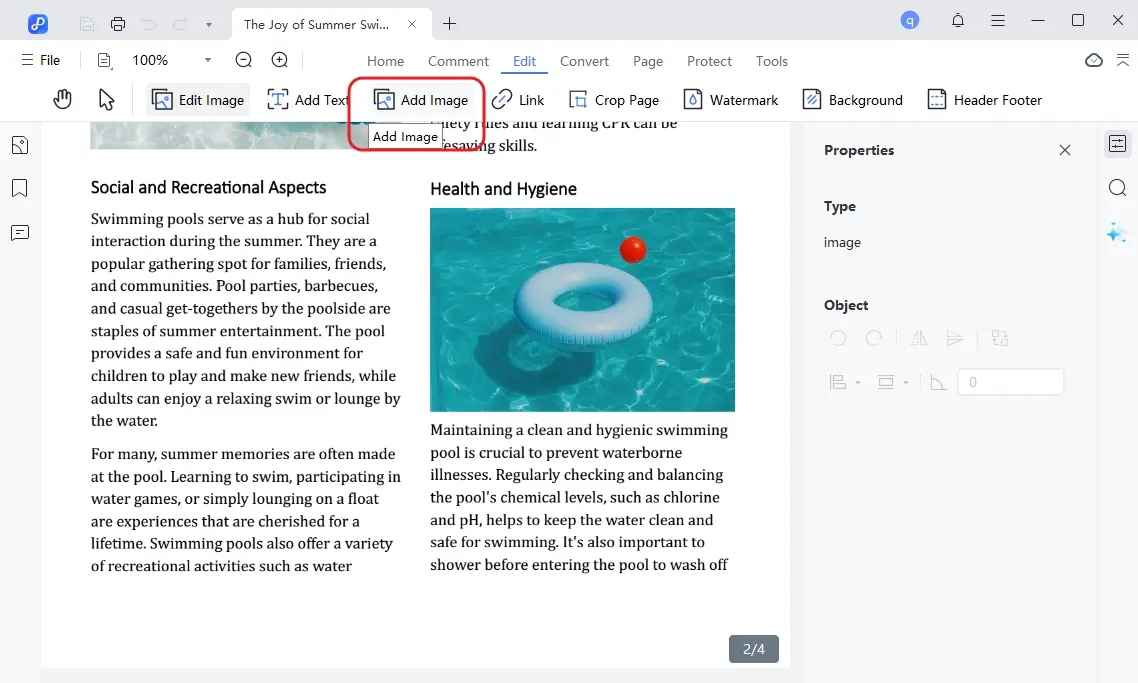
Many users worry about uploading sensitive files to PDFSimpli and dealing with unexpected subscription charges. For those looking for safer control, PDNob works offline, keeping files local. It offers editing, converting, OCR, annotation, and signing. Lightweight and fast, PDNob also provides a free trial and a one-time purchase, avoiding surprise recurring fees.




User feedback on PDFSimpli reviews is mixed across Reddit, Trustpilot, Sitejabber, and other forums. Some users find value in the tool’s functionality, while many others raise strong concerns about pricing, subscriptions, and support.

While some users have no issues, a large number of PDFSimpli.com cancel subscription and billing complaints dominate many reviews:

After reading user reviews and technical details, many people still ask “is PDFSimpli safe to use”. The short answer is: PDFSimpli works for basic PDF tasks, but safety also depends on how you use it. Below are practical steps to protect your files and manage your subscription more securely.
Using online PDF tools is convenient, but safety should come first especially for private documents.
If you want to stop charges or request a refund, canceling early is important. Below are the safest ways to cancel your PDFSimpli subscription.
This is the fastest option if you are facing billing issues.


PDFSimpli states it offers a 30-day refund policy on paid subscriptions if requested within the timeframe, but refunds may be limited (especially if the subscription was used). This nuance around how much money can be refunded and under what conditions is often mentioned alongside questions like PDFSimpli refund in user feedback.

PDFSimpli is convenient for quick online edits, but it depends on cloud uploads and recurring subscriptions. For many users, this leads to concerns about file privacy, unclear billing, and losing control over documents once they are uploaded.
This is where a desktop solution like PDNob stands out. It works fully offline and keeps files on your local device, giving users more control over privacy and data security. It covers the full range of everyday PDF needs, including editing text and images, converting files, OCR for scanned documents, annotations, and signatures.
The software is lightweight, runs smoothly on most computers, and offers a free trial so users can test it first. For those who prefer predictable costs, PDNob also provides a one-time purchase option instead of forced monthly subscriptions.


PDFSimpli offers limited free use, but many key features require a paid plan. Free use often means waiting for a delayed download or subscribing to a trial before you can save your file.
Basic online PDF fillers are generally safe, but avoid uploading sensitive or confidential documents. Online tools may store files on the cloud.
PDFSimpli pricing varies by plan. There is a low-cost trial followed by monthly or annual subscription fees for full access. Costs depend on the features you choose.
You can use the basic upload and edit tools without paying, but downloading the final PDF may require waiting for a free delayed download or signing up for a trial plan. Always check the terms before you proceed.
When asking “is PDFSimpli safe”, the answer depends on how you use it. Technically, it is a functional online PDF editor, but users should be cautious with sensitive files and watch for subscription or billing issues. Reading terms carefully and managing uploads can reduce most risks.
For those who prefer offline, fully local editing with predictable costs, tools like PDNob PDF Editor offer a safe, lightweight alternative while covering all basic PDF needs.


PDNob PDF Editor Software- Smarter, Faster, Easier




 The END
I am PDNob.
Swift editing, efficiency first.
Make every second yours: Tackle any PDF task with ease.
As Leonardo da Vinci said, "Simplicity is the ultimate sophistication." That's why we built PDNob.
then write your review
Leave a Comment
Create your review for Tenorshare articles
Share this post


PDNob 2.1 - Rebuilt, Faster & Smarter PDF Editor
Major Update: Upgraded PDFium, evolved Al & OCR, and dark mode.
PDNob 2.1 - Rebuilt, Faster & Smarter PDF Editor
Major Update: Upgraded PDFium, evolved Al & OCR, and dark mode.
By Jenefey Aaron
2026-09-15 / Knowledge