DocDroid is an easy-to-use platform for uploading, sharing, and managing
documents. It supports PDFs, Word files, and more, making document handling
quick and hassle-free.
For those needing more than simple sharing like editing, converting, or
securing PDFs Tenorshare PDNob is a reliable choice. It offers advanced tools
to protect your files, add passwords, and manage PDFs efficiently.
Let’s explore a full review of DocDroid, its features, and why PDNob could be
the best alternative for secure PDF management.
DocDroid is an online platform that allows you to upload, share, and view
documents quickly and securely. It works with a wide range of file types
including PDF, DOCX, PPTX, XLSX, TXT, and more.
To use DocDroid, simply drag and drop your document into the platform or
select it from your device. Once uploaded, DocDroid automatically converts
the file for fast, high-quality preview in the browser. You can then share
the document using a unique link, embed it on a website, or set privacy
settings like password protection for restricted access.
With Pro options, you gain full control over your files, including private
sharing and document management.
Part 2: DocDroid Pricing
DocDroid makes sharing documents simple and professional, starting with a
free plan that lets you upload PDFs, DOCX, and other formats effortlessly.
Your files are private by default, with fast previews and secure sharing.
For occasional users, this plan covers the essentials without cost or ads.
For those who need more control and branding, docdroid pricing Pro steps in.
White-label branding: add custom logo and color themes.
Advanced analytics: track views, downloads, page engagement, and user
location.
Full document control: manage downloads, embeds, and search engine
indexing.
API support for integration with other tools.
Ad-free, professional interface for business use.
Part 3: DocDroid Features & Performance
Instant Document Previews
DocDroid automatically converts uploaded files like PDF, DOCX, PPTX,
XLSX, TXT, and more into high-quality, fast-loading previews. This
allows recipients to view content directly in their browser without
downloading.
Privacy and Security
Documents are private by default. You can set passwords, restrict
docdroid pdf download, and control who can access your files.
Full Control Over Files
Every document can be renamed, replaced, or deleted at any time, while
the original sharing link remains unchanged. This flexibility makes
smooth document management.
White-Label Customization
For professionals, DocDroid offers white-label features. Add your logo,
adjust color themes, and remove DocDroid branding to make documents look
professional and on-brand.
Easy Embeds
Documents can be embedded anywhere using responsive iframes. This makes
sharing on websites, blogs, or presentations seamless and visually
consistent.
Advanced Analytics
Track document performance with detailed analytics. Monitor unique
views, downloads, page engagement, user location, and clicks on outbound
links to optimize content strategy.
Device Optimization
DocDroid works across all devices. Whether on desktop, tablet, or
mobile, documents load quickly and remain fully accessible, ensuring a
smooth experience for every viewer.
Part 4: My Personal Experience with DocDroid
I recently tried the DocDroid free version to see how it performs for
document sharing. The first thing I noticed was its smooth and fast upload
process. I simply dragged my PDF, and within seconds, the platform generated
a shareable link. There are four different sharing options, including email,
direct link, social media, and embed, which makes distributing documents
very convenient.
I found this extremely helpful for quick reviews or sending files to
multiple people. Performance-wise, DocDroid handled all file types I tested
PDF, DOCX, and PPTX without any lag.
However, I did notice a limitation in the free version: there’s no option to
make documents private or set password protection. This means sensitive
files require caution if shared publicly. Despite this, I found DocDroid
safe and reliable for everyday professional use.
Part 5: Best DocDroid Alternative Free Download
Tenorshare PDNob
is a professional PDF editor and a strong alternative to DocDroid. It lets
you edit, convert, and manage PDFs easily. The software works fast and
handles large files without slowing down. You can annotate, merge, split,
and organize documents quickly.
PDNob also supports batch processing and multiple file formats like Word,
Excel, PPT, images, and more. Security features allow password protection
and redaction. With a free download, users can explore its features fully.
It is ideal for students, professionals, and businesses.
Advantages of Using Tenorshare PDNob
Powerful PDF Editing: Modify text, images, links, backgrounds, and
watermarks with Word‑like precision.
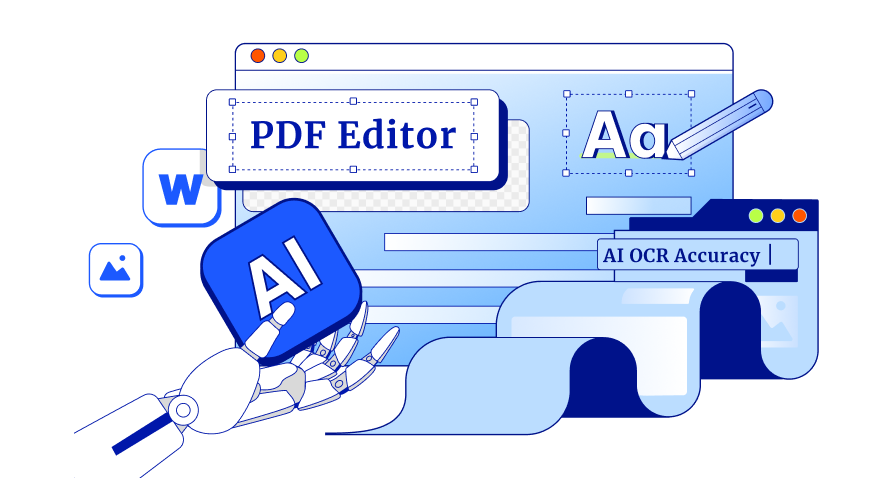
AI‑Driven OCR: Convert scanned PDF files into searchable and editable
documents with over 99% accuracy.
Batch Processing: Edit, organize, convert, or compress many PDFs at once
to save time.
Format Conversion: Support 30+ formats (Word, Excel, PowerPoint, image,
EPUB, etc.) with original quality preserved.
Advanced Security Tools: Add passwords, redact sensitive data, and apply
encryption standards for privacy.
Smooth Organization & Navigation: Merge, split, reorder pages, and add
bookmarks for easy document management.
Final Verdict
DocDroid is a simple and fast platform for sharing PDFs online. It works
well for quick previews and link sharing. However, its free version lacks
privacy controls and advanced editing features. For users who need more
control, security, and editing tools, a reliable DocDroid alternative is
essential. Tenorshare PDNob stands out as a professional solution. It allows
editing, converting, securing, and organizing PDFs effortlessly. For anyone
looking for a smooth and versatile experience beyond basic sharing, PDNob is
highly recommended.
The END
About PDNob
I am PDNob.
Swift editing, efficiency first.
Make every second yours: Tackle any PDF task with ease.
As Leonardo da Vinci said, "Simplicity is the ultimate sophistication." That's why we built PDNob.












By Jenefey Aaron
2026-09-24 / Knowledge