

 iOS Tips & Latest Updates
 Bug Fixes, Unlock Guides
 Giveaways & Freebies
then write your review


ReiBoot - No.1 Free iOS System Repair Software
Fix 150+ iOS Issues without Data Loss & Safely iOS 27 Upgrade/Downgrade
ReiBoot: No.1 iOS Repair Tool
Fix 150+ iOS Issues, No Data Loss
Your iPhone Duo lights up, rings, and shows notifications. But swiping does nothing. The display might function, but the touch layer doesn't. Your photos, authentication codes, and calls remain inaccessible. As an iPhone Duo is a foldable, its 5.4-inch outer display and 7.6-inch inner display may behave differently, with one responsive and the other dead.
Here, you'll learn how to fix the "iPhone Duo touch screen not working" issue by checking peripherals, cleaning the hardware, and unlocking the phone without touching it. You'll also know how to force-restart it. If the fault runs deeper, we'll help you repair iOS from your computer.

Touch failures on an iPhone Duo usually trace back to six causes:
Here are 4 physical and software troubleshooting solutions to fix an iPhone Duo touch screen not working. But first, try the physical solutions. They can rule out interference, moisture, or temporary system freezes:
Before trying software fixes, rule out simple physical causes for the iPhone Duo inner screen and outer screen touch not working. Accessories, protectors, and charging cables can interfere with touch sensitivity. So, here's what to do:

If an iPhone Duo touchscreen is unresponsive to touch, grease, water droplets, or grit may be interrupting capacitive conduction. Therefore, wipe both displays with a soft, lint-free cloth.

You can unlock iPhone Duo with an unresponsive screen without touching it. Try these three methods, starting with the simplest:

When the iPhone Duo touchscreen is frozen after update, it is often due to a stuck background process or a temporary glitch. In such a case, you can perform a force restart with iPhone Duo's buttons without data loss:

When the force restart doesn't work, suspect corrupted system software rather than the panel. Apple's computer route offers Update, and Restore, and when Update fails, Restore is all that's left, which erases all data.
Tenorshare ReiBoot adds a middle option, and it operates entirely from your Windows PC or Mac, so a dead touch layer doesn't block it. Also, unlike Restore, ReiBoot's Standard Repair can repair iPhone Duo touch screen without data loss.




Here's what ReiBoot can do:
Here's how to fix an unresponsive iPhone Duo touchscreen with ReiBoot:
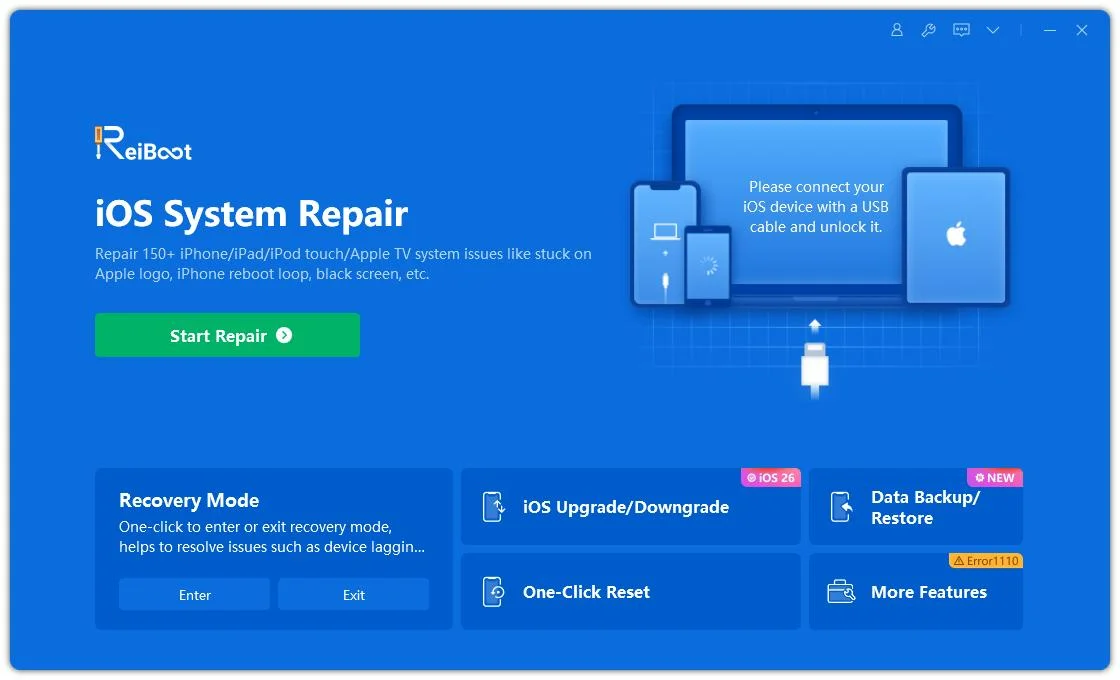
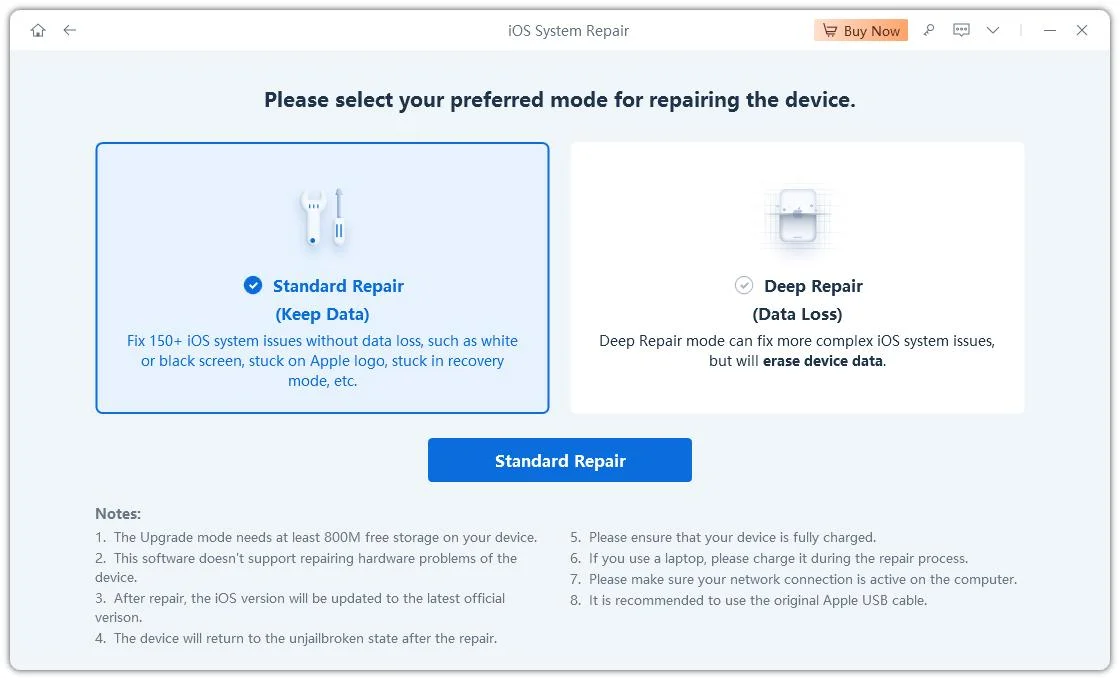
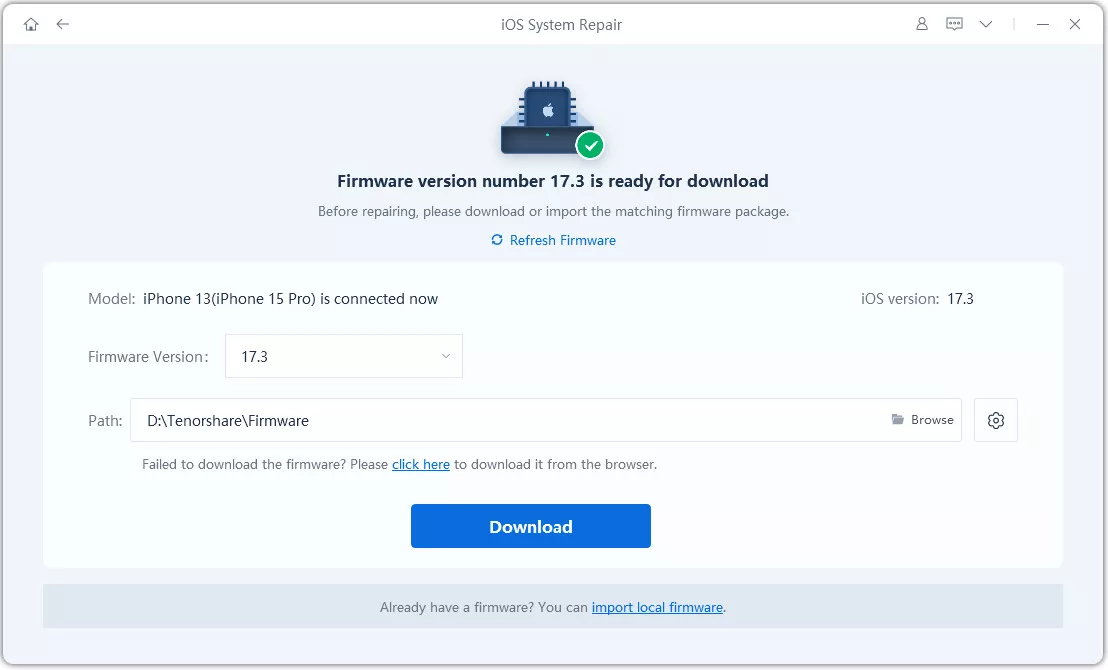
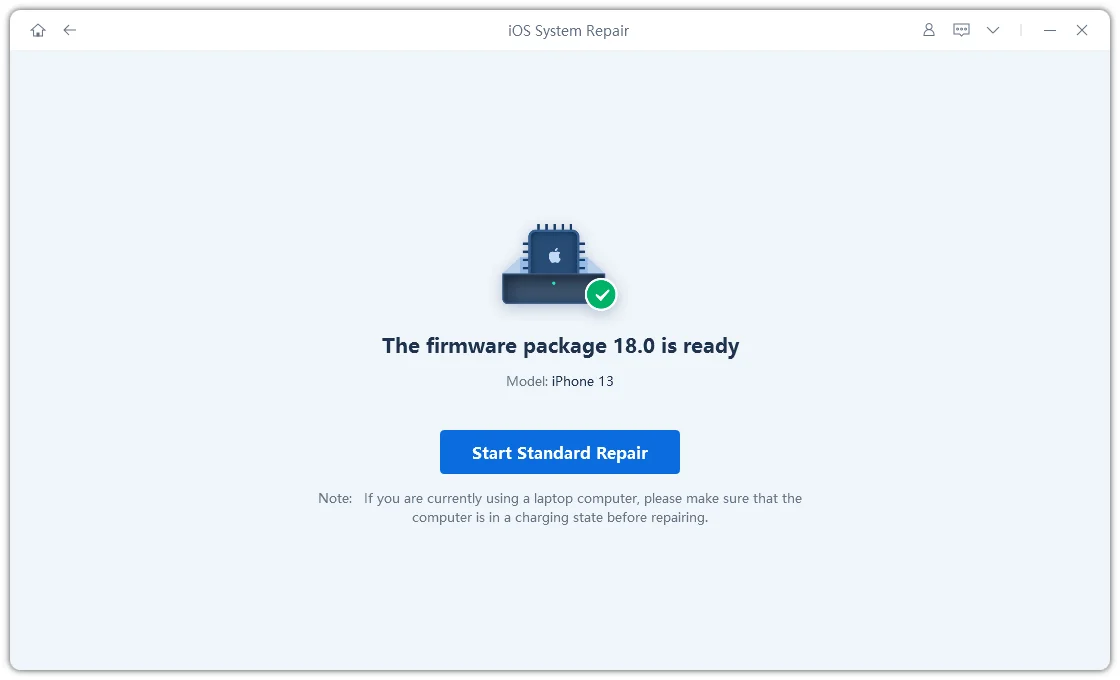
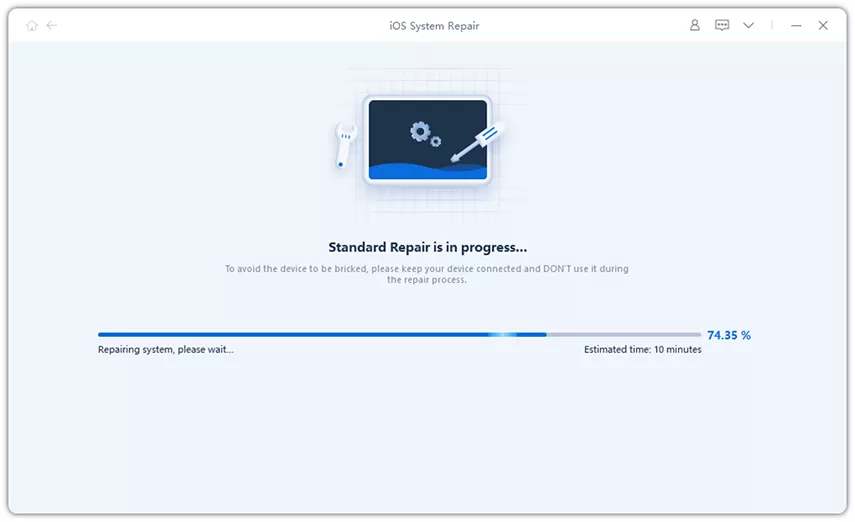
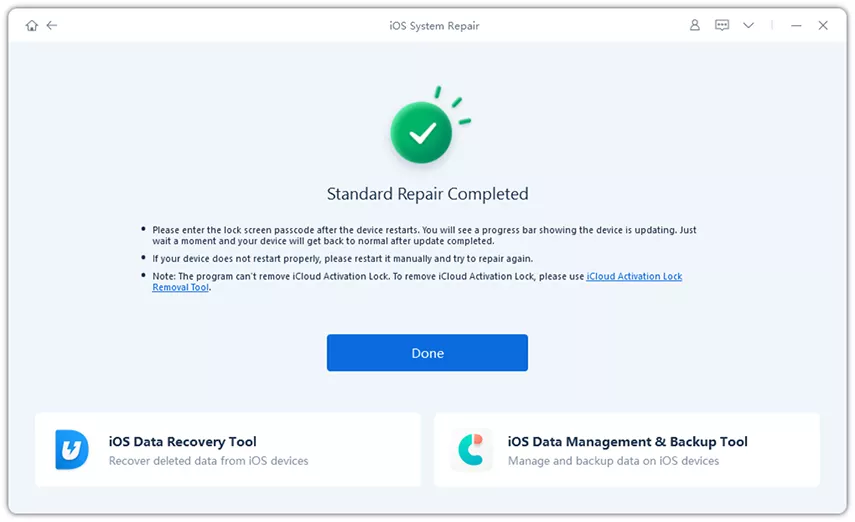
Displaying an image and registering a touch are separate jobs. An iPhone Duo's OLED can keep rendering while the digitizer or the iOS thread handling its input is frozen. A force restart is the quick test. If the touch returns, it was a software issue.
On iPhone Duo, try Touch ID on the side button first. Otherwise, connect a USB mouse via USB-C with AssistiveTouch on, or ask Siri to enable Voice Control and speak each digit.
Ghost touch usually comes from charger noise, static from cheap protectors, or pressure near the screen edges. Unplug everything, remove the case and protector from the iPhone Duo, then restart. If phantom taps persist with nothing attached, suspect hardware and contact Apple.
Fold and unfold the iPhone Duo, then force restart. If the phone screen remains unresponsive, run Tenorshare ReiBoot's Standard Repair to reset the software state. Use the functioning display to back up meanwhile. If the panel stays dead after a clean reinstall, it's due to a hardware issue.
A force restart and Tenorshare ReiBoot's Standard Repair keep your data. Apple's Restore erases it, so back up first if you can.
You can fix an "iPhone Duo touch screen not working" problem by removing accessories, cleaning the display, restarting the device, or using touch-free controls. If these steps don't work, the problem may be deeper iOS corruption or hardware damage. For software-related issues, Tenorshare ReiBoot can resolve the unresponsive touchscreen on iPhone Duo from a computer. So, get it for a quick, zero-data-loss fix.


then write your review
Leave a Comment
Create your review for Tenorshare articles
Share this post


ReiBoot - No.1 Free iOS System Repair Software
Fix 150+ iOS Issues without Data Loss & Safely iOS 27 Upgrade/Downgrade
ReiBoot: No.1 iOS Repair Tool
Fix 150+ iOS Issues, No Data Loss
By Jenefey Aaron
2026-10-20 / iPhone 18