

 iOS Tips & Latest Updates
 Bug Fixes, Unlock Guides
 Giveaways & Freebies
then write your review


ReiBoot - No.1 Free iOS System Repair Software
Fix 150+ iOS Issues without Data Loss & Safely iOS 27 Upgrade/Downgrade
ReiBoot: No.1 iOS Repair Tool
Fix 150+ iOS Issues, No Data Loss
Apple's first foldable iPhone Duo goes on sale October 23, and you'll reset it for the usual reasons. For instance, selling or trading it in, fixing persistent bugs, or starting fresh. The same steps apply to the older iPhone you're trading in.
Resetting the Duo differs from older iPhones in two ways. It's eSIM-only worldwide, so whether you keep or delete your eSIM matters. Also, Touch ID replaces Face ID, so you'll use your passcode more often as a fallback. This guide shares what a factory reset does, what to do beforehand, and how to factory reset iPhone Duo in four ways.

An iPhone Duo factory reset erases everything you've added to the phone, such as photos, messages, apps, Wi-Fi networks, and settings. It returns the Duo to the Hello screen. Your iCloud content isn't deleted, so it can sync back when you sign in again. Don't confuse these actions:
 Please swipe to view
An "iPhone Duo hard reset" usually means a force restart. If you want a clean slate, use a factory reset. Erasing and removing Activation Lock are also separate. A reset removes your data. Whether it also releases the phone from your Apple Account depends on how you reset it.
The eSIM prompt is critical on iPhone Duo. When erasing from Settings, keep the eSIM if you're keeping the phone. If you're selling or giving it away, delete it. As the Duo has no SIM tray, deleting the eSIM means your carrier will need to reactivate your plan.
Before you reset iPhone Duo to factory settings, here are some measures to take for the reset to be successful and for retaining your data:
A factory reset can't be undone, so your backup is the only way back. You have two Apple options:





Before you start, make sure you know the Apple Account email and password linked to the Duo. You'll need them during the erase process. If you're selling, trading in, or giving it away, sign out first:
A few checks can prevent a failed reset:
Here's how to factory reset iPhone Duo in several ways based on whether the phone is functional, locked, or won't start properly:
Use this method to factory reset iPhone Duo with buttons when it's functional and you know the passcode:


Use this method when you're locked out of your iPhone Duo and can't remember the passcode. However, it still requires your Apple Account password. After enough failed passcode attempts, the lock screen shows "iPhone Unavailable" or "Security Lockout," along with "Forgot Passcode?" Touch ID won't replace the passcode after a restart or repeated failed fingerprint attempts. You'll need:
Here's how to factory reset iPhone Duo without a computer:


Without the Apple Account password, this method won't work. No button combination bypasses it.
Use this method if your iPhone Duo won't start properly, won't accept the erase command, or you prefer using a computer. But first, update your Mac or install the latest "Apple Devices" app on Windows. Back up your phone, then turn off "Find My" and enter your Apple Account password. Here's how to reset iPhone Duo with a computer:
If the iPhone Duo functions:

If your iPhone Duo won't start or isn't recognized, use Recovery Mode to factory reset:


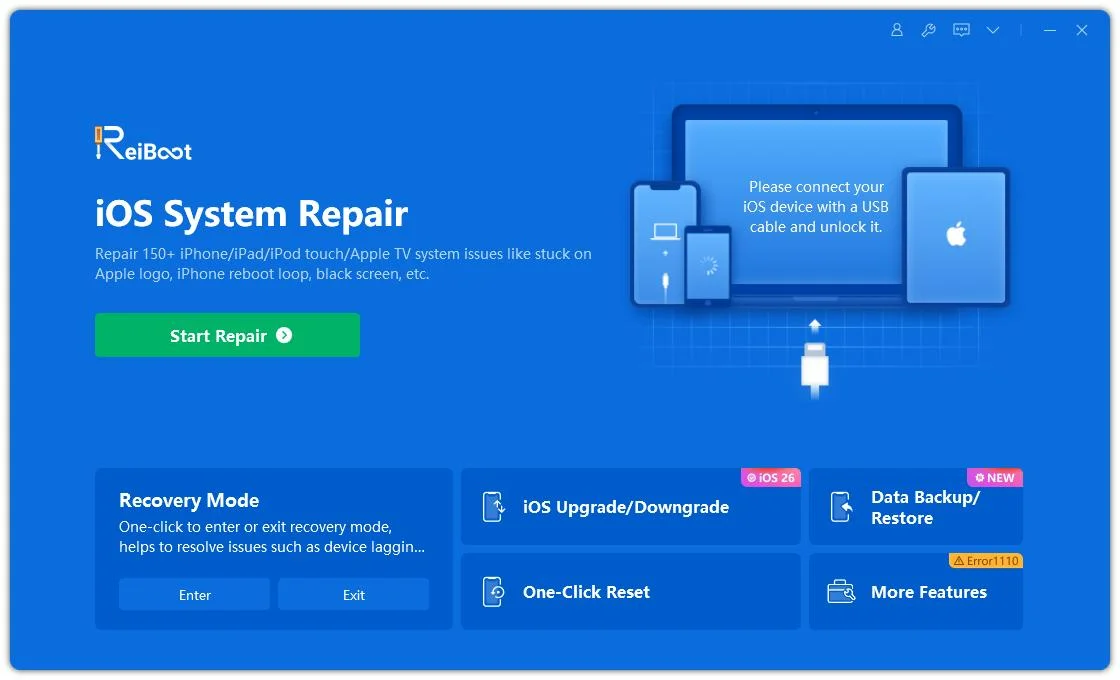
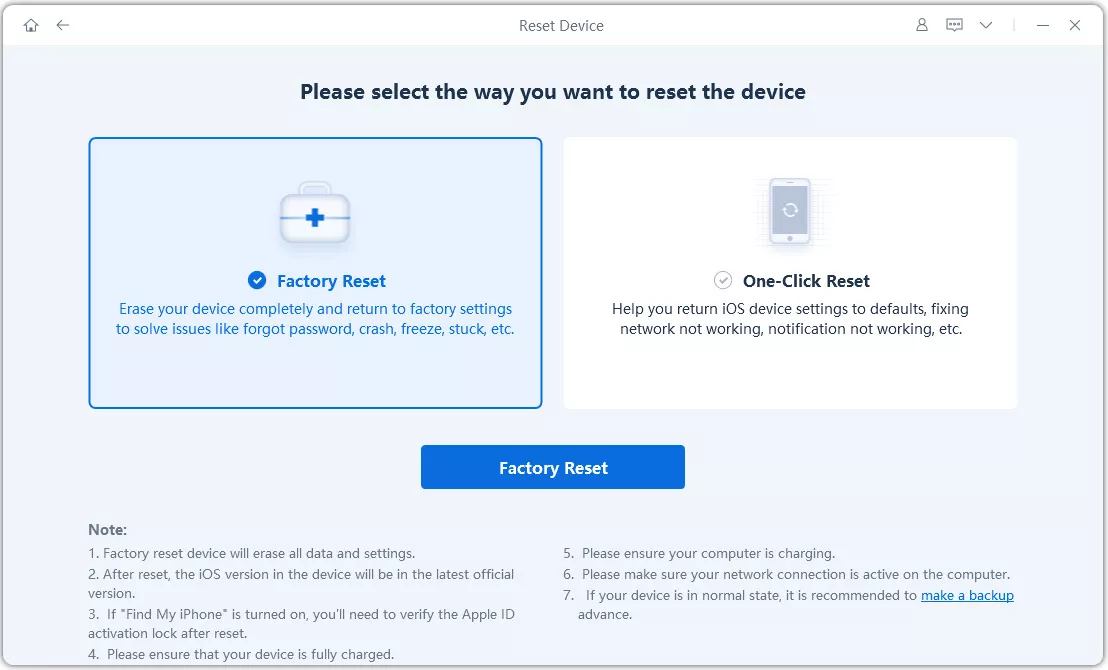
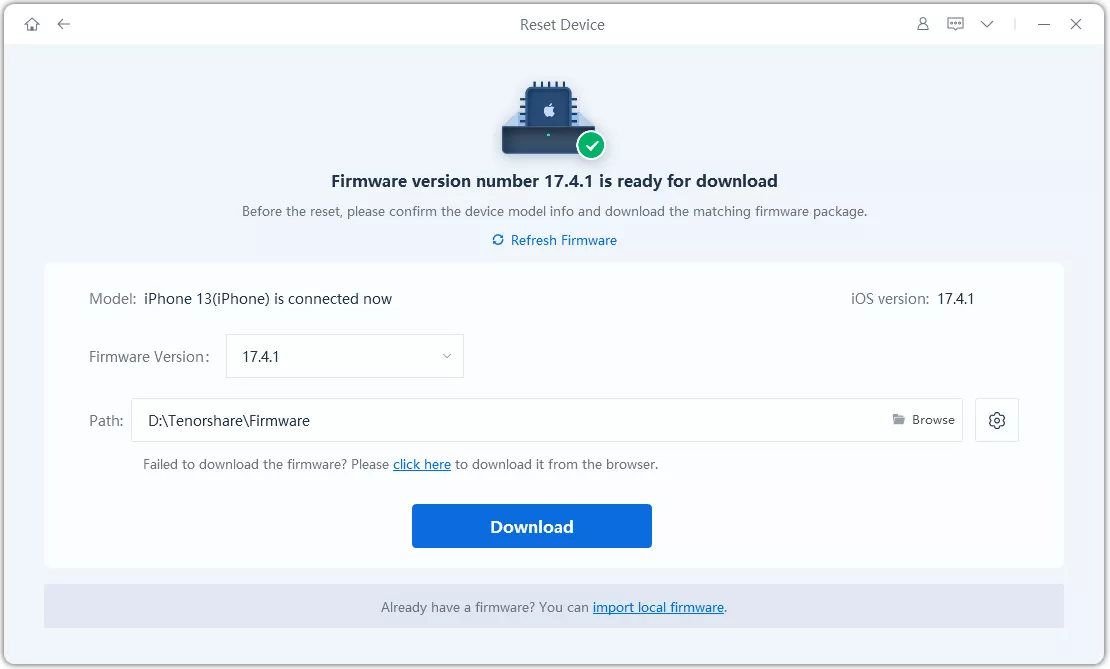
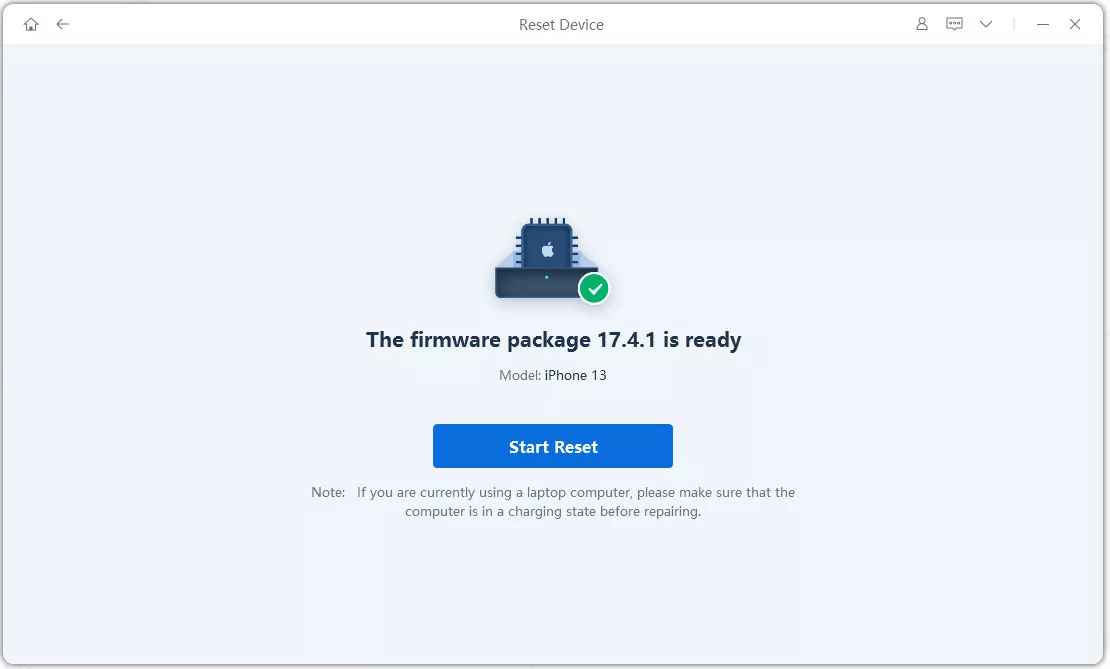
Apple's built-in options are enough when your Duo is functional. But when Finder/iTunes shows an error code, the restore hangs, or the computer doesn't recognize the phone, a computer-based alternative like Tenorshare ReiBoot is more useful. It runs on the computer and handles the firmware download itself.
What ReiBoot offers:
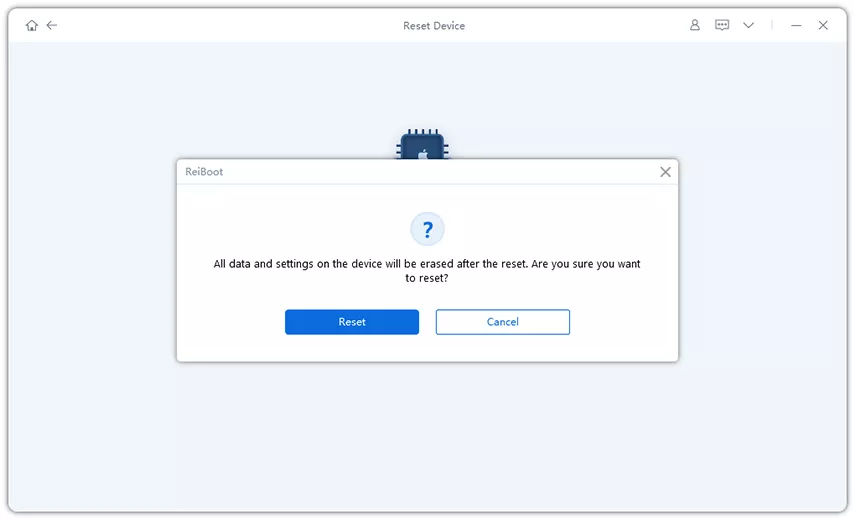
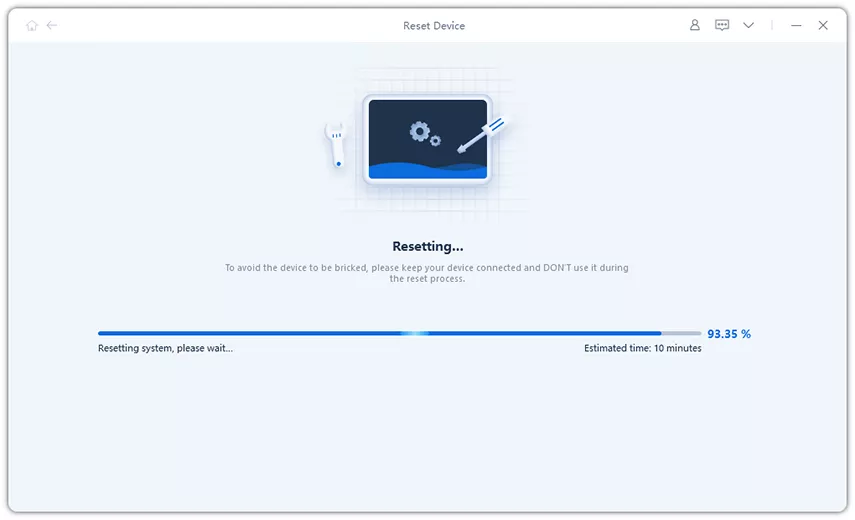
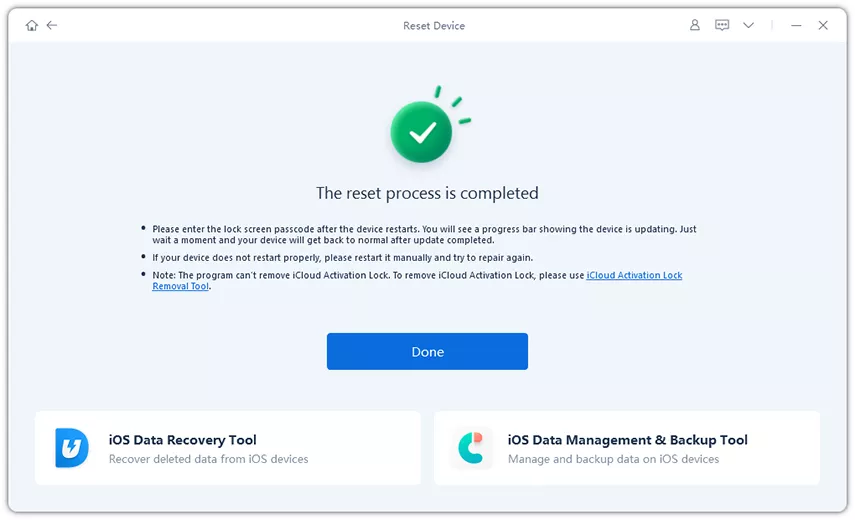
Here's how to factory reset iPhone Duo with ReiBoot:
Not directly. Button combinations only force restart the phone or enter Recovery Mode. Neither erases data. The actual erase happens when you choose "Restore" on a connected computer or use the "Settings" reset.
Yes. Erasing the Duo wipes only what's stored on the phone. iCloud content stays intact, and your other devices aren't affected. Signing back into the same Apple Account can sync that content back.
You can erase a phone you physically have, but Activation Lock prevents you from using it without the owner's Apple Account credentials. If buying a used Duo, have the seller remove it from their account before paying, or contact the previous owner for credentials.
No. A factory reset permanently erases on-device content. Back up first if you want to restore it later.
Not by itself. Erasing the device removes its data, but Activation Lock remains linked to your Apple Account while "Find My" is enabled. To remove the lock, sign out of your Apple Account/turn off "Find My," or remove the device from your account after erasing it.
The decision path is short for learning how to factory reset iPhone Duo. Back up your data, check your Apple Account, Find My, and eSIM, then pick the method that matches your situation. Settings is the clean route when the phone is functional.
Use the "Forgot Passcode" reset for a locked phone, and "Finder" or "Apple Devices" for a non-functional phone. If you prefer a computer-based workflow, or Apple's software keeps failing with errors, Tenorshare ReiBoot offers factory reset, backup, and system repair in one place.


then write your review
Leave a Comment
Create your review for Tenorshare articles

Share this post


ReiBoot - No.1 Free iOS System Repair Software
Fix 150+ iOS Issues without Data Loss & Safely iOS 27 Upgrade/Downgrade
ReiBoot: No.1 iOS Repair Tool
Fix 150+ iOS Issues, No Data Loss
By Jenefey Aaron
2026-10-20 / iPhone 18