



ReiBoot - No.1 Free iOS System Repair Software
Fix 150+ iOS Issues without Data Loss & Safely iOS 27 Upgrade/Downgrade
ReiBoot: No.1 iOS Repair Tool
Fix 150+ iOS Issues, No Data Loss
With WWDC 2026 on June 8, Apple is set to unveil iOS 27, its most AI-focused update yet. If you've enrolled in the Apple Beta Software Program, you're likely already preparing for the developer or public beta dropping in mid-July.
But many users find their ios 27 software update taking too long, the progress bar barely moves, and the device gets stuck. This guide explains why iPhone taking forever to update iOS 27 and walks you through the most effective fixes, from simple network checks to using Tenorshare ReiBoot for system-level issues.

If your ios 27 is taking too long to update, the first step is understanding why the delay is happening in the first place. iOS 27 beta is far from a minor patch it's a full pre-release firmware file expected to be even larger than iOS 26's 15+ GB package, owing to its expanded AI capabilities and deep system-level changes. Below are the most common culprits behind a stalled or slow installation.
iOS 27 beta introduces major under-the-hood changes, including a rebuilt Siri chatbot, the new Core AI framework replacing Core ML, and extensive Liquid Glass UI refinements. Beta firmware files are typically even larger than stable releases, and downloading several gigabytes over Wi-Fi naturally takes time.
When Apple releases a new beta version, especially on WWDC day, millions of enrolled devices attempt to download simultaneously. Apple's update servers can become overloaded, causing extremely slow download speeds or the update appearing to freeze entirely.
By definition, beta software can be buggy. Early iOS 27 developer betas may contain glitches that affect the installation process itself, causing it to stall, restart repeatedly, or throw errors that look like a frozen update screen.
If the download was interrupted by a network drop, a forced restart, or a low battery, the partially downloaded update file may be corrupted. iOS will often attempt to resume, but a damaged file can cause the installation to hang indefinitely.
Many people wonder how long an iPhone update takes, and the truthful answer is: it varies. Below is a practical breakdown of what to expect at each stage of a typical iOS 27 beta update:
In total, a smooth iOS 27 beta installation on a fast connection should take around 45 minutes to 90 minutes. If it has been more than 2 to 3 hours with no visible progress, something has likely gone wrong, and it is time to troubleshoot.
Beta updates are early test versions of software that tend to be significantly larger than standard releases, which is exactly why your iPhone update may be taking forever to download or appear completely frozen. If that's the case, these three simple fixes can help get things moving again.
If the update stops moving, a force restart clears out temporary glitches without deleting any of your personal data.

Once your phone turns back on, go to Settings > General > Software Update and try again.
If your Apple update is taking forever, a weak or unstable internet connection is likely the culprit. A strong, steady Wi-Fi signal is essential for downloading beta updates without interruption.

Turn on Airplane Mode for 10 seconds, then turn it off. This resets your wireless connection.


Resetting network settings will erase your saved Wi-Fi passwords, so make sure you know your password before doing this!
If your iOS update is taking too long or gets stuck, storage is often the culprit. Beta builds are significantly larger than regular updates they require plenty of free space just to unpack and install properly. Even a partially full device can cause the process to stall or fail altogether. As a general rule, aim to have at least 6GB to 10GB of free space available before attempting to install any beta build.

If your iPhone is frozen on the Apple logo, stuck in a boot loop, or showing a recovery mode screen after the iOS 27 beta update taking too long to finally complete, or if your device won't turn on at all the problem likely runs deeper than a slow download. This is exactly where Tenorshare ReiBoot steps in. Built specifically for these situations, ReiBoot is a professional iOS system repair tool capable of resolving over 150 system issues, including an iPhone stuck on the Apple logo post-update, failed update errors, recovery mode loops, boot loops following iOS installation, and an unresponsive device that refuses to turn on making it the go-to solution for serious iOS 27 beta update complications.
Start by downloading ReiBoot onto your computer it works on both Windows and Mac. Run the installer to set it up, then open the program. Grab a lightning cable and use it to connect your iPhone to the computer. Once connected, look for the "Fix All iOS Stuck" option on the main screen and click it.
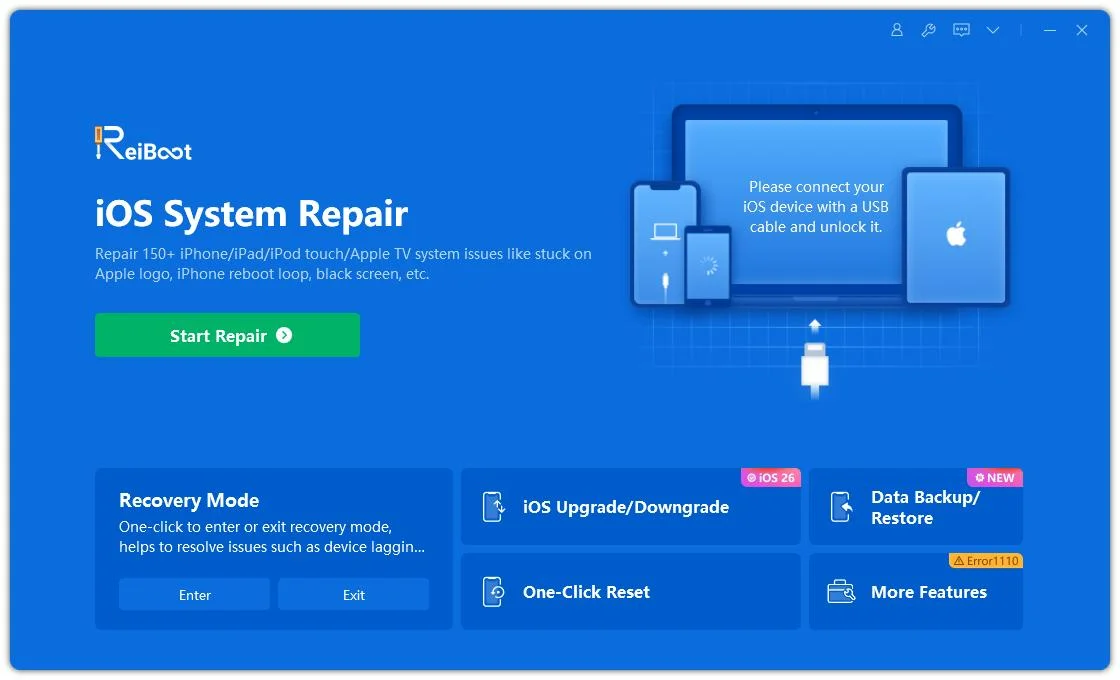




Once you reach the following page, you'll be asked to download the IPSW file simply pick where you'd like to save it and click "Download".
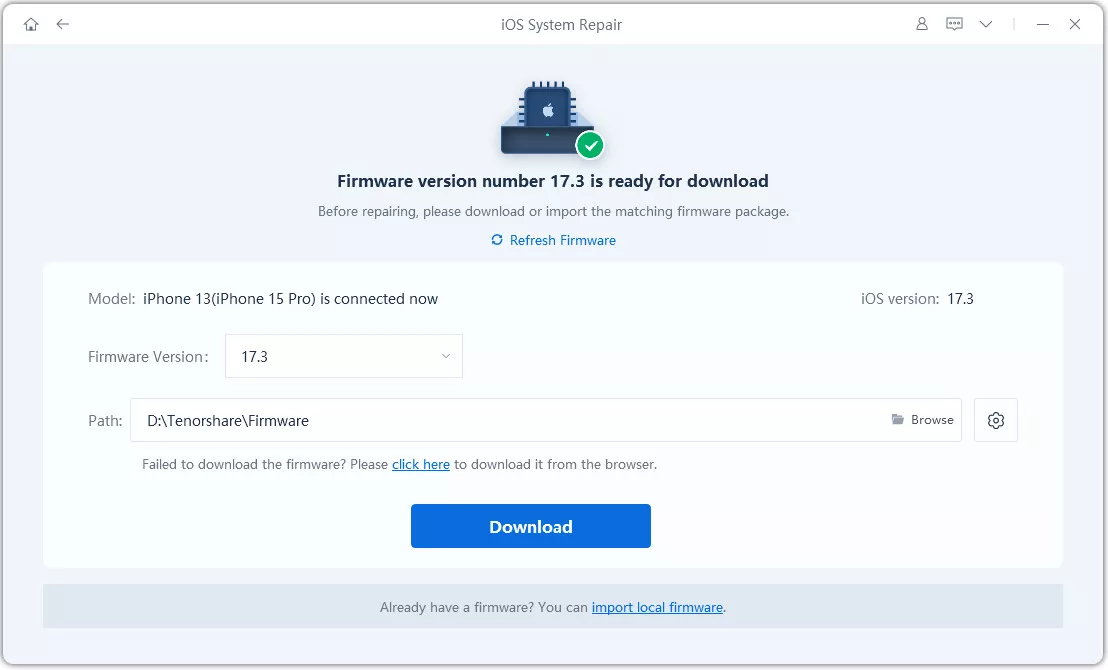
Once the download finishes, the software will prompt you to click "Repair Now" to continue.
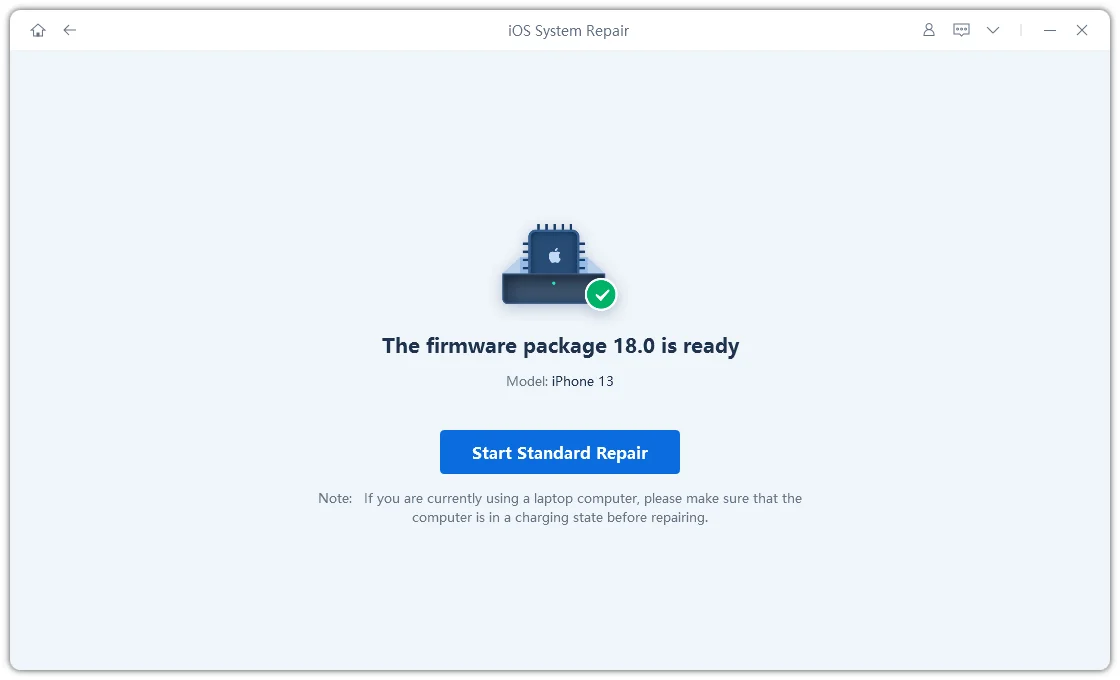
Your device should now be running the latest system smoothly and without any issues!
Once your iPhone is back up and running, a few simple habits can save you from the same headache next time.
On a fast Wi-Fi connection, the full process, download, preparation, installation, and setup typically takes between 45 minutes and 90 minutes. Slower connections or server congestion can extend this to several hours. If there is no visible progress after 3 hours, it is recommended to restart the process.
Developer betas are intended for developers and carry a higher risk of bugs, crashes, and instability compared to public betas or stable releases. Apple recommends installing betas on a secondary device, not your primary iPhone. Always back up your device with iCloud or iTunes before installing any beta firmware.
Based on current leaks from reliable sources, iOS 27 is expected to require at a minimum an iPhone 12 or iPhone SE (3rd generation), dropping support for the iPhone 11 series and iPhone SE (2nd generation). Apple has not officially confirmed the compatibility list as of this writing.
A device stuck on the Apple logo after a beta update is a sign of a system-level failure, not just a slow update. Try a force restart first. If that does not work, connect your iPhone to a computer and use Tenorshare ReiBoot's Standard Repair mode to fix the issue without losing your data. In more severe cases, entering recovery mode and restoring via Finder or iTunes may be necessary.
If you need to downgrade, you will typically need to use Finder or iTunes to restore your device to a stable iOS version while Apple is still signing it. ReiBoot can also assist with exiting beta profiles and returning to a stable firmware path.


Tenorshare ReiBoot - Fix iOS Issues




then write your review
Leave a Comment
Create your review for Tenorshare articles

Share this post


ReiBoot - No.1 Free iOS System Repair Software
Fix 150+ iOS Issues without Data Loss & Safely iOS 27 Upgrade/Downgrade
ReiBoot: No.1 iOS Repair Tool
Fix 150+ iOS Issues, No Data Loss
By Jenefey Aaron
2026-09-10 / iOS 27