
 iOS Tips & Latest Updates
 Bug Fixes, Unlock Guides
 Giveaways & Freebies


ReiBoot - No.1 Free iOS System Repair Software
Fix 150+ iOS Issues without Data Loss & Safely iOS 27 Upgrade/Downgrade
ReiBoot: No.1 iOS Repair Tool
Fix 150+ iOS Issues, No Data Loss
Apple officially unveiled iOS 27 at WWDC 2026, and as usual, the company opened early access through its beta program before the public release this fall. If you can't wait to try the latest features — smarter AI integration, new AI Features, and more — this guide explains exactly how to get the iOS 27 beta download on your iPhone right now.
There are three ways to get the iOS 27 beta download on your iPhone:
There are three paths to get iOS 27 beta on your iPhone. Here's a quick side-by-side so you can pick the one that suits you best.
 Please swipe to view
The iOS 27 developer beta download gives you the earliest access to new features — typically weeks before the public beta. There are two ways to get it.
A paid Apple Developer account ($99/year) grants first access to every beta release the moment it drops.
Visit developer.apple.com/download and sign in with your Apple Developer account credentials.

Since iOS 16.4, Apple allows anyone with an Apple ID to download a free iOS 27 beta profile — no paid developer subscription required. Here's how:

Free developer beta profiles may have a short delay compared to paid accounts — typically a few hours to a day after the initial release.
If OTA is unreliable, or you simply want the most worry-free iOS 27 upgrade experience, Tenorshare ReiBoot is the standout choice. Its dedicated Upgrade iOS feature downloads the official Apple firmware and installs it cleanly — no beta profile, no developer account, zero data loss.
The fastest, safest way to upgrade your iPhone to iOS 27 beta — one click, no profile needed, and your data stays completely intact.




Here is how to use ReiBoot to upgrade to iOS 27 beta step by step:
Download and install ReiBoot on your computer. Then connect your iPhone via USB. Tap "Trust" on your iPhone if prompted. Choose "iOS Upgrade/Downgrade" on the interface.

Click the Upgrade iOS option. It will show the latest available firmware — including iOS 27 beta.

Click "Download" next to the iOS 27 firmware. ReiBoot fetches the official Apple IPSW directly. This takes 5–15 minutes depending on your connection speed.

The full process usually completes in 10–20 minutes.

Done. Your iPhone boots normally on iOS 27 beta with all your data intact.
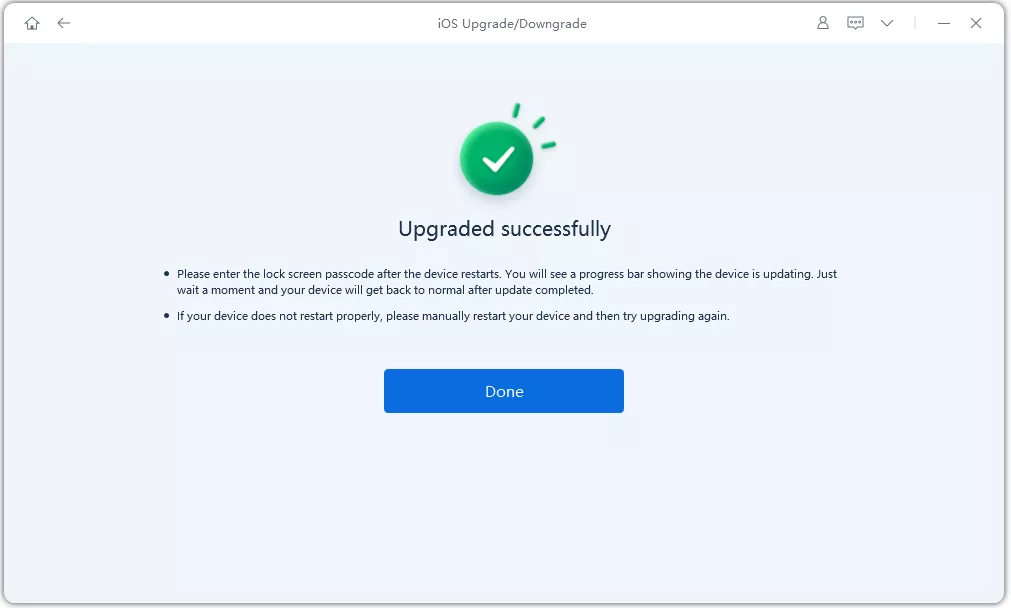

ReiBoot also supports downgrading iOS. If iOS 27 beta causes issues, use the same Upgrade iOS feature to roll back to the previous stable release while Apple is still signing it.
An iOS 27 IPSW file (also searched as ios 26 ipsw) is the complete firmware package that lets you restore or update your iPhone using Finder (Mac) or iTunes (Windows) — especially useful when OTA updates fail.
Please swipe to view

Never choose "Restore" unless you intend to erase all data. Always select "Update" to keep your photos, messages, and apps intact when installing via IPSW.
Before you attempt an iOS 27 beta download, check whether your iPhone is supported. Apple drops support for older models with each major release, and the list gets shorter every year.
Please swipe to view
Not sure which iPhone you have? Go to Settings > General > About > Model Name to check your exact device model before downloading.
Yes. The iOS 27 public beta is completely free via beta.apple.com. The developer beta now also offers a free profile for anyone with an Apple ID — no $99/year membership required.
On your iPhone, open Safari and go to developer.apple.com/download. Sign in with your Apple ID and download the iOS beta profile for free. After installation, go to Settings > General > Software Update to get the beta. Alternatively, use beta.apple.com for the public beta profile.
The safest places are Apple's official developer portal (developer.apple.com/download) and the trusted mirror ipsw.me, which hosts verified copies of Apple's original firmware. Avoid random third-party download sites, which may host modified or malicious files.
Tenorshare ReiBoot is the easiest option. Its "Upgrade iOS" feature downloads the official iOS 27 firmware and installs it on your iPhone in a few clicks — no beta profile, no developer account, and no risk of data loss.
Yes, but only while Apple is still signing the older firmware version. You can use Tenorshare ReiBoot's Upgrade iOS feature to downgrade without erasing your data, or restore via Finder/iTunes using the correct IPSW.
Early developer betas (Beta 1, Beta 2) can be buggy and are best tested on a secondary device. By Beta 4–5 and the public beta, stability improves significantly. If you rely on your iPhone for work or banking apps, wait for the public beta or RC build.
Getting the iOS 27 beta download on your iPhone is easier than ever. You can go the traditional route with a free beta profile or the public beta via beta.apple.com — or skip the setup entirely and use Tenorshare ReiBoot to upgrade directly in one click, with guaranteed data safety. Always back up your device before any major update, download the IPSW only from trusted sources, and verify your device is on the compatibility list before starting.
The fastest, safest way to upgrade your iPhone to iOS 27 beta — one click, no profile needed, no data loss.


then write your review
Leave a Comment
Create your review for Tenorshare articles

Share this post


ReiBoot - No.1 Free iOS System Repair Software
Fix 150+ iOS Issues without Data Loss & Safely iOS 27 Upgrade/Downgrade
ReiBoot: No.1 iOS Repair Tool
Fix 150+ iOS Issues, No Data Loss
By Anna Sherry
2026-10-19 / iOS 27