

then write your review


ReiBoot - No.1 Free iOS System Repair Software
Fix 150+ iOS Issues without Data Loss & Safely iOS 27 Upgrade/Downgrade
ReiBoot: No.1 iOS Repair Tool
Fix 150+ iOS Issues, No Data Loss
iOS 27 Beta brings new features, but it can also cause battery drain, app crashes, overheating, lag, and update problems. That is why many users now want to remove iOS 27 beta and return to a more stable version.
In this guide, we will explain how to remove iOS 27 beta with or without a computer. You will also learn how to uninstall iOS beta safely, downgrade instantly, and stop beta updates.
Removing iOS 27 beta or uninstall iOS beta is not a simple delete action. iOS beta works under Apple's update system, so every method has conditions you must understand first.
Key Facts You Should Know
Backup Requirement (Very Important)
Before you remove iOS 27 beta:
 Please swipe to view
Using a computer gives you the most complete way to downgrade iOS 27 beta and return your device to a stable iOS version. It is especially helpful wh en beta issues cannot be fixed from settings alone. These method also helps repair system problems while removing the beta software.
Tenorshare ReiBoot is a professional iOS system repair tool designed to fix common iPhone and iPad software issues without complicated steps. It is widely used to remove iOS beta versions, downgrade to stable iOS, and upgrade to the latest iOS safely without using iTunes or manual IPSW files.
It also helps when your device gets stuck after a beta update, such as frozen screen, boot loop, update failure, or Apple logo issues. Instead of technical manual methods, ReiBoot handles the process in a simple interface, making it beginner-friendly.




Key Features of ReiBoot
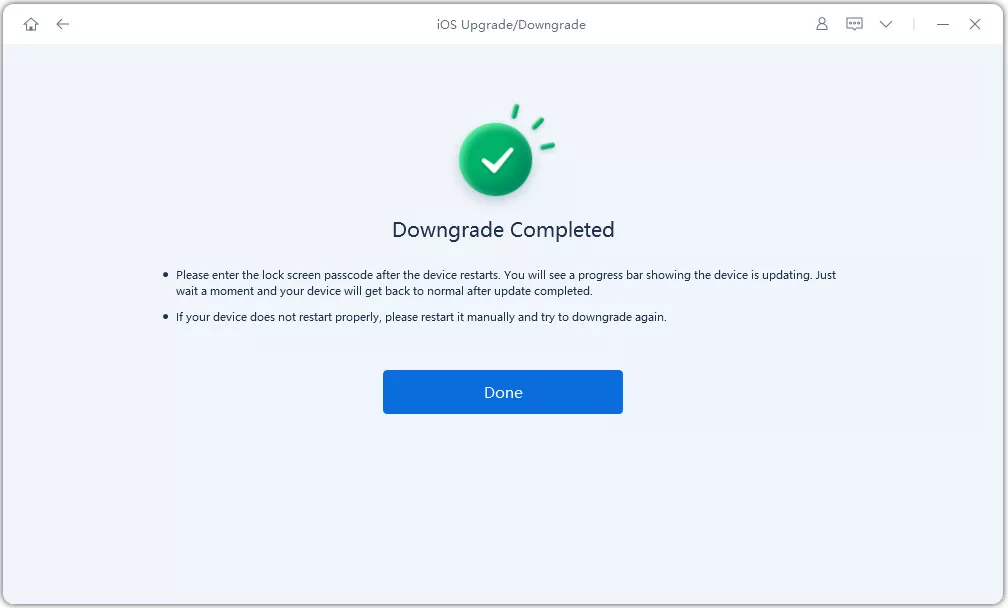
Steps to Remove iOS 27 Beta with reiboot:
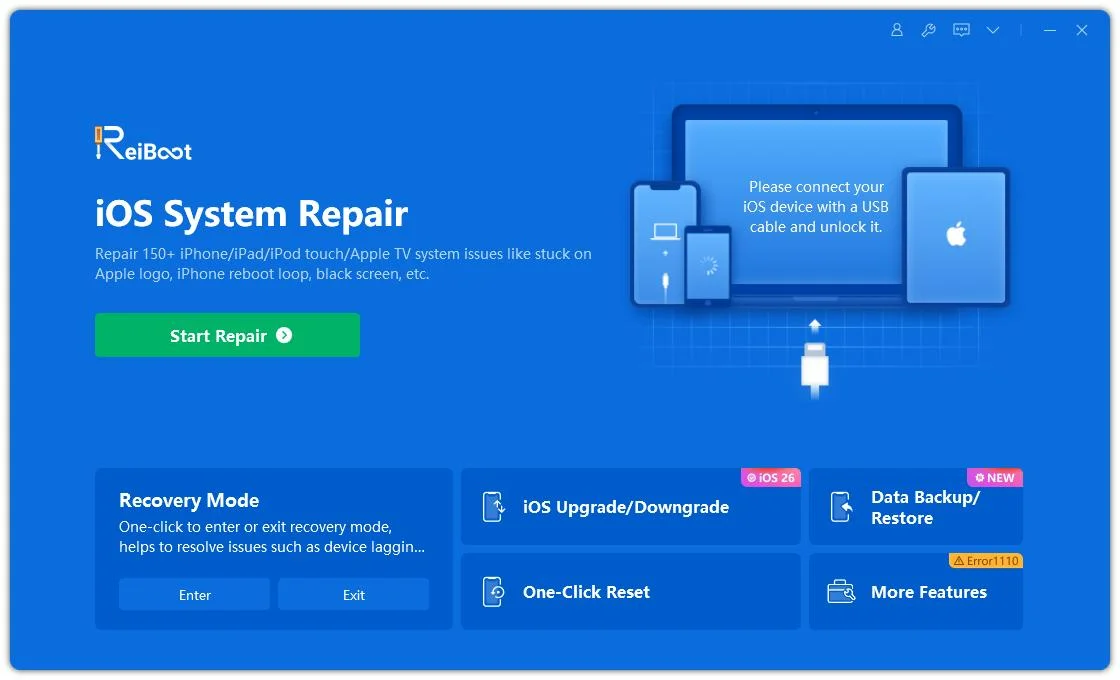
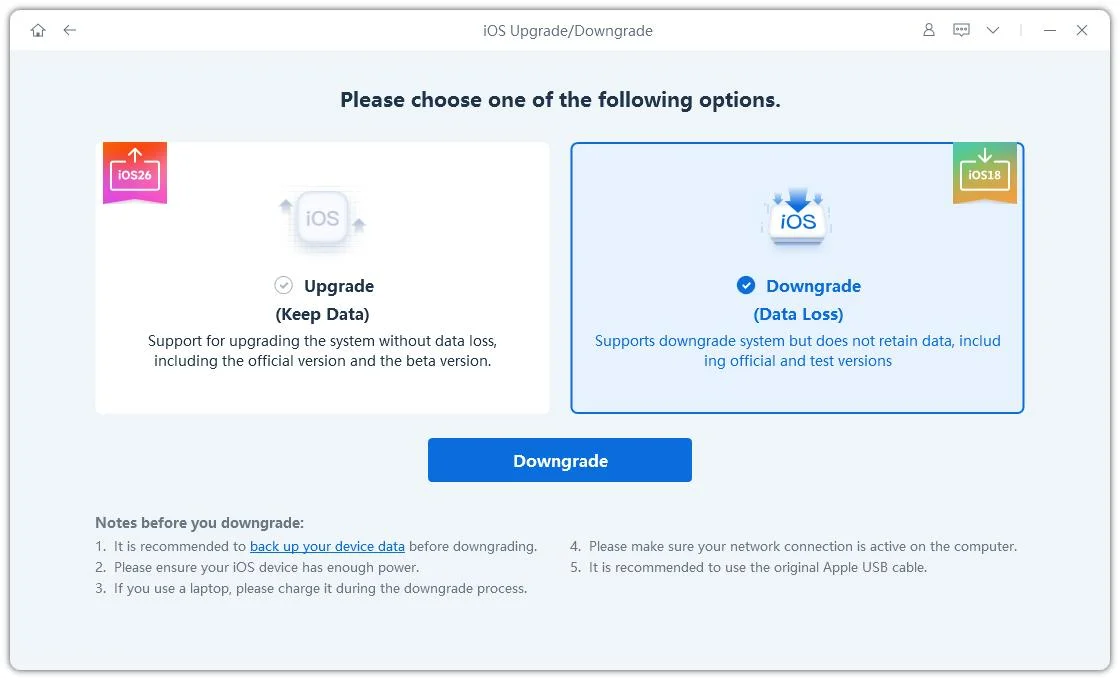
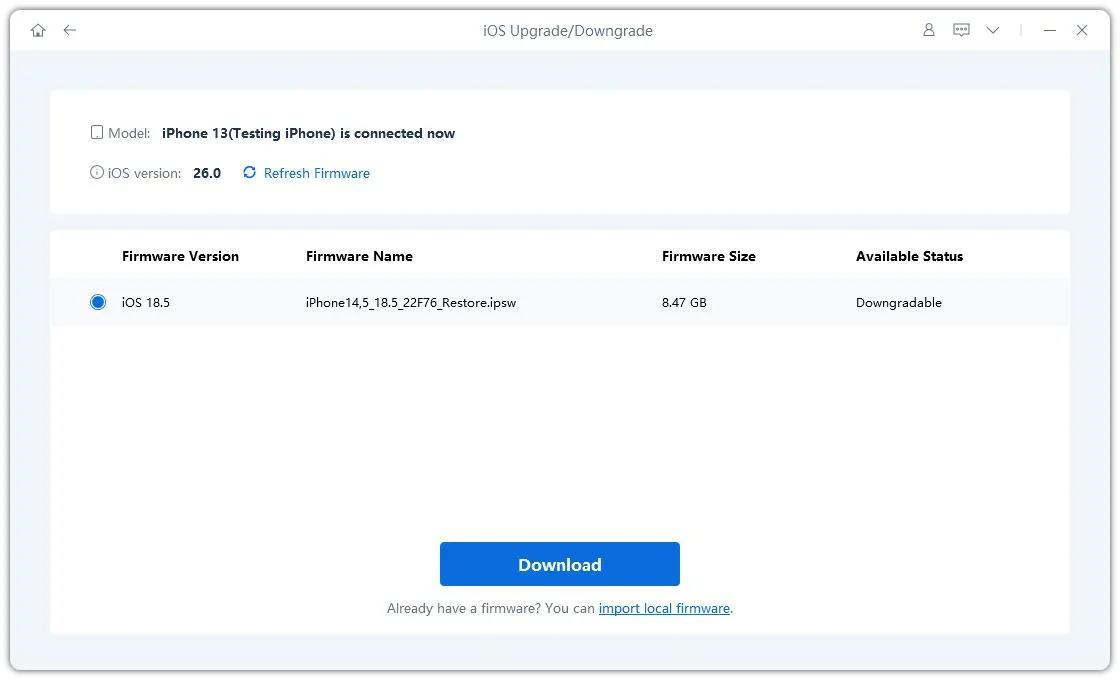
Wait for the process to complete without disconnecting the device.
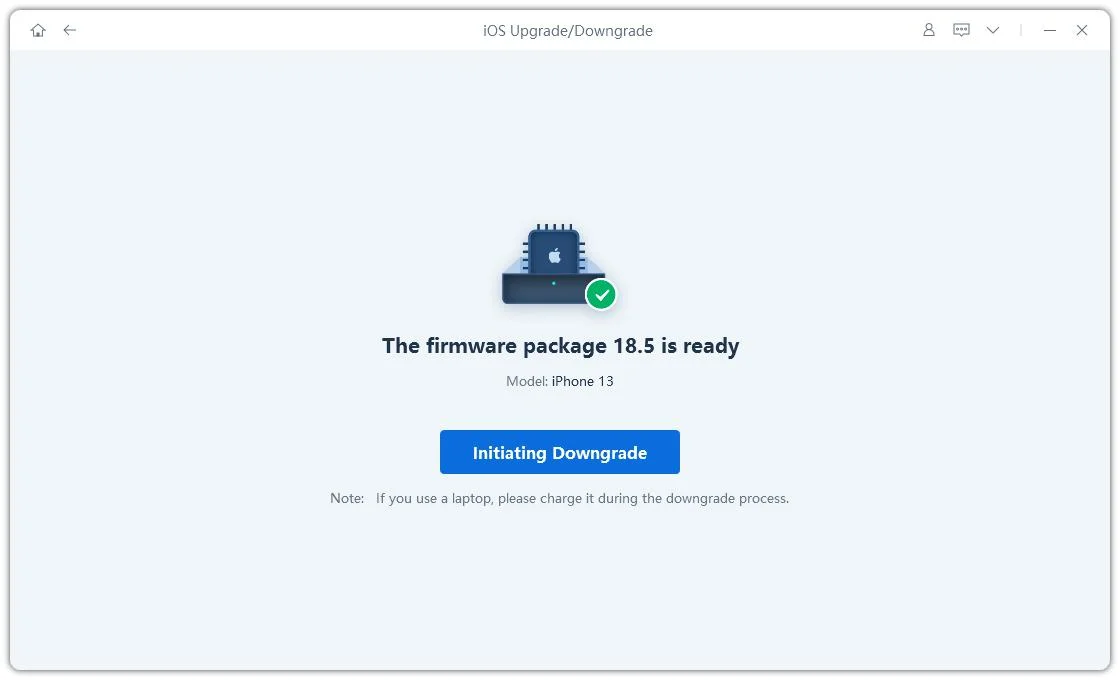
Important Notes Before Downgrading
Although ReiBoot simplifies the downgrade process, the downgrade may still fail in some situations, including:
Removing iOS 27 beta using a computer is the most direct way to return your device to a stable iOS version like iOS 26. This method uses Finder on Mac or iTunes on Windows along with an IPSW firmware file to completely reinstall iOS and replace the beta system.
However, this process comes with a key limitation: it is a full restore method, meaning all data on the device can be erased, and it will only work if Apple is still signing the older iOS version. Without signing, the downgrade cannot proceed.
Requirements
How to Remove iOS 27 Beta with Computer


Removing iOS 27 beta without a computer is the simplest way to stop beta activity on your device. These methods do not fully downgrade iOS, but they help you exit the beta program and prevent future beta updates. The limitation is that your device will stay on the current iOS version until Apple releases the next official stable update, so it is not an instant rollback to iOS 26. Lets see how to remove beta software from iphone without computer:
Turning off Beta Updates is the easiest way to stop receiving iOS 27 beta updates. This method does not remove the current beta version, but it prevents your device from downloading or installing future beta releases. Your iPhone or iPad will remain on the existing system until a stable public update becomes available.
Requirements
Steps of how to delete Software update iOS 27:

Yes, but only in some cases. Turning off Beta Updates or removing the beta profile does not delete data. However, a full downgrade or recovery mode restore usually erases the device, so backup is important.
You can remove iOS 27 beta from iPad in a few ways. The easiest is going to Settings General Software Update and turning off Beta Updates. You can also remove the beta profile from Device Management, or use a computer for a full downgrade if needed.
Yes, but only if Apple is still signing iOS 26. You will need a computer method like Finder, iTunes, or Recovery Mode restore. If Apple has stopped signing, then downgrading is not possible, even with tools.
It simply removes your device from the beta program. No data is deleted, and nothing changes immediately. Your iPhone or iPad will stay on the current iOS version and only receive official updates later.
Removing iOS 27 beta depends on the method you choose, but not all options give the same result. Some only stop future updates, while others fully downgrade your device to a stable iOS version. The most reliable and easiest option is Tenorshare ReiBoot. It offers a high success rate, simple steps, and works without technical effort or complex files. For most users, it is the safest way to remove iOS 27 beta quickly.
then write your review
Leave a Comment
Create your review for Tenorshare articles

Share this post


ReiBoot - No.1 Free iOS System Repair Software
Fix 150+ iOS Issues without Data Loss & Safely iOS 27 Upgrade/Downgrade
ReiBoot: No.1 iOS Repair Tool
Fix 150+ iOS Issues, No Data Loss
By Jenefey Aaron
2026-09-16 / iOS 27