

 iOS Tips & Latest Updates
 Bug Fixes, Unlock Guides
 Giveaways & Freebies
then write your review


4uKey - One-Click Easy iPhone/iPad Unlocker
Unlock Screen Lock/Apple ID/MDM/Screen Time Passcode Instantly
Easy iPhone/iPad Unlocker
Unlock iPhone Passcode Instantly
Locked out of your iPhone? Whether you forgot your screen passcode, your screen says “iPhone Unavailable,” or you bought a second-hand device still tied to someone else’s Apple ID, the right tool can get you back in within minutes — no Apple Store trip required.
To find the best free iPhone unlocker in 2026, I tested 7 of the most popular tools across real lock scenarios, then scored each one on success rate, speed, ease of use, and data safety. Here are my results — starting with a quick comparison so you can jump straight to the tool that fits your situation.

Short on time? Here’s the quick verdict from my testing. Tap any tool to jump straight to its full review.
Removes screen passcodes, Apple ID, Screen Time, and MDM with a clean three-step workflow. Fastest, most reliable tool in my tests.
Clear instructions and honest about what it can and can’t unlock. A safe first choice for non-technical users.
Completely free and supported by Apple, but erases your device and won’t bypass Activation Lock.
Covers nearly every lock type, including Screen Time and MDM. Full features need a paid license.
Open-source and free, but jailbreak-based and limited to older devices. Not beginner-friendly.
Straightforward screen passcode and Apple ID removal without iTunes or iCloud.
Handles several lock types at a lower price point, though success varies by iOS version.
iPhone locks aren’t one-size-fits-all, so I didn’t just list features — I put each tool through the same real-world lock scenarios and scored them on a consistent set of standards.
Rather than simply comparing feature checklists, I scored every tool on five factors that actually matter when you’re locked out:
Tenorshare 4uKey was the standout in my testing. It removes every type of screen lock — 4-digit, 6-digit, custom numeric, alphanumeric, Touch ID, and Face ID — without iTunes or the original passcode, and it also clears Screen Time passcodes and bypasses MDM in many cases.





Real Test Results
Key Features
Pros
Cons
Best For
Not Ideal For
My Verdict: 4uKey is the most reliable and easiest tool I tested. If you want to unlock your iPhone yourself at home with minimal fuss, it’s the one I’d reach for first.
The full walkthrough takes about three steps. Watch it in action below:
Install and launch 4uKey, then click Start.
Connect your iPhone with a USB cable (use Recovery/DFU mode if it isn’t detected).
Download the firmware, then let 4uKey remove the passcode. Set up your iPhone as new or restore from a backup.
UltFone iPhone Unlocker is built around clear, step-by-step guidance, which makes it a safe pick if you’ve never used a free iphone unlocker before. It covers screen passcode removal, Apple ID unlocking, and MDM removal in specific cases — and it’s upfront about what it can and can’t do.

Real Test Results
Key Features
Pros
Cons
Best For
Not Ideal For
My Verdict: A stable, no-surprises choice. UltFone won’t make unrealistic promises, which is exactly what you want when you’re troubleshooting a lock for the first time.
The iTunes restore is Apple’s own way to remove a passcode or reset a disabled iPhone. You put the device into Recovery Mode and restore it, which wipes the lock screen. It’s completely free and needs no third-party software — but it erases everything and won’t touch Activation Lock.

Real Test Results
Key Features
Pros
Cons
Best For
Not Ideal For
My Verdict: The free, official baseline. If you have a backup and just need back in, start here before paying for anything.
PassFab iPhone Unlocker is a desktop tool aimed at removing multiple lock types — screen passcodes, Apple ID, iCloud Activation Lock, Screen Time, and MDM. It has a polished, beginner-friendly interface, though full features sit behind a paid license.

Real Test Results
Key Features
Pros
Cons
Best For
Not Ideal For
My Verdict: A capable all-rounder. Use the trial to confirm your device and lock type are supported before committing to a license.
Checkra1n is different from the GUI tools above: it uses a hardware exploit to jailbreak supported devices and grant low-level access. It’s free and open-source, but it only works on a limited range of older devices and iOS versions, and it expects real technical know-how.

Real Test Results
Key Features
Pros
Cons
Best For
Not Ideal For
My Verdict: Powerful and free, but strictly for tinkerers with compatible older hardware. Most people should choose a guided tool instead.
UkeySoft Unlocker removes an iPhone screen passcode or Apple ID without iTunes or iCloud, on both Windows and Mac. The workflow is simple: connect your device, pick the lock type, and start. It handles numeric, Touch ID, and Face ID passcodes.

Real Test Results
Key Features
Pros
Cons
Best For
Not Ideal For
My Verdict: A simple, no-frills option for everyday Apple ID and passcode removal. Fine for basic needs, but check device support first.
Passvers iPhone Unlocker bundles several tools to remove passcodes, Apple ID, MDM, Screen Time, and — in some cases — iCloud Activation Lock. It has a guided, beginner-friendly interface and tends to be more affordable than some competitors.

Real Test Results
Key Features
Pros
Cons
Best For
Not Ideal For
My Verdict: A reasonable budget multi-tool. Just temper expectations on the newest iOS versions and use any trial to confirm support.
The best tool depends on your lock type, device age, and whether you’re willing to pay. Here’s how the seven options compare at a glance:
| Tool | Best For | Locks Removed | Ease of Use | Test Time | Pricing |
|---|---|---|---|---|---|
| Tenorshare 4uKey | Best overall, most users | Screen passcode, Apple ID, Screen Time, MDM | ★★★ Very easy | 10–15 min | Free trial; paid for full unlock |
| UltFone iPhone Unlocker | Beginners | Screen passcode, Apple ID, MDM (some cases) | ★★★ Very easy | ~15 min | Free trial; paid for full unlock |
| iTunes Restore | Free official fix | Screen passcode (full wipe) | ★★ Moderate | 20–30 min | Free |
| PassFab iPhone Unlocker | All-in-one coverage | Passcode, Apple ID, Screen Time, MDM, Activation Lock | ★★★ Easy | 15–20 min | Free trial; paid for full unlock |
| Checkra1n | Tech-savvy, older devices | Activation Lock via jailbreak | ★ Advanced | 30–45 min | Free (open-source) |
| UkeySoft Unlocker | Simple Apple ID removal | Screen passcode, Apple ID | ★★★ Easy | 10–15 min | Free trial; paid for full unlock |
| Passvers iPhone Unlocker | Budget multi-lock | Passcode, Apple ID, Screen Time, MDM, Activation Lock (some cases) | ★★★ Easy | 15–20 min | Free trial; paid for full unlock |
Quick guidance: if you want the fastest, most reliable result and don’t mind a license, go with 4uKey. If you want a 100% free fix and have a backup, use the iTunes restore. And if your iPhone is older and you’re comfortable with jailbreaking, Checkra1n is the free, technical route.
For most people, Tenorshare 4uKey offers the best mix of speed, success rate, and ease of use, with a free trial to check compatibility. If you want a completely free option and don’t mind erasing your device, the official iTunes restore is the safest no-cost route.
Removing a forgotten screen passcode erases the device on every tool — that’s an iOS security design, not a limitation of the software, so be wary of any tool promising “no data loss” for passcode removal. Other locks, such as Screen Time, MDM, or Apple ID on an already-activated device, can sometimes be removed without a full wipe.
Usually the download, device scan, and compatibility check are free, but the actual unlock requires a paid license. The genuine exceptions are the iTunes restore (free, but wipes data) and open-source Checkra1n (free, but technical).
The leading tools like 4uKey are updated regularly for new iOS versions and iPhone models. Jailbreak-based tools such as Checkra1n only support older devices, so always check the official compatibility list before you start.
Truly removing iCloud Activation Lock without the original Apple ID is very difficult, and free methods are limited and unreliable. The legitimate path is to use the original owner’s credentials or contact Apple with proof of purchase. Be cautious of services that promise a free Activation Lock bypass — many are scams, and you should never try to unlock a device that isn’t yours.
It’s safe as long as you download from the official website to avoid malware, and it’s legal to unlock a device you own. Avoid cracked versions and any tool used to bypass locks on a device you don’t have the right to access.
Getting back into a locked iPhone is quick and low-stress with the right tool. Across all seven options, Tenorshare 4uKey was the most reliable and beginner-friendly — removing screen passcodes, Apple ID, Screen Time, and MDM in minutes. If you want a fast, dependable unlock you can do yourself at home, it’s the one I’d recommend first.


then write your review
Leave a Comment
Create your review for Tenorshare articles
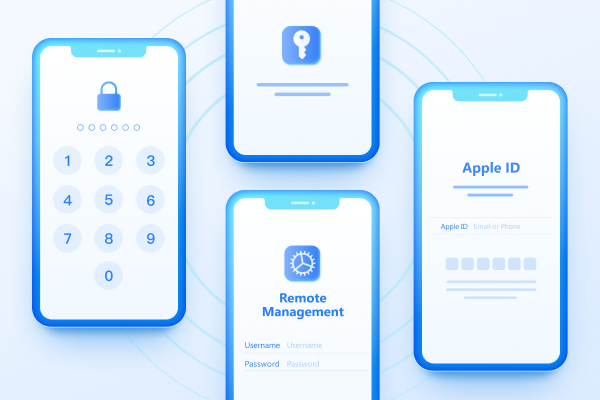
Easily Unlock iPhone passcode/Apple ID/iCloud Activation Lock/MDM
100% successful unlockShare this post


4uKey - One-Click Easy iPhone/iPad Unlocker
Unlock Screen Lock/Apple ID/MDM/Screen Time Passcode Instantly
Easy iPhone/iPad Unlocker
Unlock iPhone Passcode Instantly
By Jenefey Aaron
2026-10-26 / Unlock iPhone