




PDNob 2.1 - Rebuilt, Faster & Smarter PDF Editor
Major Update: Upgraded PDFium, evolved Al & OCR, and dark mode.
PDNob 2.1 - Rebuilt, Faster & Smarter PDF Editor
Major Update: Upgraded PDFium, evolved Al & OCR, and dark mode.
How do I get a document from PDFfiller without paying?
Many people want to know how to download document from PDFFiller for free, but get stuck when the website asks for a login or payment. PDFFiller is great for editing and filling out PDF forms online, but saving your file can be tricky without a subscription.
This guide will show you simple and easy ways to download your edited PDFFiller PDFs without paying. Whether you’re using it for work, school, or personal tasks, you’ll find helpful tips here to get your PDFFiller documents without any cost.
PDFFiller is not completely free, but it does offer a 30-day free trial for new users. To access it, you need to create a free account by signing up with your email, Google, or Facebook account.
Once you’re signed in, the trial gives you access to most of the main features, allowing you to download PDF Filler free during this period without paying.
This free trial lasts for 30 days, but once it ends, you’ll need to subscribe to continue using these tools. After your free trial, PDFFiller requires a paid subscription.
 Please swipe to view

Now that you know PDFFiller offers a free trial, the good news is you can legally download your PDF files during that free trial period. This method doesn’t require any third-party tools or hacks. It’s safe, easy, and works directly through PDFFiller.
Let’s walk you through how to set up the free trial and download your documents.
To unlock download features, you’ll first need to sign up for PDFFiller’s free trial.


Not everyone wants to sign up for a free trial or share their payment info. If you’re asking, “Is PDFFiller free?” the answer is no, not completely. But there is another way: using a third-party tool like a PDFFiller downloader. These tools let you download PDFFiller documents for free, without needing an account.


Pros
Cons
Switching PDF editors can be confusing, especially when you worry about hidden fees, limited features, or complicated software. Tenorshare PDNob updates for free forever, so you won’t get stuck paying again when a new version comes out. This gives you peace of mind and saves money in the long run.
Whether you want to edit text, add images, or convert files to other formats, it handles it smoothly without needing tech skills. The built-in OCR lets you edit scanned documents, saving you from retyping. Plus, it protects your files with passwords and lets you combine or split PDFs easily.






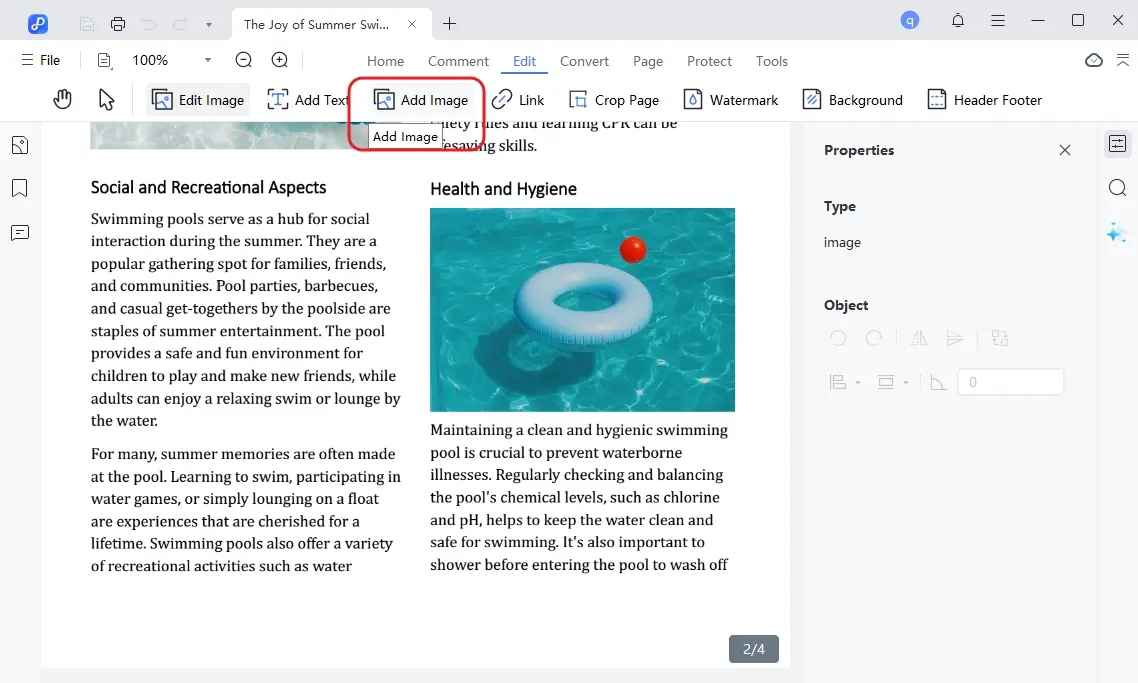
In short, downloading documents from PDFfiller for free is possible but often limited by trials or watermark risks. For a reliable and easy PDF solution without recurring fees, Tenorshare PDNob stands out. It offers powerful editing, conversion, and OCR features with lifetime free updates. If you want full control over your PDFs without hassle, PDNob is a smart, cost-effective choice.


PDNob PDF Editor Software- Smarter, Faster, Easier




 The END
I am PDNob.
Swift editing, efficiency first.
Make every second yours: Tackle any PDF task with ease.
As Leonardo da Vinci said, "Simplicity is the ultimate sophistication." That's why we built PDNob.
then write your review
Leave a Comment
Create your review for Tenorshare articles
Share this post


PDNob 2.1 - Rebuilt, Faster & Smarter PDF Editor
Major Update: Upgraded PDFium, evolved Al & OCR, and dark mode.
PDNob 2.1 - Rebuilt, Faster & Smarter PDF Editor
Major Update: Upgraded PDFium, evolved Al & OCR, and dark mode.
By Jenefey Aaron
2026-09-28 / Knowledge