Is iCareFone Safe? Security, Privacy, and Legitimacy Explained
Tenorshare iCareFone offers a powerful solution to manage, repair, and
optimize iOS devices, but many users ask:
is iCareFone safe? In 2026, it comes with enhanced security
measures, strict privacy protocols, and a solid reputation for reliability.
This guide examines its legitimacy, real-world performance, and potential
risks, providing a clear picture of what to expect. By the end, you'll
understand how iCareFone protects your data and device, helping you make an
informed choice without compromising safety or privacy.
Part 1. Is iCareFone Safe?
Tenorshare iCareFone is safe on iOS 26 and safe to download. It helps manage, repair,
and optimize iPhones and iPads. Millions of users trust it for its
reliability and security. Understanding how it protects your data and device
is important before using it.
Data Security & Privacy
iCareFone keeps your personal data safe. Photos, contacts, messages, and
apps stay private. The software does not share your information. All backups
and transfers are encrypted. Regular updates fix security issues and protect
your device.
Device Safety & System Stability
iCareFone is safe on iOS 26. It does not crash or slow your device. Repairs,
updates, and data transfers are smooth and stable. Your system remains
protected while optimizing or fixing your iPhone.
Part 2. User Reviews and Real Feedback on iCareFone Safety
Many users report positive experiences when they follow iCareFone
instructions correctly. Tasks like backups, photo transfers, and WhatsApp
migration work smoothly without data loss.
Some users face problems when they skip steps, misuse features, or expect
the tool to fix unrelated issues. Complaints often come from
misunderstanding the guide, not from security or device safety problems.
Overall, iCareFone is safe on iOS 26 if used as instructed.
Across various review platforms, many users praise iCareFone for smooth data
management and successful transfers.
Part 3. How to Use iCareFone Safely (Best Practices)
iCareFone is safe to download and safe to use for data backup and transfer
when you follow the proper steps. Correct usage makes sure your data stays
protected and your device remains stable. Here are detailed best practices
to maximize safety and efficiency.
1. Download from Trusted Sources
Always download iCareFone from official sources, such as
Tenorshare's website. Avoid third-party sites, as unofficial versions may contain malware or be
outdated. Official downloads ensure the tool works correctly and include the
latest security updates.
2. Prepare Your Devices Before Using iCareFone
A. Back Up First (Extra Safety Layer)
-
Back up your phone with iCloud or iTunes before using iCareFone. This
second backup protects your data if anything goes wrong.
-
For WhatsApp specifically, create a manual local backup on your device
first this gives iCareFone a stable starting point.
B. Charge and Connect
-
Make sure both phones have at least 50 % battery or stay plugged in.
-
Use high‑quality USB cables and avoid adapters that can disconnect
mid‑transfer.
-
On iPhones, unlock the screen and tap Trust when prompted
so iCareFone can access the device.
C. Close Other Apps
-
Close background apps, especially cloud sync apps, to prevent interference
during WhatsApp backup or transfer.
-
Turn off Find My iPhone before restoring WhatsApp backups (this is
required for safe restore).
3. During Operation
-
Follow the Instructions Carefully: Read every on-screen
step and do not skip anything. Skipping can cause transfer failures or
incomplete backups.
-
Stable Connections: For WhatsApp backup or transfer, use
high-quality USB cables and avoid unplugging the device mid-process.
-
Stay Patient: Large data transfers can take time.
Interrupting the process may corrupt data or leave apps in an inconsistent
state.
-
Check Device Compatibility: Make sure your iOS version is
supported. iCareFone is safe to use for WhatsApp backup and transfer on
iOS 26 and newer versions.
Part 4. Coupon Code of Tenorshare iCareFone (100% Work)
Coupon Code of Tenorshare iCareFone [100% Work]
40% OFF iCareFone: YH40TS -- apply at checkout to get a 40%
discount on Tenorshare iCareFone licenses.
40% OFF / Sitewide Promo: codes like CN-30 (around 30% or
more off) may work during select sales events.
A8DTE: Often shown as a high‑percentage discount code on
coupon sites (e.g., up to 60--79%+ off when active).
SS30OFF: Another promo code frequently listed for
significant savings.
Codes like F5PA, SARY5, or A2F6N appear in community listings with various
discount levels (20--70% off).
TS2420OFF: 20% most reliable "Sitewide" code for all plans.
DFT28A8: 10% Verified code for all Tenorshare software
products.
Part 5. What Can iCareFone Do (100% Safe)?
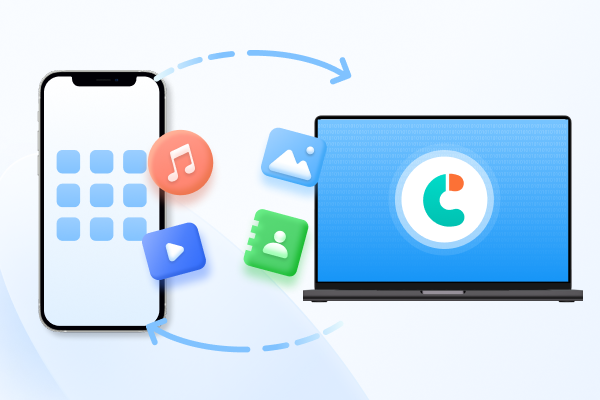
1. Transfer Data from iPhone to PC/Mac in One Click
iCareFone lets you move your iPhone or iPad content to a computer quickly
and securely. With a simple one‑click export feature, you can transfer
photos, videos, music, contacts, messages, and other files without using
iCloud or iTunes. The process preserves the original quality and structure
of your files and avoids overwriting data on your devices. This makes
iCareFone safe to download and reliable for data migration tasks.
Key Transfer Abilities
-
Export photos and videos directly to your PC/Mac in original quality.
-
Move music without going through iTunes, organizing playlists and tracks
easily.
-
Transfer messages, contacts, and other supported file types with clear
file access.
2. Backup and Recover Everything Without Data Lost
iCareFone provides flexible backup and restore capabilities that are simpler
and safer than traditional iTunes or iCloud backups. You can back up
specific data like photos, messages, WhatsApp chats, or contacts directly to
your computer. Backups are stored securely and can be previewed before
restoration, so you don't overwrite your device data by accident. This
selective backup and restore approach makes iCareFone safe to use for
WhatsApp backup and transfer and other critical data protection tasks.
Backup & Restore Highlights
- Create backups anytime without needing iCloud storage space.
-
Restore specific files or entire backups to the same or another device.
-
Preview backup content before restoring so you choose exactly what you
need.
-
Back up over 20 data types, including WhatsApp chats, messages, contacts,
and media.
3. Enable Developer Mode Easily
iCareFone simplifies accessing features that are usually harder to enable on
iPhones. One good example is Developer Mode, which Apple
devices require for certain advanced tasks but can be tricky to activate
through official Apple tools like Xcode. iCareFone offers a one‑click
solution from the computer, making it easy and safe to enable Developer Mode
without needing Xcode or advanced technical steps.
Why This Matters
-
Developer Mode unlocks testing and advanced configuration options for
developers and power users.
- iCareFone handles the process safely with step‑by‑step guidance.
Part 6. iCareFone vs Official Apple Tools
While Apple's official tools offer the "gold standard" for security and
ecosystem integration, they often feel like a locked room: you can go in,
but you can't always see what's inside.
Tenorshare iCareFone acts more like a glass case, giving
you granular control over individual files.
Comparison: iCareFone vs. Apple Official Tools
 Please swipe to view
Feature
Tenorshare iCareFone
iCloud
iTunes / Finder
Data Visibility
Fully Readable (View & open files on PC)
Limited (Web view only)
Encrypted (Hidden files)
Selective Restore
Yes (Pick one photo or message)
No (Restore whole device)
No (Restore whole device)
Transfer Speed
Ultra-Fast (Direct USB/LAN)
Slow (Dependent on Wi-Fi)
Moderate (Sync-based)
WhatsApp Transfer
Best (Cross-platform Android
Only iOS
Not supported
↔\leftrightarrow↔
↔\leftrightarrow↔
Storage Limits
Unlimited (Uses your PC/Mac disk)
Paid (Monthly subscription)
Unlimited (Uses PC/Mac disk)
Media Handling
2-Way (PC
1-Way (Cloud Sync)
Restricted (One-way sync)
Extra Utilities
HEIC Converter, App Downloader
None
None
Part 7. FAQs on Tenorshare iCareFone Safety
Q1. Is iCareFone a legit software or a scam?
iCareFone is legit software made by Tenorshare. Many people use it to manage
and back up iPhone data. Problems usually happen when users misunderstand
features, not because the software is fake.
Q2. Does iCareFone contain viruses or malware?
No, the official version does not contain viruses or malware. It is safe
when you download it from the Tenorshare official website. Avoid third-party
download sites.
Q3. What Permissions Does iCareFone Require?
iCareFone asks for device access permissions so it can read and manage your
data during tasks like backup, transfer, or restore. This includes access to
files, photos, contacts, messages, and app data when needed.
Conclusion
Tenorshare iCareFone has proven itself as a reliable tool for managing, backing up, and
transferring iOS data safely. When downloaded from the official source and
used correctly, it protects your personal information and keeps your device
stable. Most negative experiences come from misuse or skipped steps, not
from real security risks. If you still ask, is iCareFone safe, the answer is
yes it is a legitimate and secure solution for everyday iPhone and iPad data
management.
Speak Your Mind
Leave a Comment
Create your review for Tenorshare articles











By Jenefey Aaron
2026-09-15 / iPhone Transfer