

 iOS Tips & Latest Updates
 Bug Fixes, Unlock Guides
 Giveaways & Freebies
then write your review


ReiBoot - No.1 Free iOS System Repair Software
Fix 150+ iOS Issues without Data Loss & Safely iOS 27 Upgrade/Downgrade
ReiBoot: No.1 iOS Repair Tool
Fix 150+ iOS Issues, No Data Loss
Your iPhone Duo is stuck on black screen, but it's still ringing. Tapping does nothing, leaving one question: "Is the display dead, and is your data gone?" Usually, neither is true. This issue coincides with many user complaints in the past.
Users have complained in the Apple Community forum about iPhones that are black but still vibrate when a notification arrives. But a black screen is a symptom, not a verdict. Several causes are possible. This guide goes through diagnosing hardware vs. software issues, trying native reboot and accessibility fixes, and a safer system repair.

User reports point to six popular causes of an iPhone Duo stuck on black screen:
Try these 5 basic Apple native fixes for the iPhone Duo black screen of death first. They can resolve many temporary software or display issues:
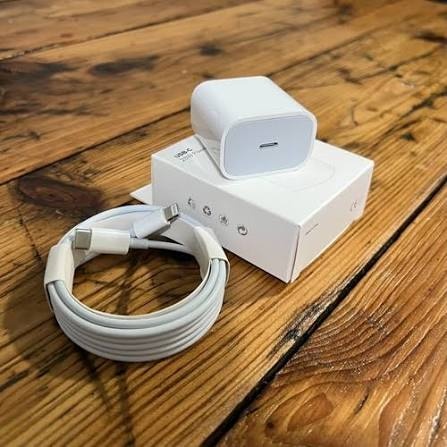
Your iPhone Duo's battery could be depleted, or it could be stuck on the black screen because of extreme temperatures. So, here's what you can do:
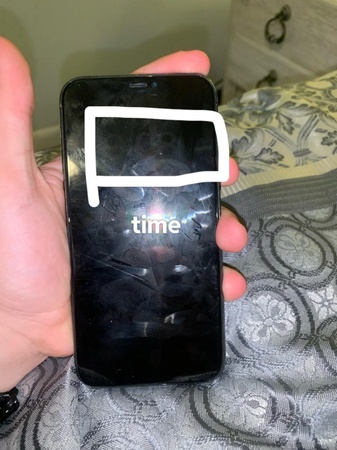
Before moving on to more involved fixes, check whether the display is actually producing an image. This quick test can help separate a screen hardware problem from a software-related black screen.
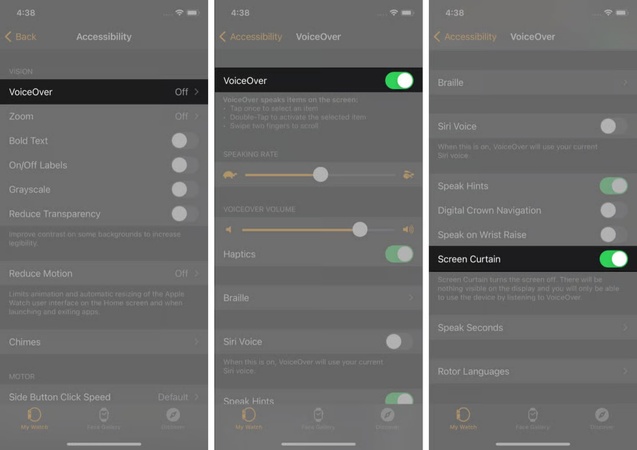
If your iPhone Duo screen went black but still works, the screen itself may not be the problem. A "VoiceOver" accessibility feature called "Screen Curtain" can intentionally turn the display off while leaving the phone fully functional. Try the following gestures to restore the screen:
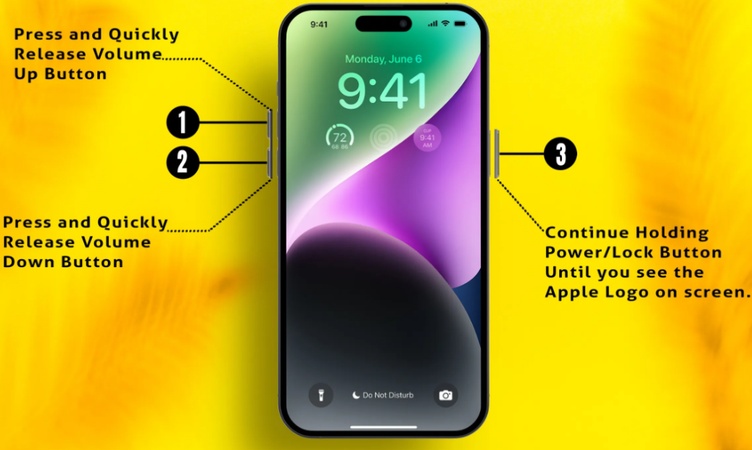
A force restart for iPhone Duo black screen is the next step if the phone is functional. But follow the button sequence quickly and keep holding the "Side" button long enough for the Apple logo to appear:
When a force restart doesn't fix an iPhone Duo stuck on black screen with spinning wheel, "Recovery Mode" can repair iOS without immediately erasing your data. Try "Update" before "Restore," since "Restore" permanently wipes the device:
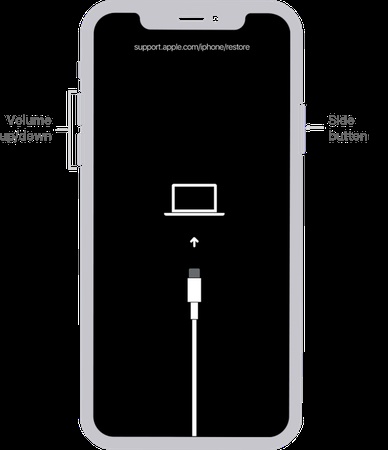
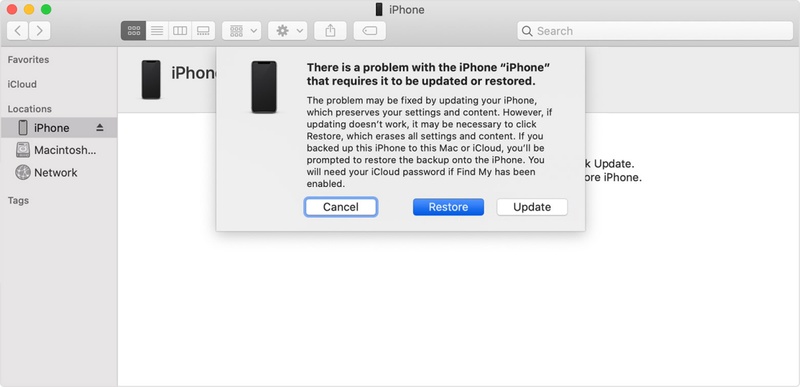
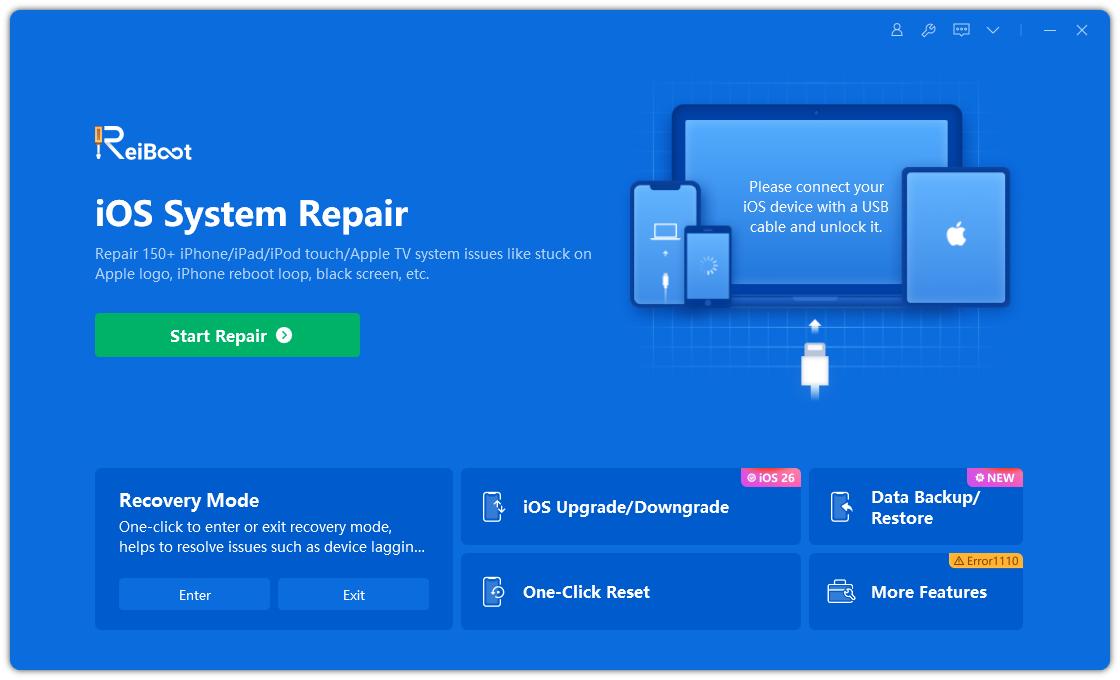
In case the force restart fails, or a manual attempt leaves the phone stuck in a black-screen recovery state, Tenorshare ReiBoot is safer. Instead of a restore, which erases data, it can do iPhone Duo black screen repair without data loss. It also targets software issues like a corrupted update, a boot loop, or a frozen system, and supports iOS 27. Here's what ReiBoot offers:


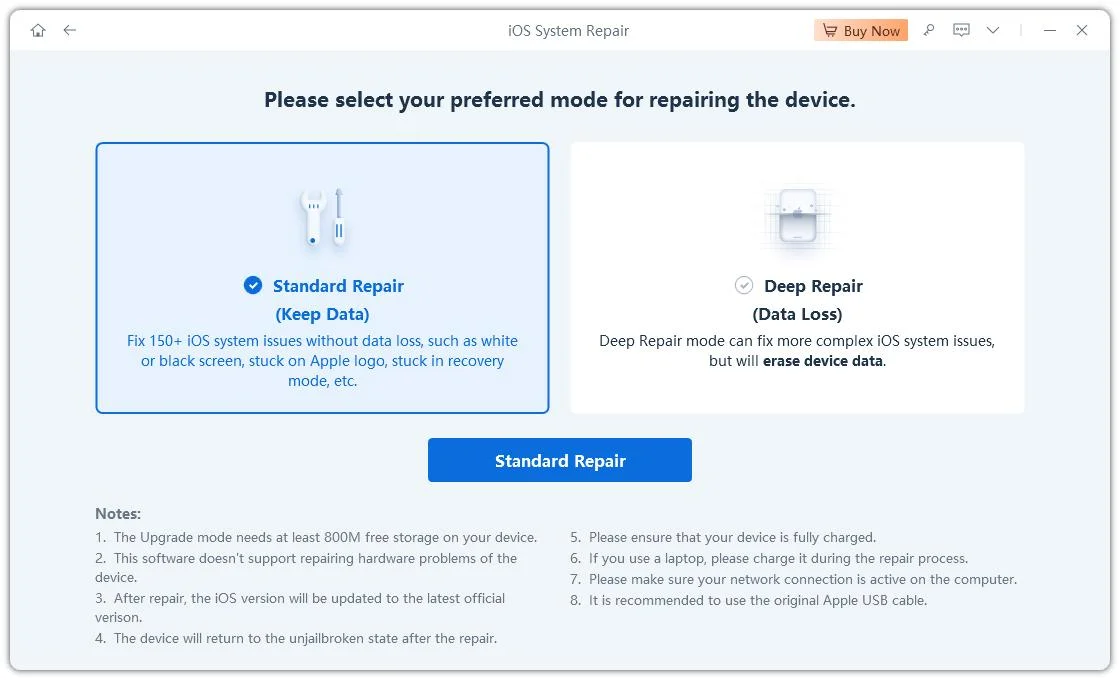
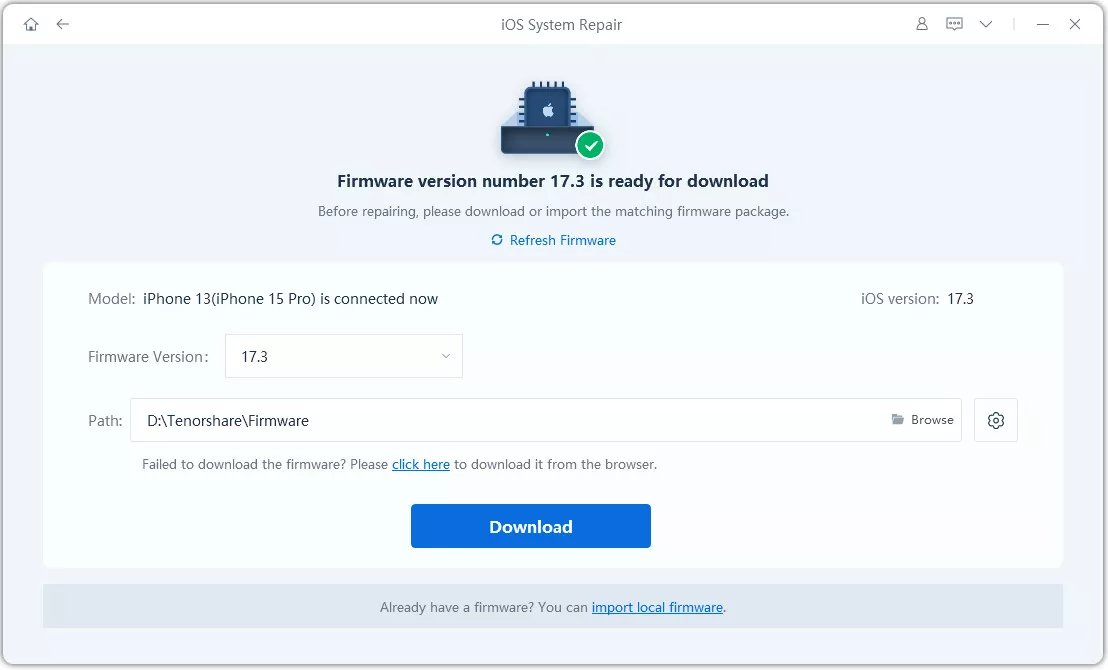
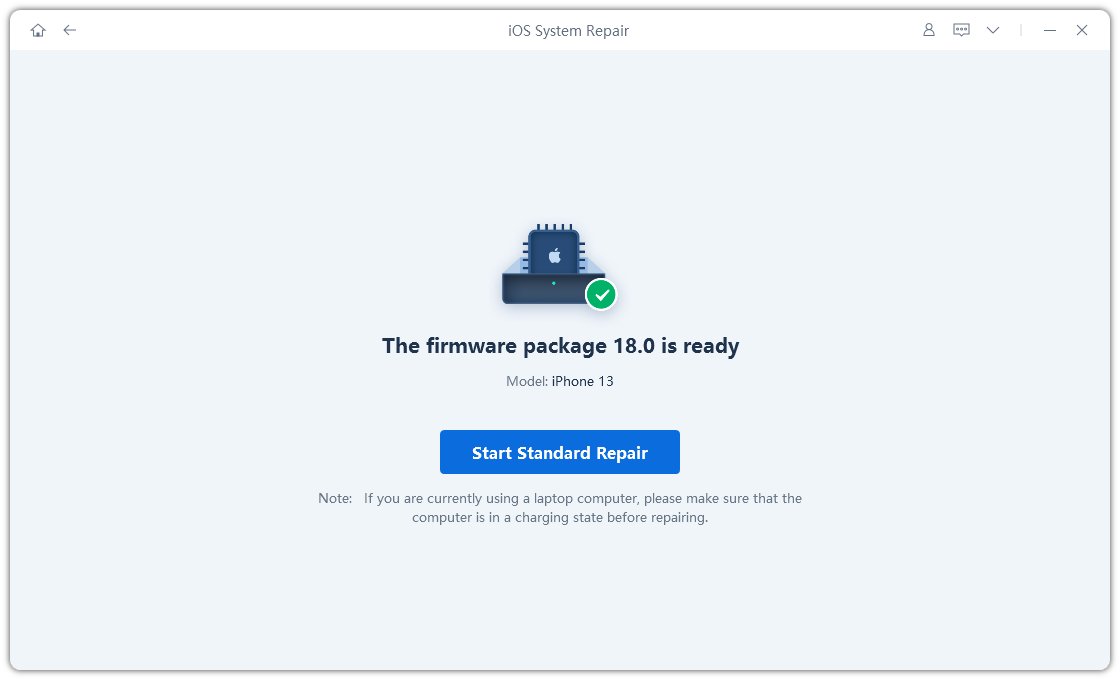
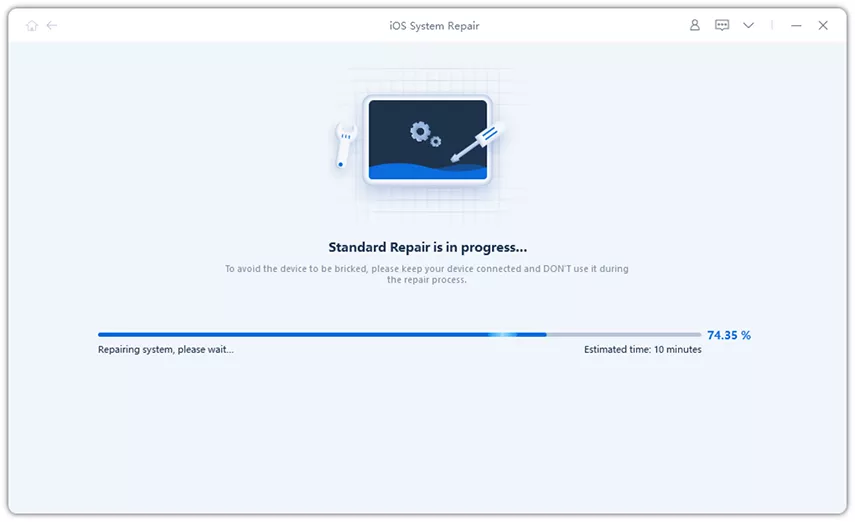
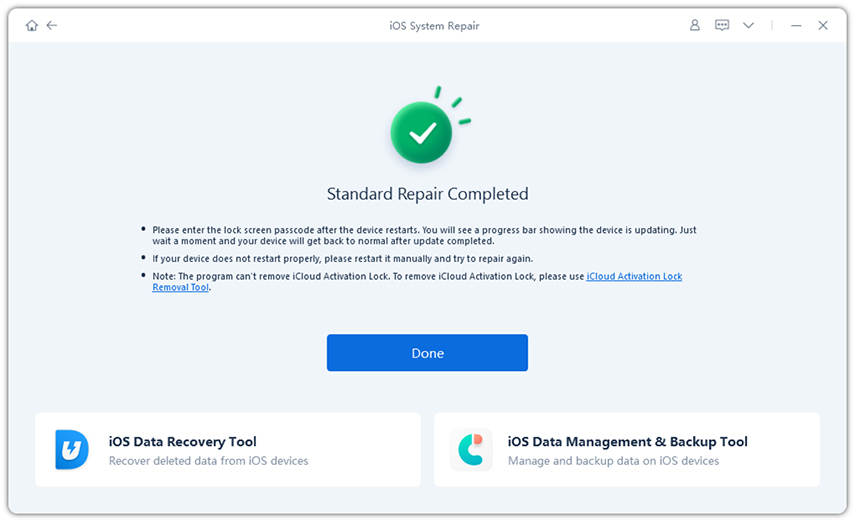
Here's how to fix iPhone Duo won't turn on and black screen with ReiBoot:
The phone is powered, and iOS is probably running. Either the display system has hung, or the panel or backlight has failed. The flashlight test separates the two.
You likely triggered VoiceOver's "Screen Curtain," which blanks the display for privacy while the phone keeps working. Triple-tap with three fingers, or four taps if "Zoom" is on, or ask "Siri" to turn off "VoiceOver."
Frequent mistakes are pressing the volume buttons too slowly, releasing the side button too early, or giving up before the Apple logo appears. If you did it correctly and nothing happened, suspect a hardware failure.
A spinning wheel on a black screen usually means iOS started but a process stalled. Frequent triggers are low storage, a bad app update, or an interrupted system update. Try a force restart, then a system repair.
Choosing "Update" in iTunes will keep your data. If it fails and you must choose "Restore," it will erase your iPhone Duo. That is why ReiBoot's "Standard Repair" is the better first move.
When iPhone Duo is stuck on black screen, the emergency checklist is simple. Rule out power and temperature, run the flashlight and "Screen Curtain" tests, and do a patient force restart of up to 20 seconds. If the screen is still black, try Tenorshare ReiBoot before any factory restore. Download it, run Standard Repair, and get your Duo's screen back without data loss.


then write your review
Leave a Comment
Create your review for Tenorshare articles
Share this post


ReiBoot - No.1 Free iOS System Repair Software
Fix 150+ iOS Issues without Data Loss & Safely iOS 27 Upgrade/Downgrade
ReiBoot: No.1 iOS Repair Tool
Fix 150+ iOS Issues, No Data Loss
By Jenefey Aaron
2026-11-03 / iPhone 18