

 iOS Tips & Latest Updates
 Bug Fixes, Unlock Guides
 Giveaways & Freebies
then write your review


4uKey - One-Click Easy iPhone/iPad Unlocker
Unlock Screen Lock/Apple ID/MDM/Screen Time Passcode Instantly
Easy iPhone/iPad Unlocker
Unlock iPhone Passcode Instantly
iPhone 18 Pro screen protector issues can be frustrating when the protector starts lifting or bubbling. Some users have reported the same problem with different brands. One Reddit user shared that the protector was lifting around the edges despite having plenty of experience installing screen protectors.

Others reported similar problems along the bottom, top, or sides of the display. So, what is causing these issues, and how can you stop your screen protector from lifting? Let's look at the common causes and fixes.

Reddit users have shared different iPhone 18 Pro screen protector issues, especially with how the protector sits on the screen after installation. Some users said the edges remained raised, while others noticed the protector lifting from the top, bottom, or sides.
1. iPhone 18 Pro screen protector with lifted edges
Bubbles are another common complaint. Some users said bubbles appeared shortly after installation, even when the protector looked fine at first. Others reported a rainbow effect around the edges of the screen.

2. iPhone 18 Pro screen protector showing bubbles or rainbow effect
Users have also shared mixed experiences with different brands. Some reported problems with fit or camera alignment, while others said their protectors worked perfectly. This suggests that the issue may vary depending on the protector, installation, and fit.

Several things can cause an iPhone 18 Pro screen protector not to stick, from a poor fit to dust or case pressure.
The Protector May Not Match the iPhone 18 Pro Screen
Dust, Oil, or Residue on the Screen
The Screen's Oleophobic Coating Can Affect Adhesion
The Installation Tray May Not Align Correctly
Your Phone Case May Be Pushing the Protector
Most iPhone 18 Pro screen protector issues can be related to dust, poor alignment, an incorrect fit, or pressure from the phone case. Try the following fixes if your iPhone 18 Pro screen protector is not sticking or keeps lifting.
Take off your phone case and check the protector around all four edges. Some cases can press against the glass and cause iPhone 18 Pro screen protector lifting.
Quick check: Leave the case off for a few hours. If the protector stays flat, the case may be causing the problem.
Dust, fingerprints, and oil can prevent the adhesive from sticking properly.

A tiny dust particle can create a bubble or prevent one area from sticking. Check the lifted section closely. If you can see dust underneath, reinstalling the protector on a clean screen may solve the problem.

Make sure the protector is centered and has even space around all edges. Use the installation frame or alignment tray if one is included.
A protector that sits too close to one edge can start lifting, especially when you put the case back on.
For a small lifted section, gently press the edge back onto the screen. Use the included roller or squeegee to push out trapped air.
Do not keep pressing the same edge if it immediately lifts again. This can indicate that the protector does not fit the screen properly.

If the same edge continues to lift after cleaning and careful installation, the protector may not be a good match for your iPhone 18 Pro. Try a protector designed specifically for the model instead of repeatedly reinstalling the same one.
If different protectors keep lifting in the same area, have the phone and installation checked by Apple or a reputable repair shop. This can help determine whether the problem is with the protector, installation, or the screen itself.
A forgotten passcode can leave your iPhone locked, disabled, or unavailable after several failed attempts. Tenorshare 4uKey for iOS is an iPhone unlocking tool that helps remove screen passcodes from supported iPhone and iPad models.
It supports 4-digit, 6-digit, and custom passcodes, along with disabled and unavailable iPhones. The simple process lets you connect your device to a computer, download the required firmware, and remove the screen lock.
Key Features of Tenorshare 4uKey




How to Unlock an iPhone with 4uKey


Remove the case, clean the screen, and check for dust under the protector. If the same edge keeps lifting, try a new protector made specifically for the iPhone 18 Pro.
Some users report that iPhone 17 Pro protectors work on the iPhone 18 Pro, but others have experienced lifting or fit issues. A protector made specifically for the iPhone 18 Pro is a safer choice.
Yes. If it keeps peeling after proper cleaning and installation, replacing it with a better-fitting protector is usually the best option.
Yes, an Apple Store may be able to install a compatible screen protector. Availability and installation options can vary by location.
iPhone 18 Pro screen protector issues like lifting, bubbles, and poor fit can often be fixed with proper cleaning, alignment, and a suitable protector. For a separate iPhone lock issue, Tenorshare 4uKey for iOS can help remove a forgotten screen passcode on supported devices. It offers a simple way to unlock a supported iPhone and set it up again.


then write your review
Leave a Comment
Create your review for Tenorshare articles
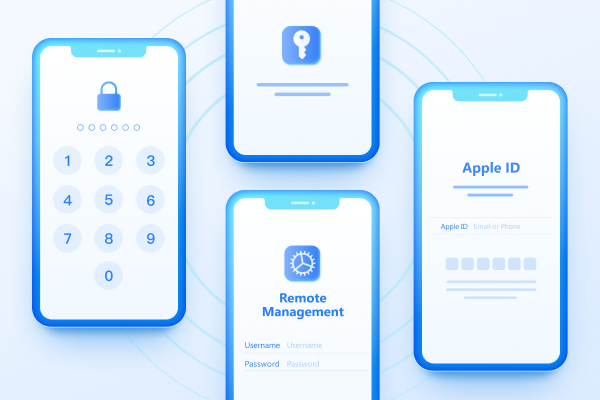
Easily Unlock iPhone passcode/Apple ID/iCloud Activation Lock/MDM
100% successful unlockShare this post


4uKey - One-Click Easy iPhone/iPad Unlocker
Unlock Screen Lock/Apple ID/MDM/Screen Time Passcode Instantly
Easy iPhone/iPad Unlocker
Unlock iPhone Passcode Instantly
By Jenefey Aaron
2026-09-29 / iPhone 18