

 iOS Tips & Latest Updates
 Bug Fixes, Unlock Guides
 Giveaways & Freebies


4uKey - One-Click Easy iPhone/iPad Unlocker
Unlock Screen Lock/Apple ID/MDM/Screen Time Passcode Instantly
Easy iPhone/iPad Unlocker
Unlock iPhone Passcode Instantly
Apple's first foldable iPhone, the iPhone Duo, brings a new design with a 5.4-inch outer display and a 7.6-inch inner screen, powered by the A20 Pro chip and iOS 27. Apple has also replaced Face ID with Touch ID on the Duo, making device authentication different from recent iPhone models.

But what happens if you forget your iPhone Duo passcode? Whether you recently changed your passcode, see an "iPhone Unavailable" message, or need to restore a locked device, you get several options depending on your situation. In this guide, we'll explain how to unlock iPhone Duo without a passcode for different scenarios.
Yes. The iPhone Duo includes a Touch ID sensor in the side button, which you can use to unlock it for free without a passcode. But you must have set up Touch ID before. If your Apple Watch is unlocked and nearby, you can also use it to authenticate the iPhone Duo.
Besides that, Apple's official reset and recovery methods can unlock iPhone Duo without a passcode. But they erase the device if you can't use a supported passcode-reset option. So, you must have a backup before you reset your iPhone Duo.
Before you reset your iPhone Duo to unlock it and erase all data in the process, check whether you're locked out at all:
Here's how to unlock iPhone Duo without a passcode in 5 ways. Pick a method that suits your situation:
Apple's Passcode Reset is a reset-free option that works within 72 hours of changing your passcode to unlock your iPhone. If you're outside that window, there's no reset-free way to regain access to your device. Here's how to unlock iPhone Duo without a passcode without resetting:
You don't have a backup or have bought a locked second-hand iPhone Duo. In that case, consider a professional third-party unlocker, like Tenorshare 4uKey , which fills the gap Apple's methods leave open. It can unlock a device when you don't have a password, Wi-Fi, or a Forgot Passcode option without resetting your device.
The tool also handles 4-digit, 6-digit, custom numeric, and alphanumeric passcodes, along with Touch ID and Face ID lockouts, iPhone Unavailable, and Security Lockout states. Here are more features of 4uKey:




Here's how to unlock iPhone Duo without a passcode with 4uKey:


When you know your Apple Account password, you can erase the phone from its own lock screen to unlock it. But only try this method if you have a backup. You don't need your device's passcode or a computer and can unlock iPhone Duo without a passcode for free:
In case you don't have access to iPhone Duo and its lock screen isn't responding, you can erase it remotely through Find My. To do so:
When the Duo is offline, or the on-device reset fails, connect it to a computer and use Recovery Mode to bypass the iPhone Duo passcode in 2026:
No. The Siri passcode workarounds that circulated years ago were patched long ago, and the Duo ships with Siri AI on iOS 27, which has no lock-screen bypass path.
The Forgot Passcode? route needs a connection. Go straight to recovery mode with a computer, or use a tool like 4uKey that works over USB.
Roughly five, after which you'll see "iPhone Unavailable, try again in 1 minute," with the delay escalating on further attempts.
Genius Bar staff will erase and restore a locked device if you can prove ownership, at no charge. Bring the original receipt or the box. They can't recover your data either.
No. It's tied to the Apple ID, not the passcode. Turn off Find My before selling or trading in a Duo.
Knowing how to unlock an iPhone Duo without a passcode depends on your situation. You can try Touch ID or Apple's built-in recovery options, though most reset methods erase your data. If those options aren't available, Tenorshare 4uKey offers a convenient way to unlock a locked iPhone without resetting. It also supports various passcode and lockout scenarios. But always make sure you have authorization to access the device before using an unlocking tool.


Tenorshare 4uKey - Best iPhone Unlocker






then write your review
Leave a Comment
Create your review for Tenorshare articles
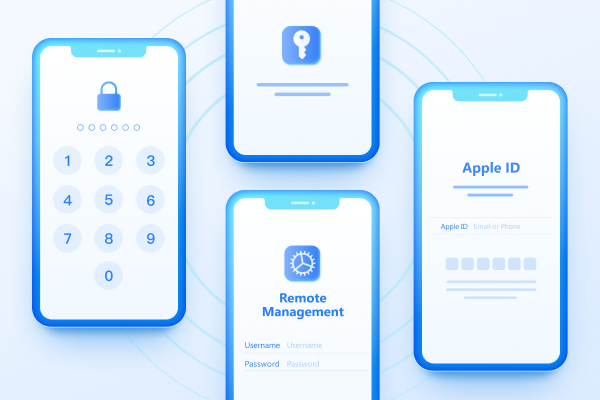
Easily Unlock iPhone passcode/Apple ID/iCloud Activation Lock/MDM
100% successful unlockShare this post


4uKey - One-Click Easy iPhone/iPad Unlocker
Unlock Screen Lock/Apple ID/MDM/Screen Time Passcode Instantly
Easy iPhone/iPad Unlocker
Unlock iPhone Passcode Instantly
By Jenefey Aaron
2026-09-28 / iPhone 18