


iAnyGo-No.1 Free Location Changer for iOS and Android
Change GPS with 1-click, simulate routes, joystick control, no jailbreak!
iAnyGo-No.1 Free Location Changer
1-Click GPS change, joystick, no jailbreak!
In early 2026, TikTok quietly rolled out updated Terms and Conditions and Privacy Policy for U.S. users.
Almost immediately, the changes sparked backlash across social media and Reddit, with many users accusing TikTok of expanding data collection—especially precise location tracking—without giving users a real choice.
So what exactly changed in TikTok’s 2026 terms?
Why are so many users angry?
And how can you limit or hide your location on TikTok in 2026?
This guide breaks everything down clearly—and shows you how to protect your privacy.
TikTok’s 2026 update is closely tied to its U.S. restructuring and stricter regulatory requirements. However, the updated terms also explicitly expand what data TikTok can collect and how it can be used.

1. Precise Location Data Collection
TikTok now states that it may collect precise GPS location data, not just approximate location based on IP address. This allows more accurate tracking of where users are physically located.
2. Expanded AI and Interaction Data Use
User interactions—including prompts, messages, content engagement, and metadata—may be used to improve TikTok’s AI systems, recommendation algorithms, and advertising models.
3. Broader Advertising & Data Sharing Permissions
The new policy allows TikTok to share user data with advertising partners and third parties for targeted ads, analytics, and platform optimization.
4. Mandatory Acceptance
Users must accept the new terms to continue using TikTok. There is no partial opt-out, which many see as a forced trade-off between access and privacy.
Despite TikTok framing the update as a transparency and compliance effort, users have raised serious concerns.
Increased Privacy Risks
Precise location tracking combined with behavioral data makes many users uncomfortable, especially those who never expected TikTok to function like a location-aware app.
No Real Choice
The “accept or leave” model frustrates users who want to keep using the platform without giving up sensitive personal data.
Deepening Distrust
Even with U.S.-based data management claims, users remain skeptical about who ultimately controls and accesses their data.
Fear of Surveillance & Profiling
Some users worry that location + AI-driven profiling could be used for content suppression, monitoring, or broader digital surveillance.
After TikTok rolled out its 2026 Terms and Conditions, reactions on Reddit turned sharply negative. In a viral r/Fauxmoi thread, many users described the update as a breaking point rather than a routine policy change.
As shown in the screenshots above, common reactions included:
Deleting TikTok accounts or uninstalling the app immediately

Frustration over being forced to accept the new terms to continue using TikTok

The tone of the discussion is emotional and blunt, showing that for many users, the new terms raised deeper concerns about privacy, control, and location tracking—rather than simple confusion about legal language.
If you continue using TikTok, the first thing you should do is limit location access.


Several users report that even with permissions restricted, TikTok may still infer location via network data or other signals.
For users who want stronger protection, system-level controls may not be enough.
That’s where Tenorshare iAnyGo comes in.
Tenorshare iAnyGo is a location-changer tool that lets you simulate a fake GPS location on iPhone or Android—without jailbreaking or rooting your device.




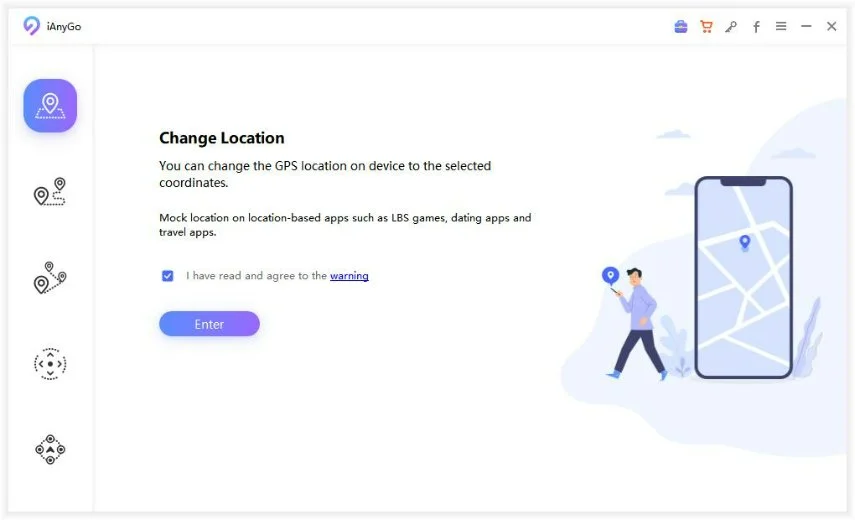
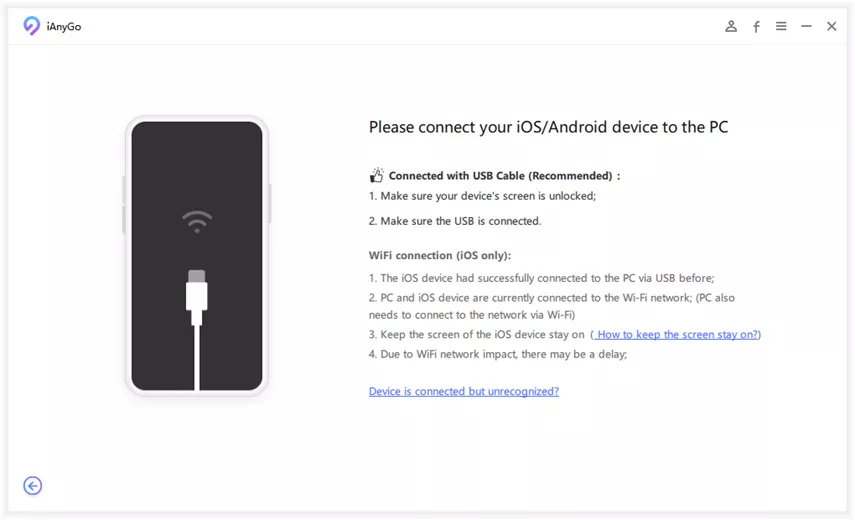
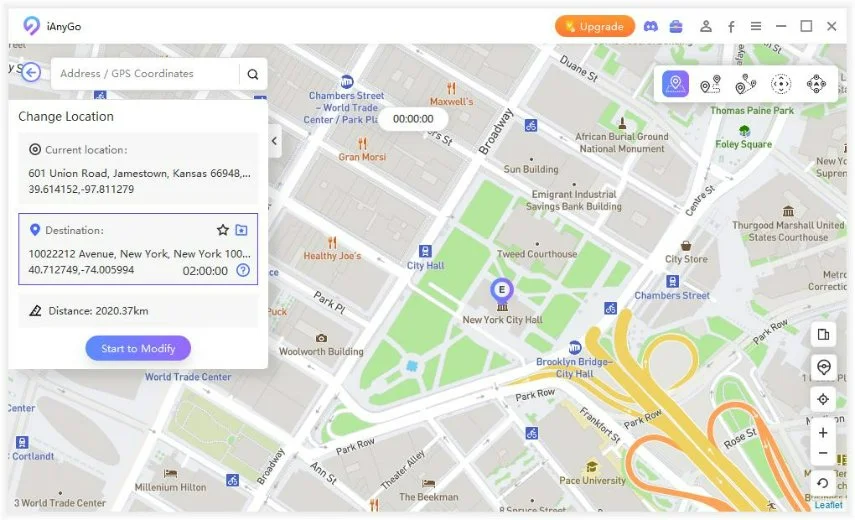
This adds an extra privacy layer beyond standard permission settings.
TikTok’s new terms mark a turning point. The platform is being more explicit about how much data it collects—but that clarity has made many users realize how extensive the tracking really is.
If you decide to keep using TikTok in 2026:
In today’s social platforms, privacy protection is no longer optional—it’s a user responsibility.
then write your review
Leave a Comment
Create your review for Tenorshare articles

2026 Top Location Changer
With Bluetooth tech built-in: no cracked/error 12, 0-risk.
Share this post


iAnyGo-No.1 Free Location Changer for iOS and Android
Change GPS with 1-click, simulate routes, joystick control, no jailbreak!
iAnyGo-No.1 Free Location Changer
1-Click GPS change, joystick, no jailbreak!
By Sophie Green
2026-09-15 / change location