When your WhatsApp chat backup is stuck on preparing iPhone, it can feel like the process will never move past 0%. Many users report the exact same problem — WhatsApp not backing up on iPhone, endlessly looping on "Preparing…", or taking hours to restore from iCloud when switching phones. Even with strong Wi-Fi and plenty of iCloud storage, the backup may freeze with no clear explanation.
The issue often comes from hidden media files, iCloud sync delays, corrupted chat databases, or leftover backup data from a previous device. And while WhatsApp doesn't tell you what's wrong, the good news is that your chats are usually still recoverable. If iCloud won't back them up or restore them, tools like
Data WhatsApp Recovery
can pull your WhatsApp messages and attachments directly from your iPhone — no cloud restore needed.
Below is a clear guide that breaks down why the backup gets stuck and what you can do to fix it fast.
Part 1: Why WhatsApp Chat Backup Is Stuck on Preparing iPhone
If you see WhatsApp chat backup stuck on preparing iPhone, it normally points to temporary iCloud sync delays or incomplete WhatsApp data that iCloud can't package properly. These issues often trigger related errors such as WhatsApp not backing up iPhone or WhatsApp restore taking too long after switching devices.
Understanding the cause makes the fixes much easier.
Part 2: Quick Fixes for WhatsApp Not Backing Up on iPhone
Before jumping into advanced steps, try these basic but effective checks. They solve the majority of WhatsApp not backing up iPhone cases:
Turn off and re-enable iCloud Drive
Log out of your Apple ID and log back in
Delete the existing WhatsApp backup in iCloud and start fresh
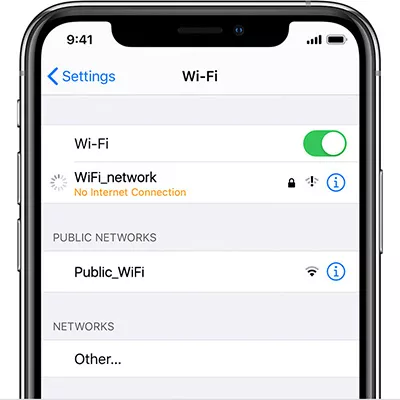
Connect to a different Wi-Fi network
Disable Low Power Mode and Background App Refresh
Make sure iPhone has enough free storage for preparing the backup
These simple adjustments often allow the backup to move past the "Preparing…" stage.
Part 3: Advanced Fixes When WhatsApp Restore Is Taking Too Long
If WhatsApp is still stuck — especially during restore — it's time for deeper troubleshooting.
Refresh iCloud Sync
Sometimes iCloud gets stuck syncing WhatsApp data. Try:
Turn off iCloud Backup for WhatsApp
Restart your iPhone
Turn iCloud Backup back on
Try backing up again
This forces iCloud to rebuild the WhatsApp backup file.
Restore WhatsApp Backup Using a Computer
When WhatsApp taking too long to restore from iCloud, restoring through a computer can help avoid iCloud problems. You can
use Finder or iTunes to restore
a device backup that contains your chats instead of relying solely on iCloud.
Part 4: Best Method to Restore WhatsApp Data When Backup Is Stuck
If nothing works — or you can't wait hours for iCloud to finish — using Tenorshare UltData is the most reliable solution. It works even when iCloud fails completely, which is why many users turn to it after struggling with the WhatsApp restore taking too long issue.
Avoids the "Preparing…" loop and broken backup files
Supports encrypted WhatsApp data
Fast scanning with a high recovery success rate
It bypasses iCloud entirely, giving you direct access to your WhatsApp data.
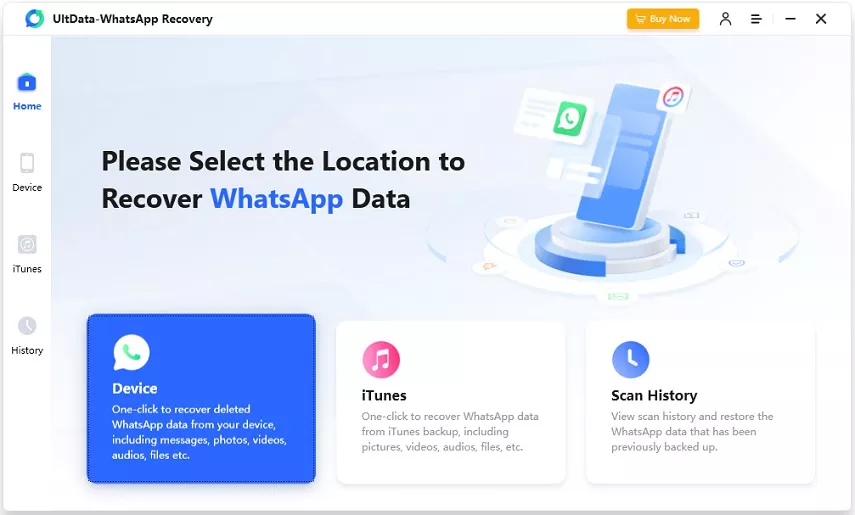
Steps to Recover WhatsApp Data on iPhone Using UltData
Install Tenorshare UltData on your computer.
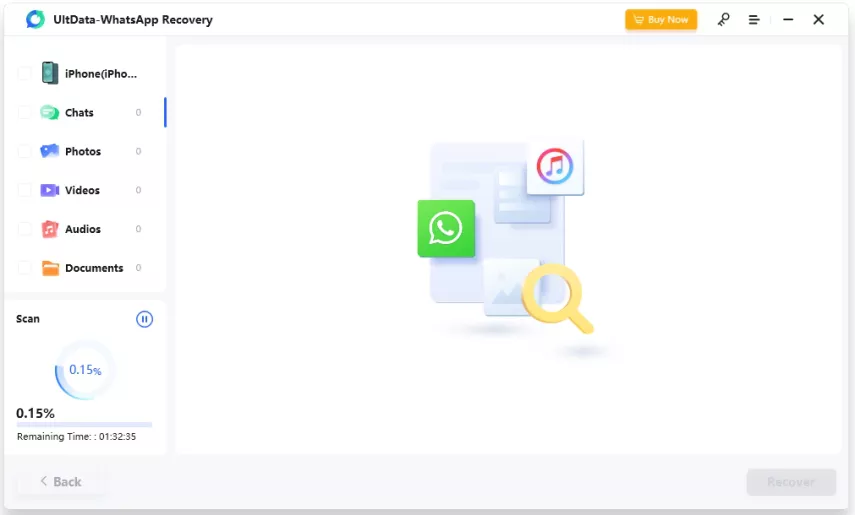
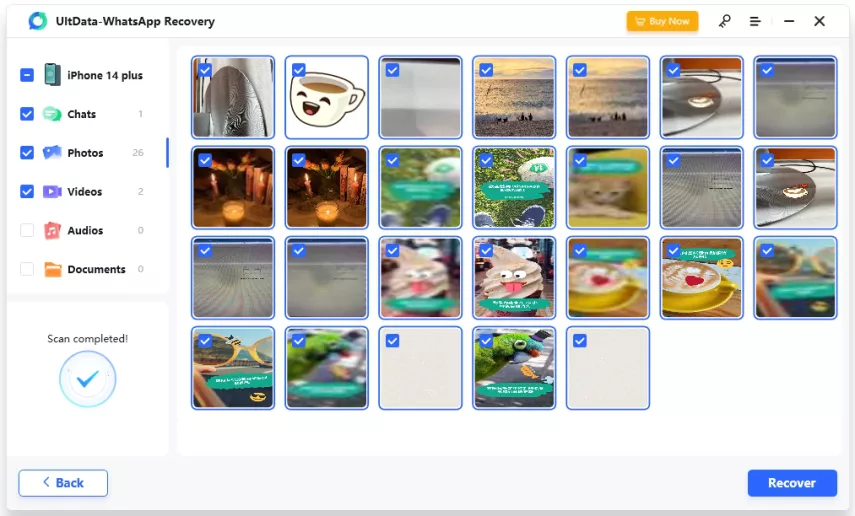
Connect your iPhone and choose Recover WhatsApp Data.>Let UltData scan your device for chats, media, and attachments.
Preview and restore everything you need — no iCloud restore required.
This is the fastest way to retrieve your WhatsApp messages when the backup process won't move forward.
Final Thoughts
A WhatsApp chat backup stuck on preparing iPhone doesn't always mean your chats are lost. Most of the time, it's an iCloud sync glitch, corrupted files, or a backup loop that prevents WhatsApp from progressing. With the fixes above, you can usually get the backup or restore working again.
And when iCloud simply refuses to cooperate, Tenorshare UltData gives you a direct, reliable way to
recover your WhatsApp messages on iPhone
, photos, and attachments without waiting on iCloud.








 iOS Tips & Latest Updates
 Bug Fixes, Unlock Guides
 Giveaways & Freebies






By Jenefey Aaron
2026-10-19 / WhatsApp Recovery