Many readers use Goodreads to track books, read reviews, and manage reading
lists. But Goodreads does not offer an official way to download content for
offline use. This is why a goodreads downloader becomes useful. With the right
tool or method, you can save book details, reviews, or reading data for
personal reference.
In 2026, users also care more about safety, file quality, and ease of use.
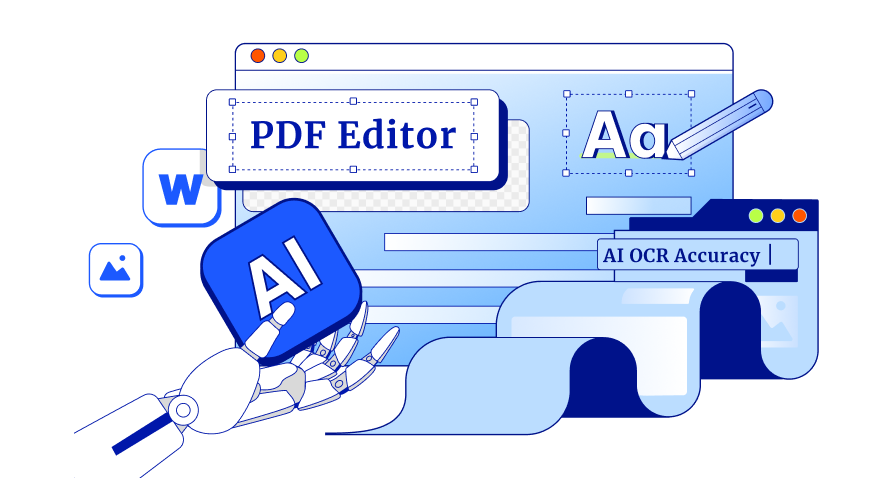
Along with online solutions, tools like Tenorshare PDNob help manage and edit
downloaded PDF files smoothly. It is especially helpful when you want to
organize reading material without complex steps or technical skills.
A Goodreads downloader is a simple tool that lets you save Goodreads content
for offline use. Goodreads does not offer a download option, so these tools
help users download book information from Goodreads, such as book summaries,
ratings, reviews, quotes, and reading lists.
Goodreads does not provide full ebooks. A Goodreads downloader only saves
public data for personal use, not copyrighted books.
1.1 Key Features of a Goodreads Downloader
Most reliable Goodreads downloader tools offer the following features:
Download book details from Goodreads such as title, author, summary,
genres, and ratings
Export reviews and quotes for offline reading or research
Support multiple formats like PDF, CSV, or TXT
No Goodreads account password required in many cases
Fast processing for single books or entire reading lists
Simple interface, suitable for non-technical users
1.2 Best For
A Goodreads downloader is best for:
Readers who want offline access to Goodreads book data
Writers and bloggers doing book research or reviews
Students collecting reading material for study
Users who want to download book information from Goodreads and organize it
neatly
Anyone managing large reading lists and personal libraries
Part 2: Is Goodreads Downloader Safe?
A Goodreads downloader can be safe, but it depends on what you download and
which tool you use.
First, it’s important to know that Goodreads is a review and book-tracking
platform, not a place to host ebooks. Goodreads does not offer official PDF
or ebook downloads. So, any tool claiming to provide goodreads pdf books
download of full books should be treated with caution.
What Is Generally Safe
Downloading book details, reviews, ratings, or reading lists
Exporting your own Goodreads data (like lists in CSV format)
Using tools only for personal reference, research, or notes
What Is Not Safe
Downloading full copyrighted books in PDF
Using unknown websites that promise “free book PDFs”
Many unofficial sites or apps that claim to let you download book PDFs may
contain malware, spyware, or phishing threats that can harm your device or
steal your data.
How to Stay Safe
Avoid tools that claim to download full ebooks from Goodreads
Use trusted sources for legal ebooks (Amazon, Google Books, libraries)
If you export data as PDF, tools like Tenorshare PDNob help safely edit
and manage those files
Part 3: Is Goodreads Downloader Legal?
A Goodreads downloader app is legal only in limited and specific cases. The
key point is what you download and how you use it.
Goodreads allows users to read reviews, track books, and manage reading
lists. However, it does not allow users to download or share full
copyrighted books. So, any app that claims to download complete ebooks from
Goodreads is not legal and goes against Goodreads’ terms and copyright laws.
Part 4: Goodreads Downloader List
Tool 1: OnRead– Goodreads Downloader Online Free
OnRead is a goodreads downloader online tool you can use in your web
browser. You paste a Goodreads book link,name , book name and the tool
generates a file with book details and option with read and download.
What it does
Extracts book title, author, ratings, and summary
Saves reviews and quotes
Produces downloadable file (PDF or text)
No install needed works in any browser Best for
Users who want to download from Goodreads free for notes or study
Quickly saving book data without apps Limitations
Login required
Some external links may not work
Relies on third-party sources
Tool 2: Goodreads Downloader Extension
Example: Goodreads Downloader by Remi
This is a goodreads downloader extension that adds a “Download” button on
Goodreads pages. It attempts to auto-download EPUB files from external sites
like OceanOfPDF.
What it does
Works on Firefox for Android
Adds a download button on Goodreads
Small and simple (9.71 KB)
Requires permission to access Goodreads and some external ebook sites Best
for
Mobile users testing a goodreads downloader extension
Quick attempts to find external book files Limitations
Works only with certain books
Depends on third-party ebook databases
Not officially supported by Goodreads
Tool 3: Goodreads Downloader Link (Script-Based Tools)
Script-based tools allow bulk access to books via your Goodreads profile or
shelf link. They are designed for technical users comfortable with
command-line interfaces.
Example: goodlibs (GitHub)
What it does:
Fetches all books from a Goodreads shelf using the Goodreads API.
Supports multiple file formats: PDF, EPUB, and MOBI.
Can automate bulk downloads via command-line.
Integrates with public book libraries like Library Genesis to locate
files. Best For:
Users managing large reading lists and wanting to download book from
Goodreads in bulk.
Researchers or book collectors who need structured offline archives. Limitations:
Requires technical setup (Python, API key, config files).
Uses external libraries; books are not downloaded directly from Goodreads.
Legal restrictions may apply depending on the source of the ebook.
Tool 4: Goodreads Downloader App
The official Goodreads app is safe, widely used, and legal. It does not
support goodreads pdf books download or full ebook downloads but is
excellent for tracking books and reading reviews.
What it Does:
Browse and read reviews, ratings, and summaries.
Track your reading progress and manage shelves.
Receive personalized recommendations based on reading history.
Join reading challenges, groups, and discussion forums.
Scan book covers to instantly add books to your shelves.
Syncs your reading lists across all devices. Best For:
Everyday readers, students, and bloggers who want a trusted and safe way
to explore books.
Organizing and managing reading lists without legal or security risks. Limitation:
Not a Goodreads Downloader (you cannot download books).
You cannot read full books inside the app.
Some website features are missing in the app.
Bonus Tip: Best Practices for Managing Downloaded Books
Once you use a goodreads downloader or related tools, managing your
downloaded book files properly is important.
Tenorshare PDNob
is a lightweight and user-friendly PDF editor that helps you organize, edit,
and secure your files.
It works perfectly for PDFs exported from Goodreads tools or external
sources, making your reading materials easier to access and manage. With
PDNob, you can ensure your downloaded content stays neat, searchable, and
ready for study or reference without any hassle.
Conclusion
A goodreads downloader helps you save book details, reviews, and reading
lists easily. While most tools don’t provide full ebooks, they make managing
your reading data simple. To keep your downloaded PDFs organized, editable,
and secure, Tenorshare PDNob is an excellent choice. It lets you merge,
annotate, compress, and protect your files, making your reading experience
smoother and more efficient.
The END
About PDNob
I am PDNob.
Swift editing, efficiency first.
Make every second yours: Tackle any PDF task with ease.
As Leonardo da Vinci said, "Simplicity is the ultimate sophistication." That's why we built PDNob.












By Jenefey Aaron
2026-09-28 / Knowledge