


iCareFone - Free iOS Backup tool & Easy Data Manager
Backup/Transfer/Restore/Manage iOS Data with Simple Clicks
Backup/Manage iOS Data Easily
Backup/Manage iOS Data in Clicks
Apple's cloud service, iCloud Storage (iCloud+), is used by many users as an essential feature for backing up photos, videos, and files, and for syncing them across devices. As of March 2026, according to Apple's official website and support information, there have been no major changes to the iCloud Storage plans themselves.
Recently, there has been an increase in emails with subject lines such as iCloud Storage Plan Renewal Notice. However, they could be phishing scams, so caution is advised. This article provides a clear explanation of the latest iCloud storage plan information, pricing and how to distinguish between genuine Apple emails and phishing emails, and what to do if you encounter a scam.
Apple's iCloud Storage (iCloud+) is an essential cloud service for backing up and syncing photos, videos, and files. Signing into iCloud automatically grants you 5GB of free storage . If you need more capacity, you can upgrade to the paid iCloud+ plan, which offers increased storage and access to various premium features.

iCloud+ offers more than just additional storage; it also provides the following convenient features:
The following are iCloud monthly storage prices in America 2026
An email titled " iCloud Storage Plan Renewal Notice " may be a legitimate notification from Apple regarding subscription renewal or billing . In particular, if you use iCloud+, you may receive an email like the following:

These emails are sent to the email address registered with your Apple ID and have the following characteristics:
Between 2025 and 2026, there has been a surge in fake emails (phishing scams) disguised as "iCloud storage plan renewals ." User reports indicate that the following subject lines have been observed:
At first glance, it looks exactly like a real email, but in reality, it's a dangerous email designed to steal personal information.
If the following characteristics are present, it is highly likely to be a phishing scam:
Clicking on these links in emails may lead you to a fake website (phishing site) impersonating Apple. If you enter your information there:
This could lead to damage such as the above.
If you're unsure whether the "iCloud Storage Plan Renewal Notification" is genuine, you can easily tell by checking the following points.
If you feel even the slightest bit uneasy, it's safest to delete it immediately.
Be cautious of phrases like "check now" and "emergency response."
The general rule is to never click on links in emails.
If you are unsure, please be sure to check directly using the official procedure below:
iCloud storage (iCloud+) can be easily changed and managed at any time from the settings on your iPhone or iPad. Here, we will explain how to upgrade, downgrade, and cancel your iCloud+ subscription in an easy-to-understand way.
If you're running low on storage, you can easily add more capacity by following these steps:
You can also change the amount of unnecessary storage space from the same screen.
If you wish to cancel your iCloud+ subscription, you can do so by downgrading to the free 5GB plan.
However, please note that you will not be able to perform new backups or other operations once you exceed the storage capacity.
iCloud storage can be shared with up to 5 people using Family Sharing.
iCloud is a convenient cloud service, but many users have the following complaints:
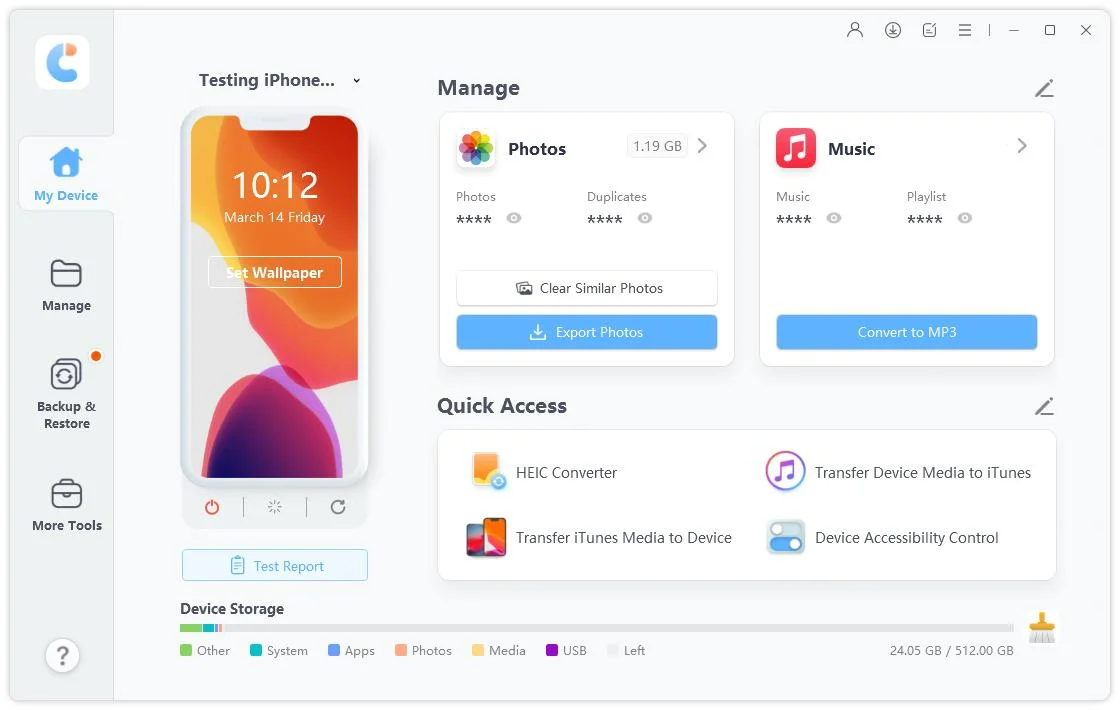
To address these challenges, local management tools that allow data to be saved directly to a computer are gaining attention. One of the most prominent examples is Tenorshare iCareFone . iCareFone is software that allows you to back up and manage iPhone and iPad data directly on your PC/Mac, offering advantages over iCloud.




Unlike iCloud's "bulk backup and storage limits," this allows for more flexible data management.
 Please swipe to view
Steps to Back Up & Restore with alternative to icloud storage


Cloud Storage (iCloud+) is a convenient service for securely managing photos and data, but it's important to understand the pricing, renewal mechanism, and the legitimacy of notification emails. In particular, phishing scams disguised as iCloud Storage Plan Renewal Notifications have been increasing recently, so always check the sender of the email and the security of any links.
Furthermore, if you're running low on storage space or want to reduce costs, you can not only review your plan, but also use Tenorshare iCareFone for more flexible and secure data management. Choose the method that suits your usage and make smart use of iCloud.


iCareFone for LINE - Easy LINE Data Transfer




then write your review
Leave a Comment
Create your review for Tenorshare articles
Best Free iPhone Transfer & iOS Backup Tool
Easily, without iTunesShare this post


iCareFone - Free iOS Backup tool & Easy Data Manager
Backup/Transfer/Restore/Manage iOS Data with Simple Clicks
Backup/Manage iOS Data Easily
Backup/Manage iOS Data in Clicks
By Jenefey Aaron
2026-09-15 / iOS File Transfer