
 iOS Tips & Latest Updates
 Bug Fixes, Unlock Guides
 Giveaways & Freebies
then write your review


4uKey - One-Click Easy iPhone/iPad Unlocker
Unlock Screen Lock/Apple ID/MDM/Screen Time Passcode Instantly
Easy iPhone/iPad Unlocker
Unlock iPhone Passcode Instantly
Getting locked out of your own device is the digital version of being stuck outside your house with the keys inside. Whether it's an iCloud lock, forgotten passcode, or MDM restriction, these barriers can turn a perfectly good phone into a dud one.
But if you've heard that apps like iKeyPro Tool are good for unlocking devices, you might want to know whether it's a safe solution. In this review, we'll dissect everything about the iKeyPro Tool, from its benefits to its pitfalls. So, you can decide if it's worth your time. But if it's not, we'll also point you toward a safer alternative!

iKeyPro is a set of software tools made to remove security locks on Apple devices. Its main use is bypassing locks like the iCloud Activation Lock or MDM restrictions. The tool supports many Apple products, from older iPhone 4S to newer iPhone 17, iPads, and Macs, and also Android 16 phones like Samsung, Redmi, and Huawei.
iKeyPro Tool is aimed at people who legally have a device but can't use it. For example, if they bought a second-hand phone that's still linked to someone else's account, or need to reset a company device.

Here are the core features of iKeyPro MDM Bypass Tool, which offers a toolkit with each software targeting different needs:
Here are the pros and cons of the iKeyPro Tool:
Pros
Cons

There are major privacy and security risks related to iKeyPro's usage. It has no independent privacy certifications (such as iKeepSafe), despite claims. Moreover, it often requires disabling key protections like System Integrity Protection (SIP) on your computer, leaving it open to malware. Downloading unofficial versions from third-party sites also increases the risk of viruses, spyware, or ransomware. Besides, the tool can even permanently break important phone features like cellular service.
iKeyPro Tool V2.3 is not a single app but a suite of tools, and it also comes with security risks. Therefore, it would be better to use a safer alternative, such as Tenorshare 4uKey. It also includes all unlocking features, like iCloud, MDM, and screen lock removal in a single tool. Moreover, your calls and mobile data will still function after lock removal. Here are 4uKey's core features at a glance:




Here's an example of using Tenorshare 4uKey to remove iCloud lock from your iDevice:
Execute the Tenorshare 4ukey tool on your Windows or Mac. Then, connect your iDevice to the computer. Tap "Remove iCloud Activation Lock" on the tool's interface.

The tool will detect your iDevice automatically. Hit "Next." Your iDevice will enter Recovery Mode automatically.


Afterward, the jailbreaking process will start. Wait for some time. Once your iDevice is jailbroken, tap "Next."


The tool will remove the iCloud Activation Lock successfully. Tap "Done." Reboot your iDevice.


iKeyPro Tool is a suite of tools made to bypass locks on Apple and some Android devices, such as iCloud Activation, MDM, passcodes, and FRP locks. However, it has security and privacy risks, possible loss of cellular features, and the need to disable protections like SIP.
A better alternative would be Tenorshare 4uKey. It puts all unlocking features into one program, allowing users to remove iCloud locks, MDM restrictions, passcodes, and Apple ID access. It's safer, supports newer devices, is easy to follow, and keeps calls and mobile data functional.


then write your review
Leave a Comment
Create your review for Tenorshare articles
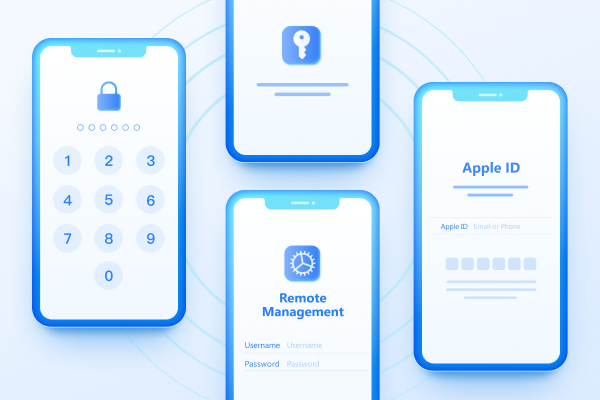
Easily Unlock iPhone passcode/Apple ID/iCloud Activation Lock/MDM
100% successful unlockShare this post


4uKey - One-Click Easy iPhone/iPad Unlocker
Unlock Screen Lock/Apple ID/MDM/Screen Time Passcode Instantly
Easy iPhone/iPad Unlocker
Unlock iPhone Passcode Instantly
By Jenefey Aaron
2026-10-14 / Unlock iPhone