Finding a reliable PDF reader for Mac isn’t always simple, especially if you need something fast, lightweight, and built for deep study or research. I tested Skim PDF extensively on macOS, focusing on annotation tools, highlight export, performance on large academic files, and overall user workflow.
This Skim PDF review gives you a clear picture of how it performs in 2025 and whether it’s a practical choice for students, researchers, and everyday readers.
This review is based on hands-on testing, not assumptions or promotional claims. I used Skim PDF on multiple macOS versions to see how it performs in real-world scenarios, including academic reading, note-taking, and working with large research files.
To keep the results fair and objective, Skim PDF was tested on three different Mac devices:
MacBook Air (M1) macOS Sonoma
MacBook Pro (Intel) macOS Ventura
iMac (M-series) macOS Sequoia
Each test focused on key performance areas such as loading speed, annotation quality, highlight export accuracy, battery usage, and PDF rendering during long study sessions.
I also evaluated how well Skim PDF integrates with third-party tools commonly used for research, including LaTeX, BibDesk, and SyncTeX, along with built-in features like snapshots, full-screen reading mode, and AppleScript automation.
The goal of this review is simple:
To determine whether Skim PDF is a practical, reliable choice for students, researchers, and regular Mac users in 2025 not just a niche academic tool.
All tests were conducted independently with no sponsorship or affiliation.
Part 2: Skim PDF Overview
What is Skim PDF?Skim PDF is a free PDF reader and annotation tool made for macOS. It was created for reading research papers but works well for any PDF. You can highlight text, add notes, underline sections, create snapshots, and view all your comments in a separate panel. It also supports full-screen reading, quick search, AppleScript, LaTeX tools, and BibDesk integration, making it helpful for students and researchers.
Supported PlatformsSkim is mainly built for Mac. There are some unofficial builds for Windows, but they are not stable or fully supported. For the best experience, use Skim for Mac only.
Why People Use the Skim PDF Reader Skim feels like marking a printed document, but with digital tools. You can search text instantly, export notes, and remove or engrave annotations before sharing the file. It keeps the original PDF unchanged unless you choose to flatten edits.
Part 3: Skim PDF Core Features and Capabilities
PDF Viewing and NavigationSkim makes reading long PDFs easier. You can scroll through pages, view thumbnails, or jump using the table of contents. Full-screen mode, a reading bar, and zoom tools help you stay focused while reading research papers or reports. Overall, the Skim PDF viewer is simple to use and great for study sessions.
PDF Editing and File HandlingSkim doesn’t change the original PDF. Instead, it saves your notes separately so the main file stays clean. When you need to share or print, you can lock your annotations into the PDF. It also supports bookmarks, quick search, and works well with macOS features like Spotlight.
Annotation and Highlighting ToolsSkim is built for note-taking. You can highlight text, underline lines, strike through content, add sticky notes, draw boxes and circles, and take snapshots for quick reference. All notes appear in a list on the side, and you can export them as text for study or research. This makes the Skim PDF reader perfect for students and researchers.
Performance and ProductivitySkim is lightweight and opens large PDFs quickly. It works smoothly on macOS, even with heavy files and many annotations. It also supports LaTeX, BibDesk, internal link previews, and basic presentation mode, which helps with academic work.
Part 4: Skim PDF Pricing and Availability
Skim PDF is completely free to use. It’s an open-source project, so there are no subscriptions, upgrade fees, or paid features. You can download the latest version directly from the official project page.
The current version is 1.7.11, and it works on macOS 10.13 or later. Older versions are available for users running previous macOS releases, such as the Sierra version (1.6.21).
Even though Skim is free, the project relies on community support, so users can contribute by reporting issues, improving code, or helping with development.
Part 5: Skim PDF Pros and Cons
Pros of Skim PDF
Free and open-source no hidden costs, subscription, or trial limitations.
Lightweight and fast opens large PDFs instantly without slowing your Mac.
Powerful annotation tools highlight, underline, strike-through, sticky notes, boxes, circles, and snapshots for easy reference.
Keeps your PDF clean annotations are stored separately, so the original file remains unchanged.
Perfect for academic work integrates with LaTeX, SyncTeX, and BibDesk for research workflows.
Export notes easily save highlights and comments as text files for study or citation.
Customizable highlights choose colors and opacity to organize notes visually.
Focus-oriented reading full-screen mode, reading bar, and quick navigation keep distractions away.
Smooth macOS performance works reliably on Intel and M-series Macs without lag.
Cons of Skim PDF
Mac-only no official support for Windows or Linux.
Limited PDF editing cannot create or change PDF content like Adobe Acrobat.
Annotations not universal notes saved externally may not appear in other PDF apps unless exported.
Basic interface looks simple compared to modern paid PDF tools.
No advanced forms or layout editing mainly designed for reading and annotating.
Technical setup for advanced features LaTeX and SyncTeX integration may require some technical knowledge.
Part 6: My Experience with Skim PDF
I’ve been using Skim PDF for Mac for several months, mainly for reading research papers, annotating PDFs, and organizing my study notes. From the start, the app impressed me with its speed and smooth performance. Opening large files is fast, and navigating through chapters or sections using thumbnails and the table of contents is simple.
The annotation tools highlighting, underlining, sticky notes, circles, and snapshots make marking up documents easy and even enjoyable. Exporting notes as text files is a huge help for referencing later.
One of the biggest advantages is that it keeps the original PDF clean. Your annotations are stored separately, so nothing gets overwritten by accident. Full-screen mode, the reading bar, and quick zoom tools make long reading sessions comfortable and distraction-free. I also found the Skim PDF viewer perfect for academic workflows, especially with LaTeX integration using SyncTeX.
However, there are some limitations. Skim is primarily a Mac tool, so if you’re looking for Skim PDF for Windows, your options are limited to unofficial builds that may lack stability or features. It’s not a full PDF editor you can annotate but cannot create or modify the original PDF content. Also, annotations stored externally won’t appear in other PDF readers unless you export them. For casual reading or heavy PDF editing, this might feel restrictive.
Part 6: Best Skim PDF Alternative – Free Download
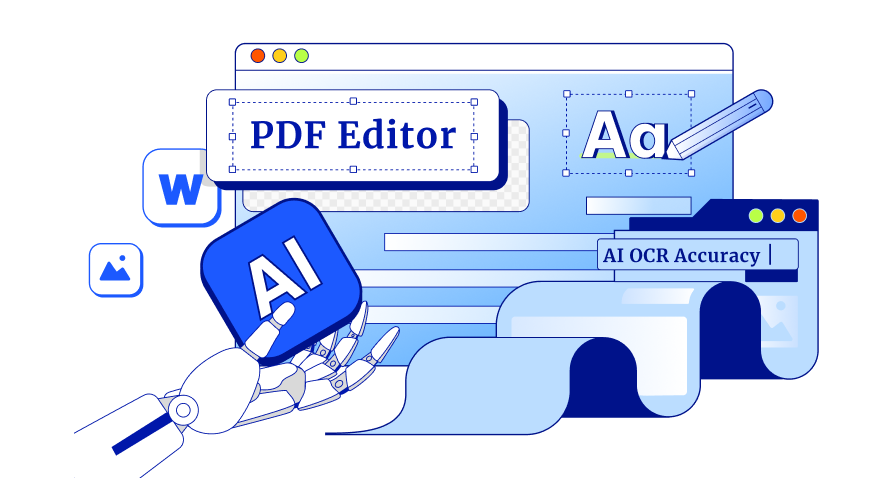
Tenorshare PDNob is a great option if you're searching for a strong substitute for Skim PDF. While Skim works great for annotation on Mac, PDNob takes PDF editing, annotation, and management to the next level, and it’s available for both Mac and Windows.
Whether you need to convert scanned PDFs, edit content, annotate documents, or organize multiple files, PDNob makes the process smooth, fast, and professional.
It’s lightweight, reliable, and offers a free download with full features. With Tenorshare PDNob , you can enjoy high-precision OCR, smart batch processing, and a user-friendly interface, making it perfect for students, educators, professionals, and researchers alike.
Advantages of Tenorshare PDNob
1. High-Precision OCR
Converts scanned PDFs into editable and searchable documents with over 99% accuracy.
Supports multiple languages including English, Japanese, Chinese, French, Spanish, and more.
Maintains original layout, fonts, formatting, and links.
2. Comprehensive PDF Editing
Edit text, images, links, watermarks, and backgrounds effortlessly.
Adjust font size, style, color, and formatting as needed.
Add, remove, or replace content without affecting the PDF layout.
3. Powerful Annotation Tools
Highlight, underline, or strike through text with custom colors.
Add comments, sticky notes, shapes, arrows, stickers, and stamps.
4. Efficient PDF Organization
Merge, split, reorder, rotate, or extract PDF pages.
Batch process multiple PDFs simultaneously.
Add headers, footers, and page numbers in one go.
5. Convert Any File to PDF
Convert Word, Excel, PowerPoint, images, or other file types into high-quality PDFs.
Batch PDF creation saves time when working with multiple files.
6. Secure and Protected
Password protection, redaction, watermarking, and AES 256-bit encryption.
7. AI-Powered Features
Summarize PDFs, translate content, rewrite text, and ask questions via AI-powered Chat PDF.
Simplifies complex documents, making research or reviewing faster and easier.
How to Edit Text in PDF with PDNob PDF Editor
Open Your PDFLaunch PDNob PDF Editor and open the PDF document you want to edit. The interface is clean and intuitive, making it easy to navigate.
Enter Edit ModeClick the Edit icon on the top toolbar. This will activate editing mode, allowing you to modify text, images, links, and other elements directly in your PDF.
Select the TextClick on the text you want to change. A blue box will appear around it, showing that the text is ready for editing.
Edit or DeleteDouble-click the text to replace it, or press Backspace/Delete to remove it. You can continue typing in the same font or adjust it using the toolbar.
Format Your TextUse the toolbar to adjust font style, size, color, alignment, and other formatting options. PDNob preserves the original layout so your PDF remains neat.
Final Verdict
While Skim PDF is a handy tool for simple PDF viewing and annotation, it falls short for users who need advanced editing, OCR, or batch processing. For a more powerful and versatile solution, Tenorshare PDNob is highly recommended.
With accurate OCR, easy editing, simple annotation tools, fast batch conversion, and smooth performance on Mac and Windows, PDNob makes working with PDFs quick and easy. If you want to go beyond the basics of Skim PDF, try Tenorshare PDNob for a smarter, faster, and professional PDF experience.
The END
About PDNob
I am PDNob.
Swift editing, efficiency first.
Make every second yours: Tackle any PDF task with ease.
As Leonardo da Vinci said, "Simplicity is the ultimate sophistication." That's why we built PDNob.














By Jenefey Aaron
2026-10-20 / Knowledge