







PDNob 2.1 - Rebuilt, Faster & Smarter PDF Editor
Major Update: Upgraded PDFium, evolved Al & OCR, and dark mode.
PDNob 2.1 - Rebuilt, Faster & Smarter PDF Editor
Major Update: Upgraded PDFium, evolved Al & OCR, and dark mode.
A reliable PDF editor is essential for handling documents on Windows 10 and Windows 11, especially when editing, annotating, or managing files daily. Many users look for a PDF-XChange editor free download because it offers strong features.
PDF-XChange Editor is known for its fast performance, lightweight setup, and support for both 32-bit and 64-bit systems. This guide walks through the correct way to download and install the software safely, helping you avoid common errors and unofficial sources.
The all-in-one PDF editor for professionals and individuals. Edit, convert, OCR, and manage PDFs smarter and faster.
PDF-XChange Editor is a flexible PDF tool designed for Windows users who want strong editing features without heavy system usage. Many people search for PDF XChange editor software free download because the base version offers useful tools at no cost, while advanced options are available through paid upgrades. The free version works without a license, but any premium feature used will apply a watermark to the document.
PDF-XChange Editor is available in three main editions, each built for different needs.
This is the core version and is ideal for everyday PDF tasks. It supports fast PDF viewing, annotations, comments, highlighting, and basic text editing. Free features work without restrictions, while premium tools can be tested with watermarks. The base version also includes PDF-XChange Printer Lite, which allows non-commercial virtual PDF printing.

PDF-XChange Editor Plus The Plus version unlocks advanced productivity tools. It adds enhanced OCR for scanned documents, document comparison, and full creation and editing of fillable PDF forms. Users also get dynamic stamp creation, making this version suitable for office and professional workflows.

PDF-XChange PRO PDF-XChange PRO is the most complete package. It includes everything from Editor Plus, along with PDF-Tools for batch processing and file creation, and PDF-XChange Printer Standard for advanced virtual printing features. This edition is designed for users who need full-scale PDF management.

Before starting a PDF XChange editor software free download, it’s important to confirm that your system meets the official requirements. PDF-XChange Editor supports all current Microsoft Windows versions, including Windows 11, as well as older versions that are still maintained through Microsoft service updates.
PDF-XChange Editor works on:
Both 32-bit and 64-bit systems are supported, making it suitable for most modern and older PCs.
PDF-XChange products, especially the printer drivers used by PDF-XChange Printer Standard and PDF-XChange Lite, are not designed for virtualized environments such as XenApp. Performance or functionality may be limited in such setups.
Some features may not work correctly on Windows versions that Microsoft no longer supports, such as Windows XP. Limited technical support applies in these cases.
For users on Windows 7, make sure that the latest service pack and system updates are installed before proceeding with a PDF XChange editor software free download to avoid installation or performance issues.


Cracked versions of PDF-XChange Editor often come bundled with malware, hidden scripts, or modified system files. These risks can lead to data theft, corrupted PDFs, system slowdowns, and sudden crashes. Cracks also block software updates, security patches, and official support, making daily work unstable and unsafe.

A safer alternative is Tenorshare PDNob PDF Editor. It offers a clean interface, smooth performance, and essential PDF tools at a lower cost than many commercial editors. PDNob also provides a free trial, letting you test key features without risking your system or documents. For users who want reliability without security concerns, it is a practical choice over cracked software.




PDF-XChange Viewer is no longer actively developed, but many users still search for it. Common reasons include running an older computer, needing an extremely lightweight PDF reader, or avoiding watermark restrictions found in newer editors. While understandable, it’s important to know the official status and limitations before downloading it.
PDF-XChange Viewer has been officially discontinued and replaced by PDF-XChange Editor. Tracker Software ended Viewer development to focus on a single, more modern editor platform. As a result, Viewer no longer receives updates, bug fixes, or security patches. For most users, a PDF XChange editor free download is now the recommended option.
Although discontinued, Tracker Software still hosts older Viewer builds on its official website. Downloading from these archived pages is the only safe method. Avoid third-party sites that repackage installers, as they often include malware or altered files.
To download safely:
PDF-XChange Viewer works well on older PCs, especially systems running Windows XP or Windows 7. Its lightweight design makes it suitable for low-RAM devices where newer editors may feel slow. This is one reason some users still choose it over a PDF XChange editor software free download.
For many users, the issue with PDF-XChange Editor is not performance, but complexity. Beginners and freelancers often only need to edit text, run OCR on scanned files, sign documents, or compress PDFs quickly. Instead, they face technical menus, watermark rules, and feature overload.
In these cases, PDNob offers a clearer path. It focuses on core PDF tasks, opens faster, works smoothly on low-end PCs, and removes the learning curve. Users can edit, merge, OCR, annotate, and sign PDFs in one place, with simple pricing and a long free trial for everyday work.


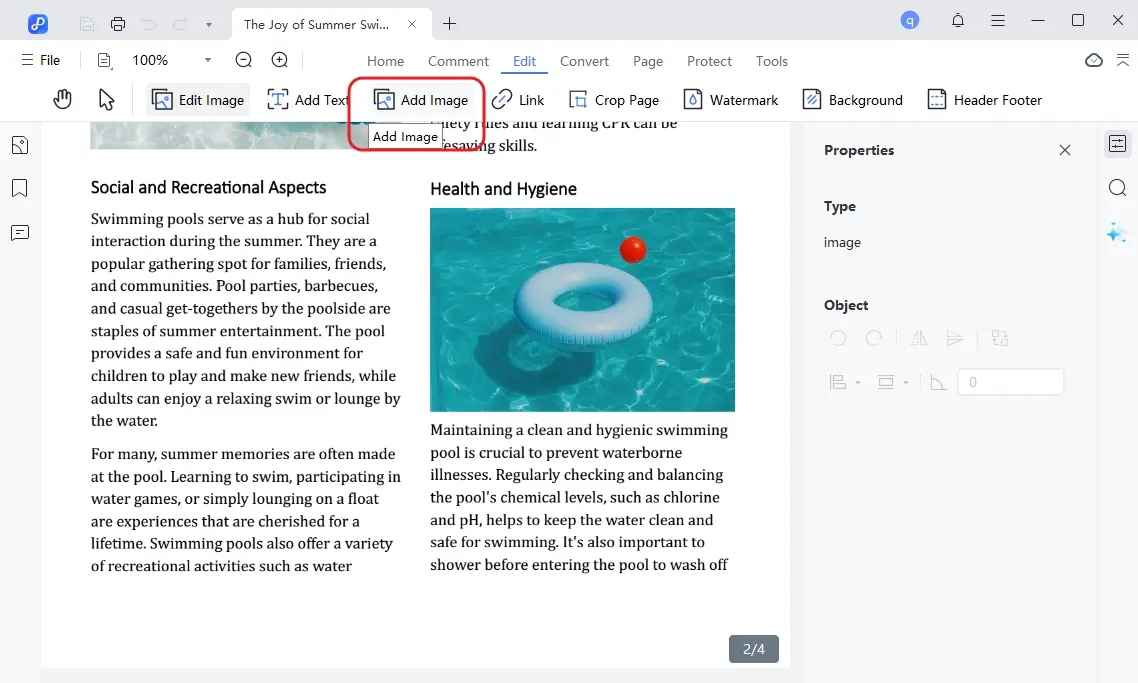
Choosing the PDF-XChange Editor free download Full Version depends on how advanced your PDF needs are. While it offers powerful tools and flexible licensing, it can feel complex for casual users and beginners. For those who want a simpler, more approachable solution with essential features and lower cost, PDNob PDF Editor provides a practical and user-friendly alternative worth considering.


PDNob PDF Editor Software- Smarter, Faster, Easier




 The END
I am PDNob.
Swift editing, efficiency first.
Make every second yours: Tackle any PDF task with ease.
As Leonardo da Vinci said, "Simplicity is the ultimate sophistication." That's why we built PDNob.
then write your review
Leave a Comment
Create your review for Tenorshare articles
Share this post


PDNob 2.1 - Rebuilt, Faster & Smarter PDF Editor
Major Update: Upgraded PDFium, evolved Al & OCR, and dark mode.
PDNob 2.1 - Rebuilt, Faster & Smarter PDF Editor
Major Update: Upgraded PDFium, evolved Al & OCR, and dark mode.
By Jenefey Aaron
2026-09-15 / Knowledge