Why Failed to Delete Photos Using iCareFone
Photos/Videos imported from computer using iTunes or other software are stored in Photo Library. Either iCareFone or iPhone/iPad can only delete photos stored in Camera Roll.
If you cannot delete photos with iCareFone, please try the following methods:
- There may be some abnormal Bursts on your iOS device. As these Bursts cannot be deleted, all your selected photos with iCareFone cannot be deleted too. In this case, please use iCareFone to select and delete the photos which don't belong to Bursts.
- The second method is to clear all the photos in the “Recently deleted” folder, and make sure they have been removed, then try to delete photos with iCareFone again.
-
If you have synced photos with iTunes before, please try to turn off the Sync Photos option in iTunes first. Simply connect your device with iTunes, and click on the device icon, then select Photos > uncheck Sync Photos option.
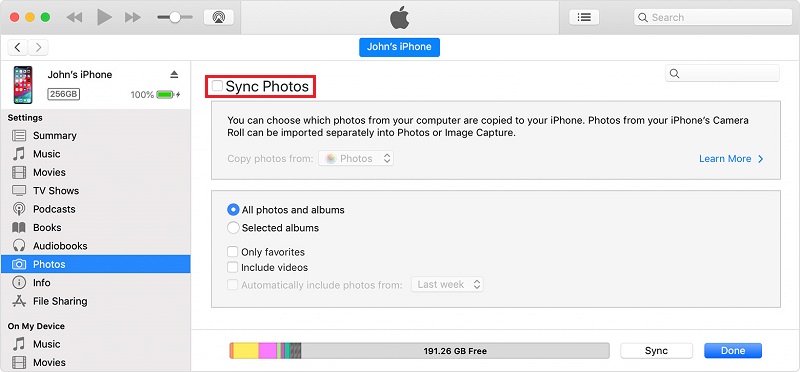
Pic.- Turn off Sync Photos on iTunes

Hope this guide helps. If the above operations cannot solve this issue, please try to reconnect the device and try again.
