How to Install iAnyGo Android App? Follow the guide below!
Pre-installation instructions:
Please install the iAnyGo Android app on your Android phone. For the best experience, ensure your device is running Android 8.0 or above.
Part 1: iAnyGo Android App Installation Guide
Step 1: Download the App
You can choose one of the following methods to download the APK installation package:
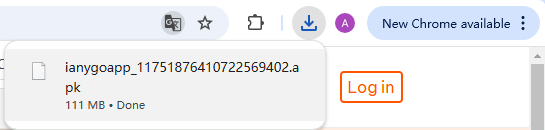
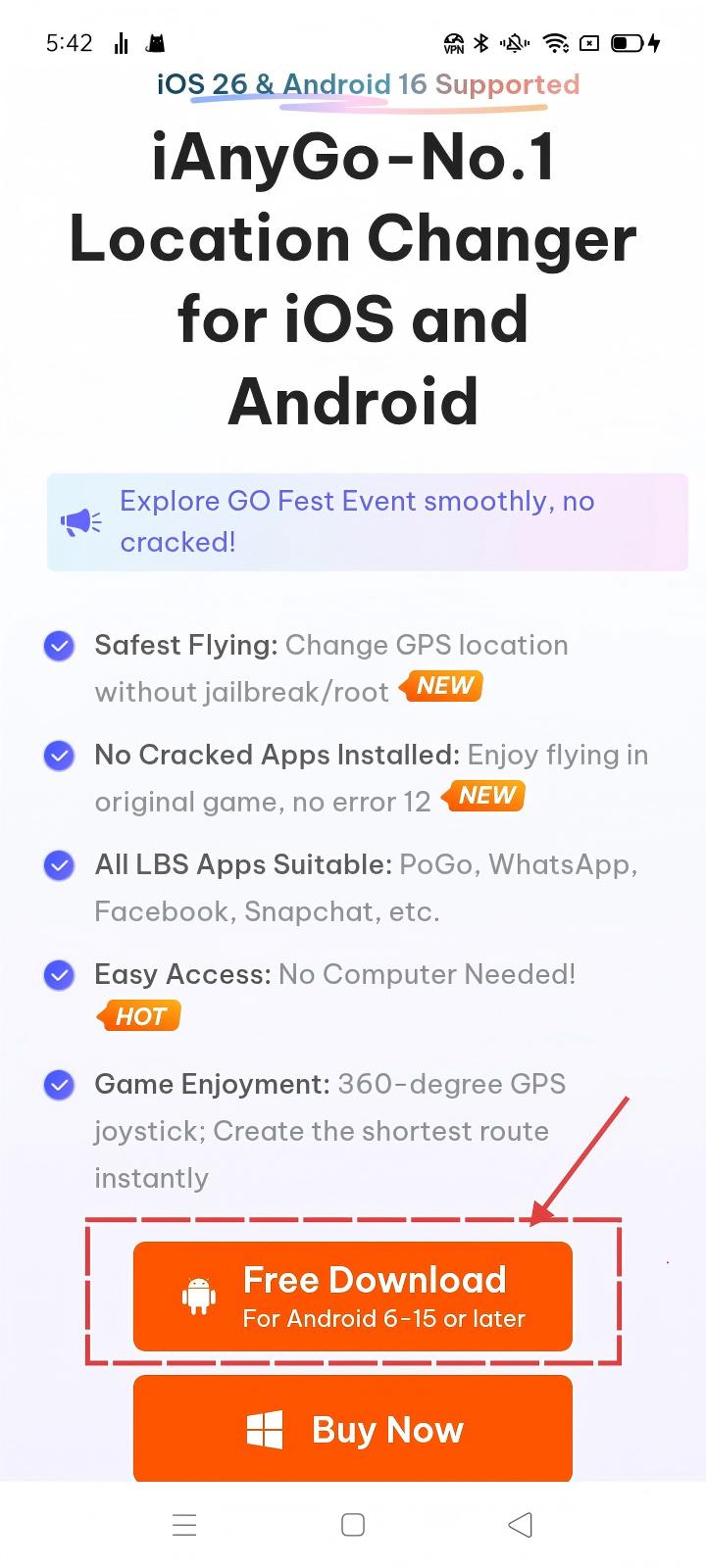
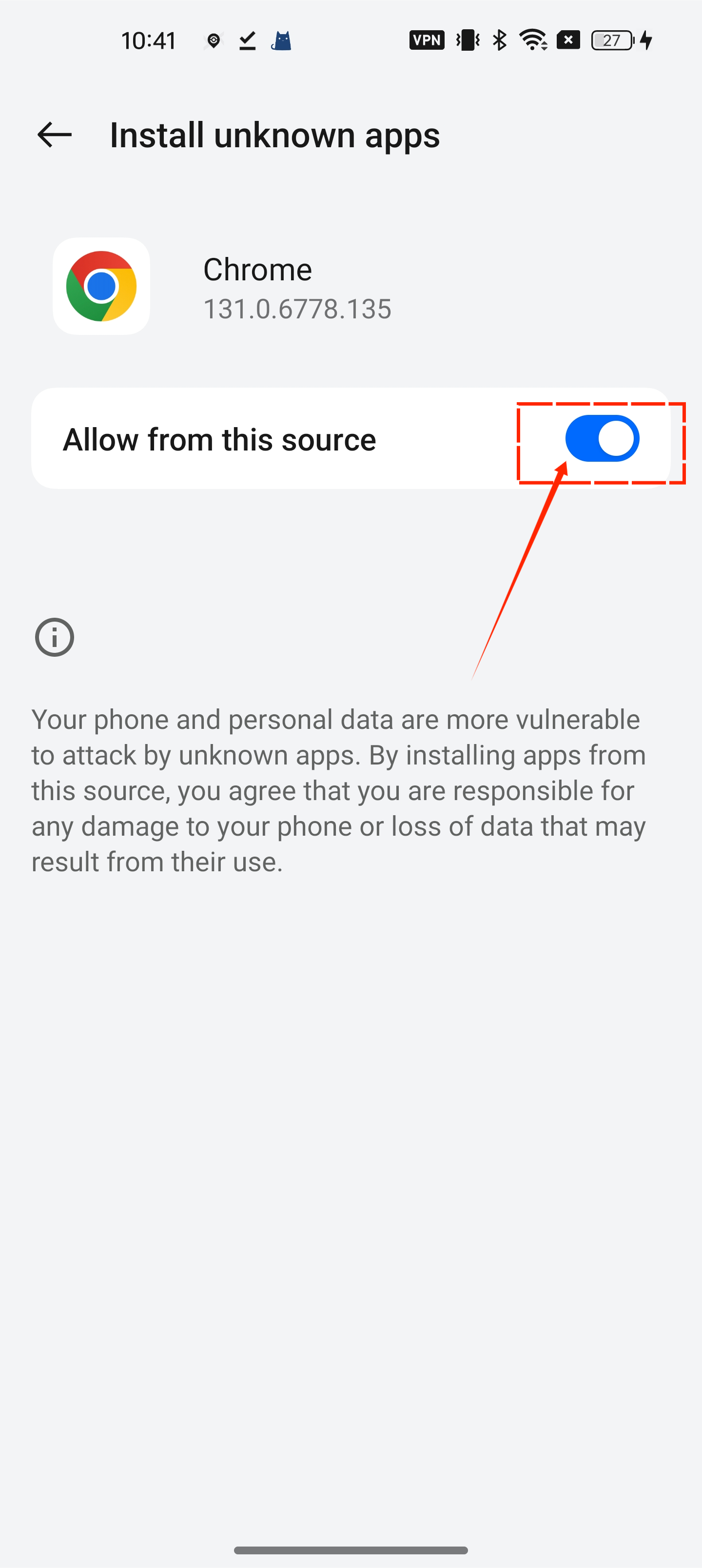
Step 2: Allow Installation
After downloading, tap on the APK file and grant permission to install apps from unknown sources if prompted.
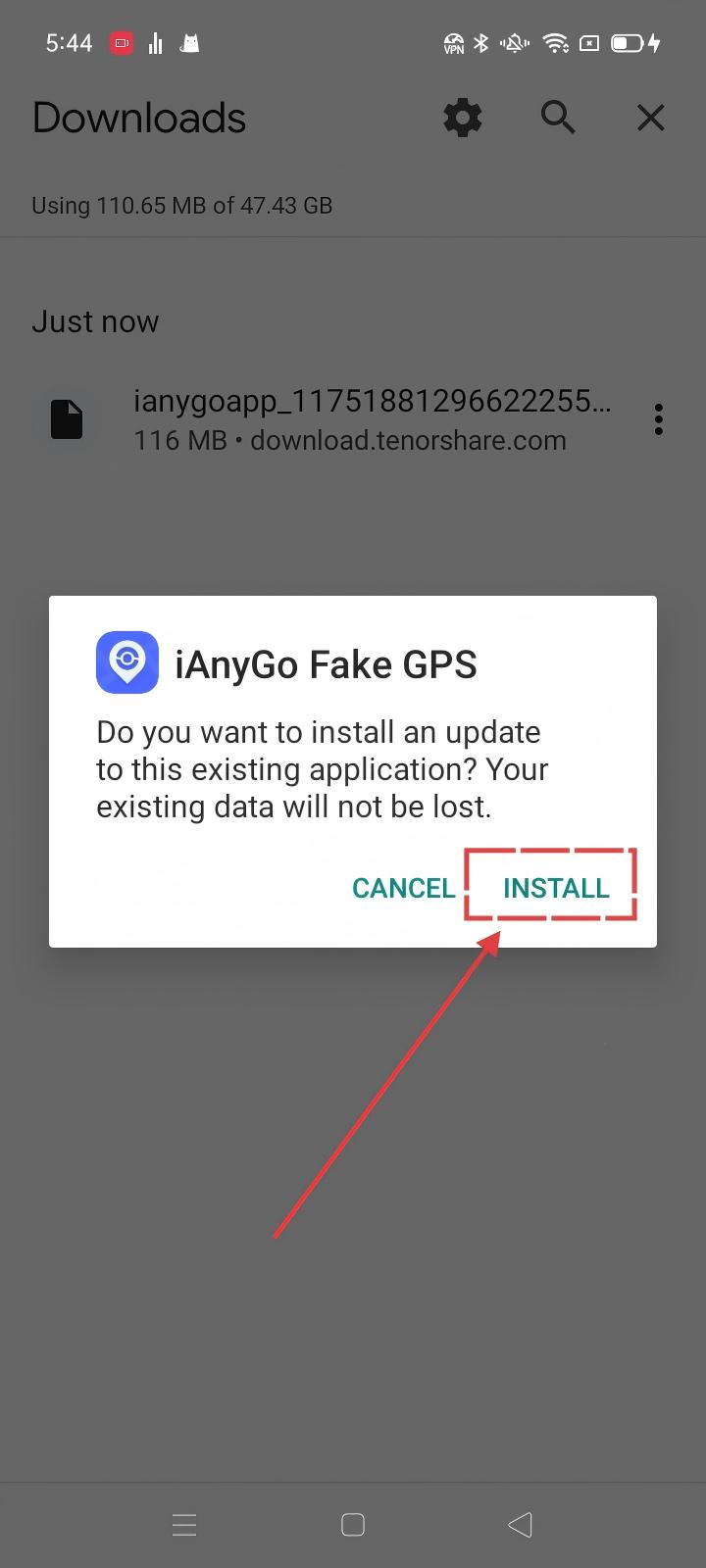
Step 3: Confirm Installation
Follow the on-screen prompts to confirm and proceed with the installation.
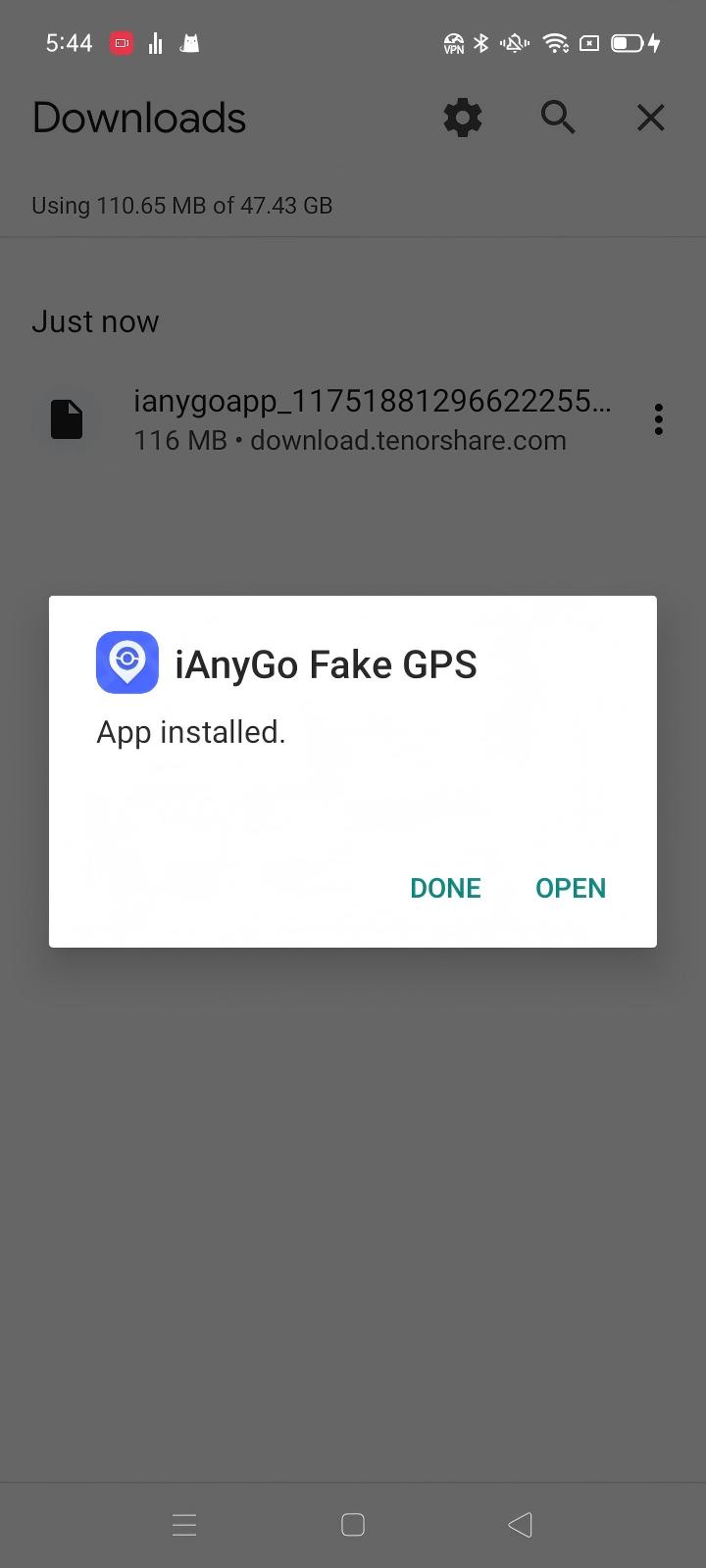
Step 4: Installation Complete
Once the installation is complete, you’re all set! Launch the iAnyGo app to start exploring its features.
Part 2: iAnyGo Android App Guide FAQs
Learn how to change your GPS location using the iAnyGo Android App by checking the iAnyGo Android App User Guide